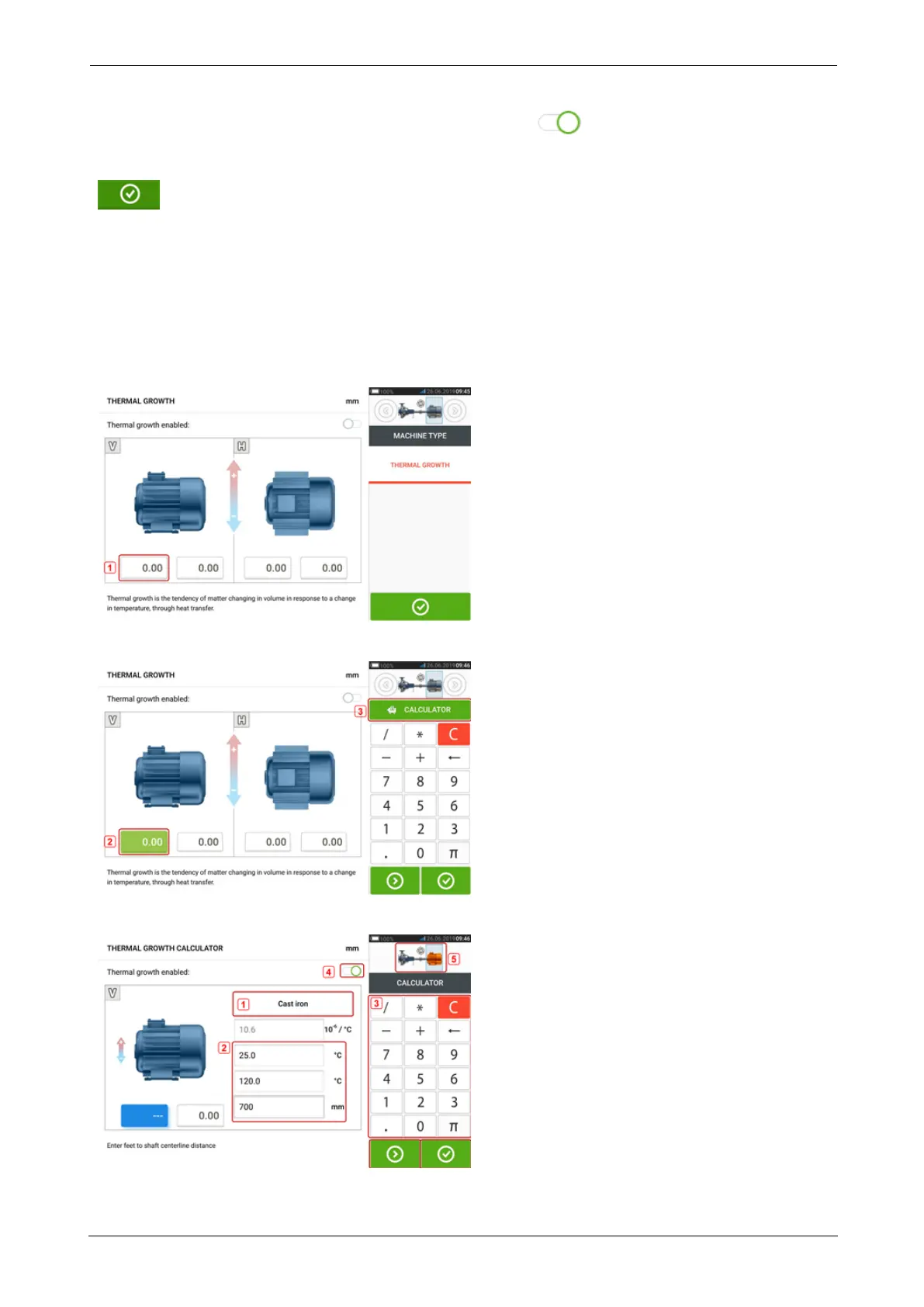
Thermal growth values are activated by swiping the icon to the right [1]. When thermal
growth values are enabled, the corresponding machine within the mini train inset at the top-
right corner appears in orange [2]. After thermal growth values have been entered, tap
to proceed.
Thermal growth calculator
The calculator is used to calculate thermal growth compensation if no other values are avail-
able. Thermal growth is calculated from the material coefficient of linear thermal expansion,
expected temperature difference and length of the shaft centerline from the shim plane.
After accessing the thermal growth screen, tap value box of feet pair [1] where thermal
growth is to be entered.
The box is highlighted green [2], and the 'Calculator' tab [3] appears.
Tap 'Calculator' tab [3] to access the thermal growth calculator screen.
SHAFTALIGNtouch 37
On-board help



 To Next Page