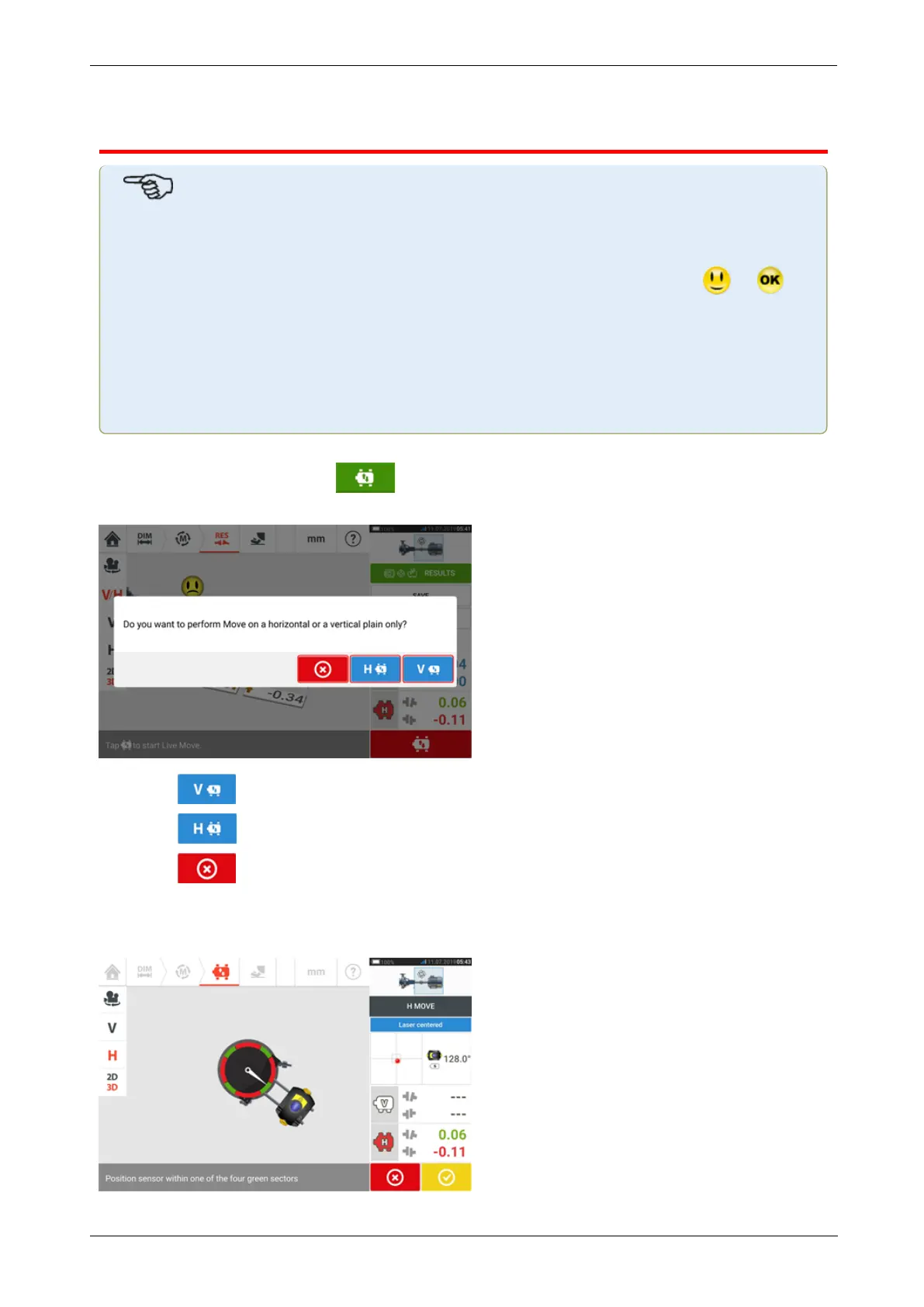
Live Move screen
Note
Aligning of machines involves vertical movement through shimming of the machine
feet, and horizontal movement by shifting machine sideways.
If the alignment condition of the machines is within tolerance (indicated by or )
then there is no need to align the machines.
It is recommended to perform vertical corrections first, since the horizontal condition is
easily affected by the process of loosening anchor bolts and inserting and/or removing
shims, whereas the vertical condition is less prone to being affected when performing
horizontal moves.
It may be necessary to recheck soft foot before proceeding.
Live Move is monitored in either the horizontal (H) or vertical (V) plane.
While in the results screen tap to prompt Live Move. A hint to select desired Live Move
plane appears.
l
Tap for shimming
l
Tap to move machine sideways
l
Tap to cancel Live Move
Depending on the measurement mode used, a screen prompting the positioning of the sensor
and reflector in any one of the four designated positions appears. In Active Clock, four 30° sec-
tors are available.
78 Version:2.3
On-board help



 To Next Page