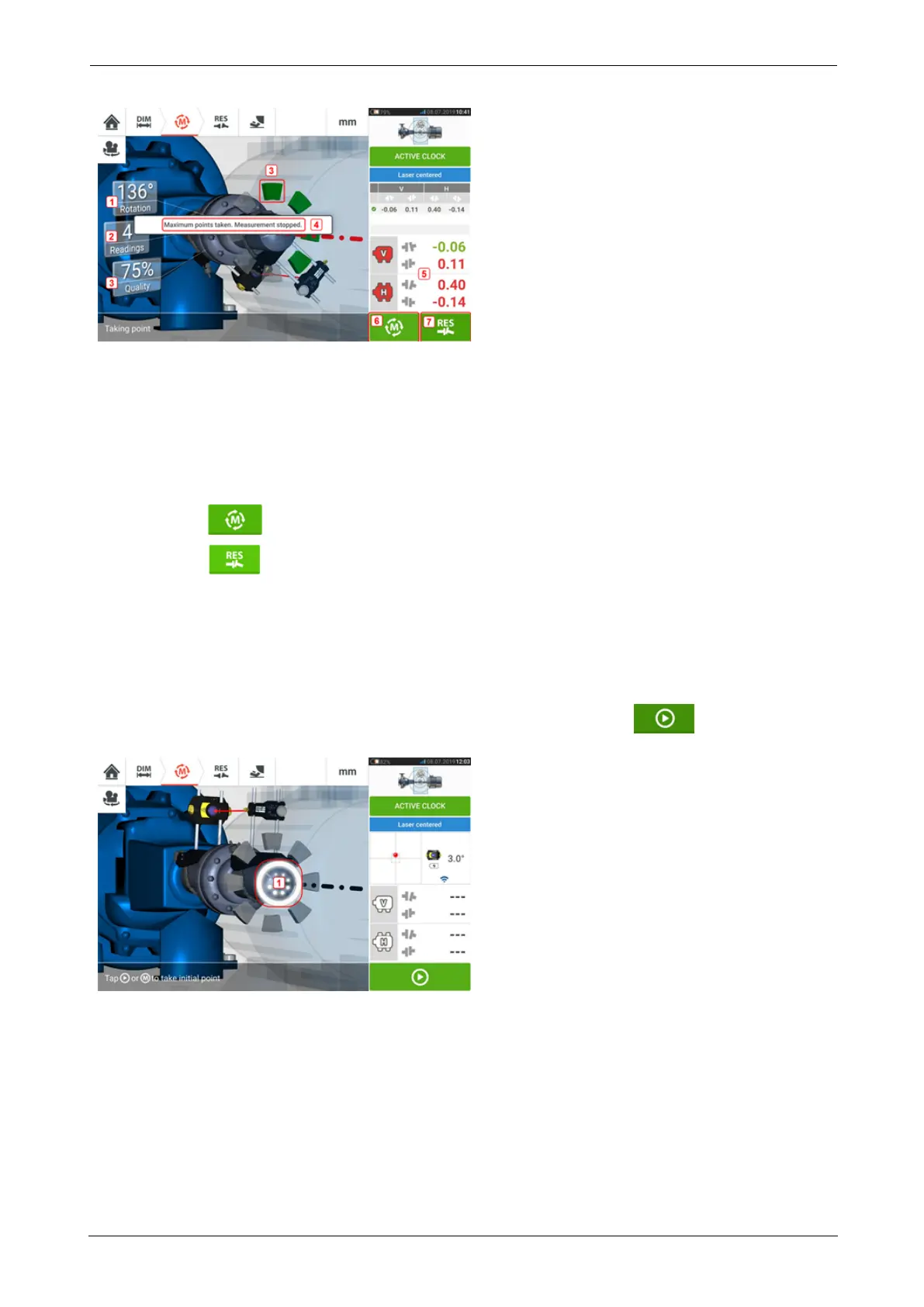
l (1) Rotational angle covered by the shafts
l (2) Active clock measurement points taken (in this example set points attained)
l (3) Measurement quality attained
l (4) Hint (in this example set points attained)
l (5) Coupling results displayed as soon as the measurement quality reaches 40% (active
clock sector is orange)
l
(7) Tap to re-measure machines.
l
(8) Tap to view machine foot results.
Taking measurement points automatically
Measurement points may be taken automatically if the default setting item "Take points auto-
matically after stabilization" has been activated. The item 'Default settings' is found under
"Configuration".
The initial measurement is taken by tapping either the pulsating M or after sta-
bilization.
When the rotational angle of the sensor and reflector is within the sector range, a series of
dots in circular motion (1) indicate the stabilization process. Once this occurs stop the rotation
of the shafts and wait for the pulsating M to appear.
The subsequent measurement points are taken automatically. The shafts are rotated to the
next sector range. Once stabilization begins, hold shafts at that position and wait for meas-
urement to be taken automatically. Repeat the procedure until all set active clock meas-
urement points are taken.
SHAFTALIGNtouch 61
On-board help



 To Next Page