Introduction
This on-board help provides information to support users of SHAFTALIGNtouch.
Using the on-board help
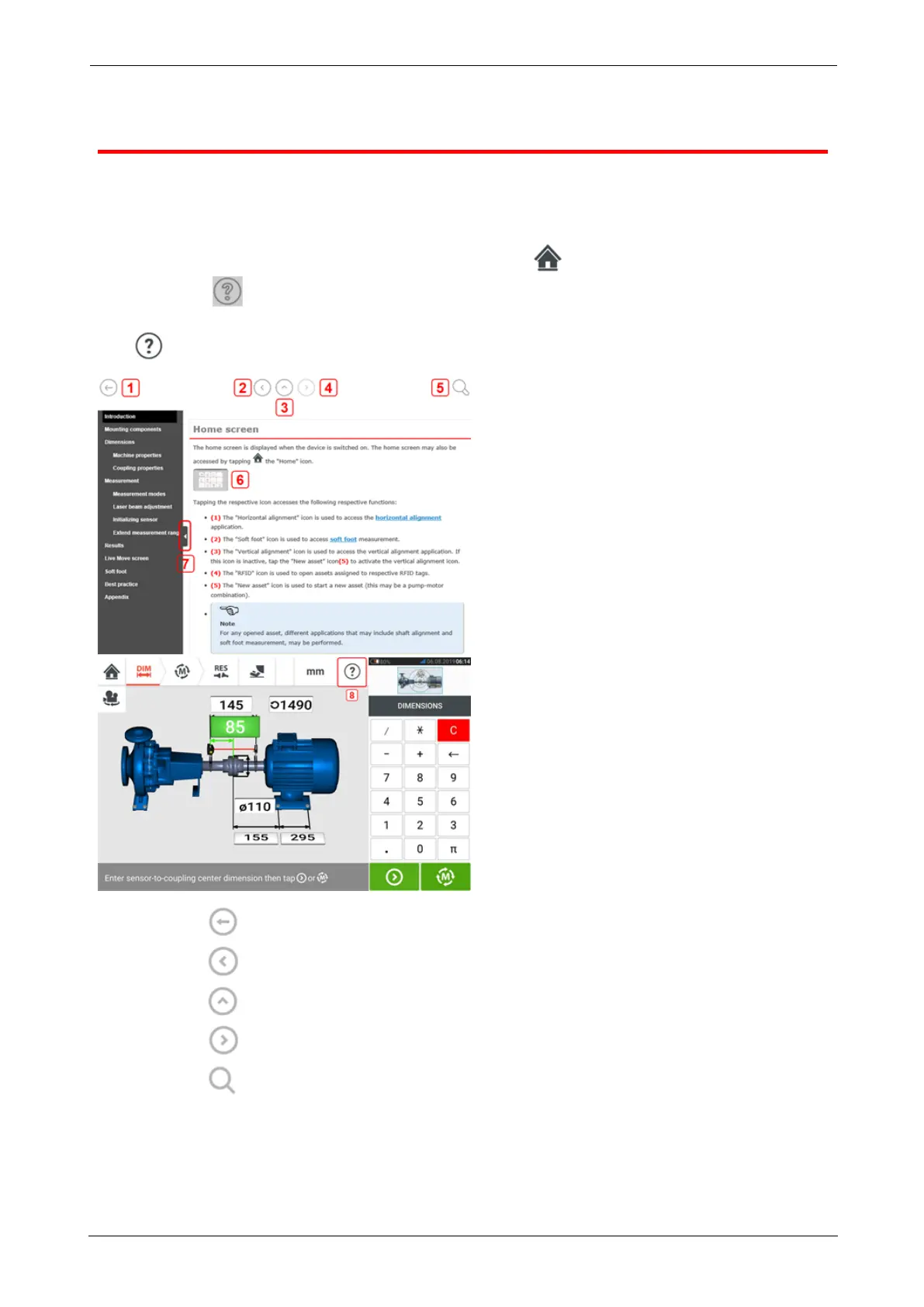
The on-board help is accessed via the home screen. Tap the "Home" icon then the ques-
tion mark icon to access the on-board help.
Context sensitive help may be accessed from specific screens by tapping the question mark
icon provided on the specific screen.
l
(1) Tap to return to the start screen.
l
(2) Tap to go back.
l
(3) Tap to go to the opening page of this on-board help.
l
(4) Tap to go forward.
l
(5) Tap to search for text in the on-board help. A search field together with an
onscreen keyboard appears.
l (6) Throughout this on-board help, image thumbnails have been used. Tap the image
thumbnail to enlarge the image for better viewing.
To zoom out and proceed, tap the enlarged image.
SHAFTALIGNtouch 7
On-board help



 To Next Page