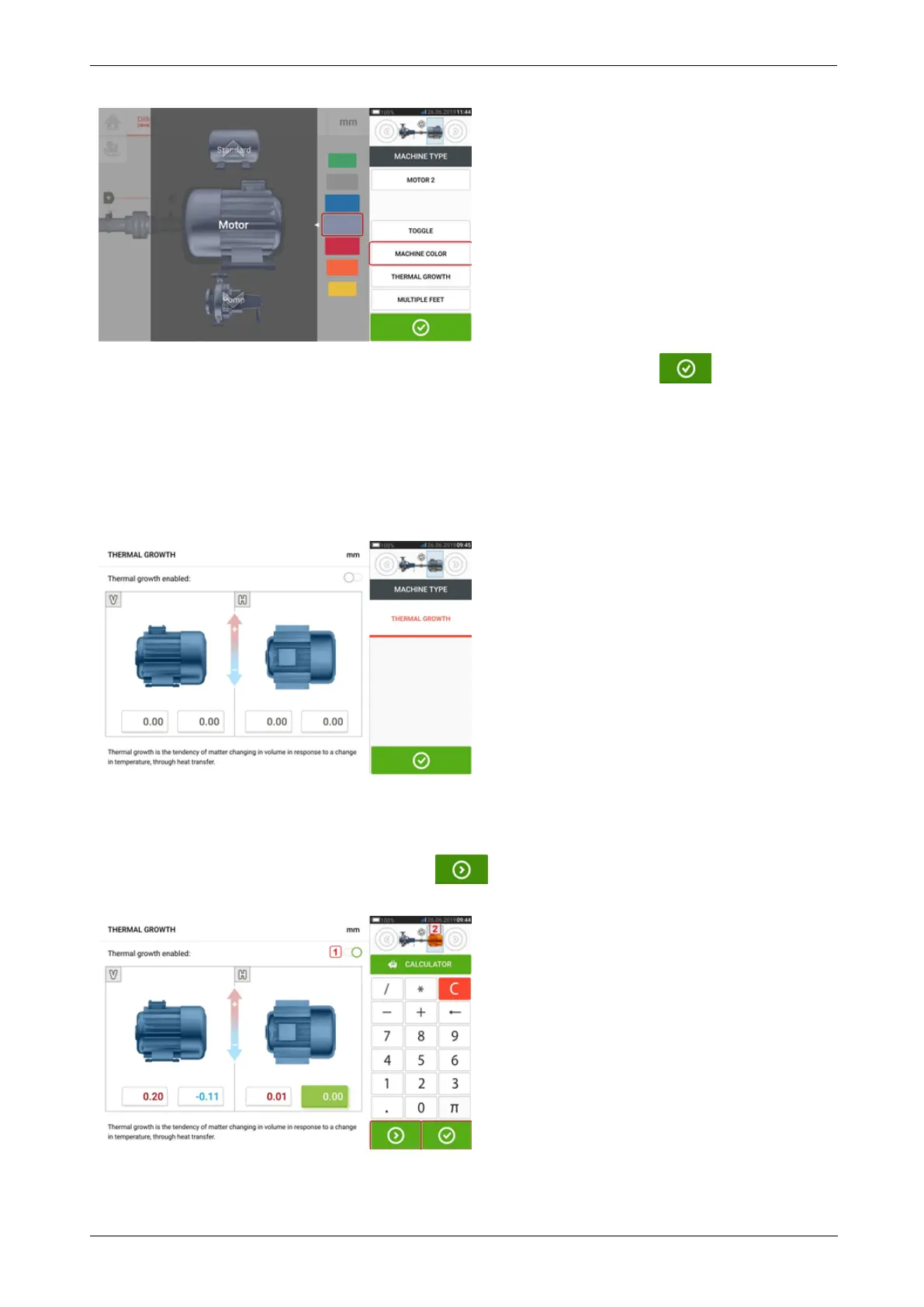
Swipe the colour palette up or down to select the desired colour then tap to confirm
selection and return to the dimensions with the machines having the desired colour.
Thermal growth
Thermal growth is the movement of shaft centerlines associated with or due to a change in
machinery temperature between the idle and operating conditions.
Access the thermal growth screen by tapping the item "Thermal growth".
Thermal growth values can be entered only when machine feet have been defined.
To enter any specified thermal growth value at the required foot position, tap the cor-
responding value box then proceed to enter the thermal growth value using the onscreen key-
board. Cycle through the value boxes using . Alternatively, tap the desired foot
position.
36 Version:2.3
On-board help



 To Next Page