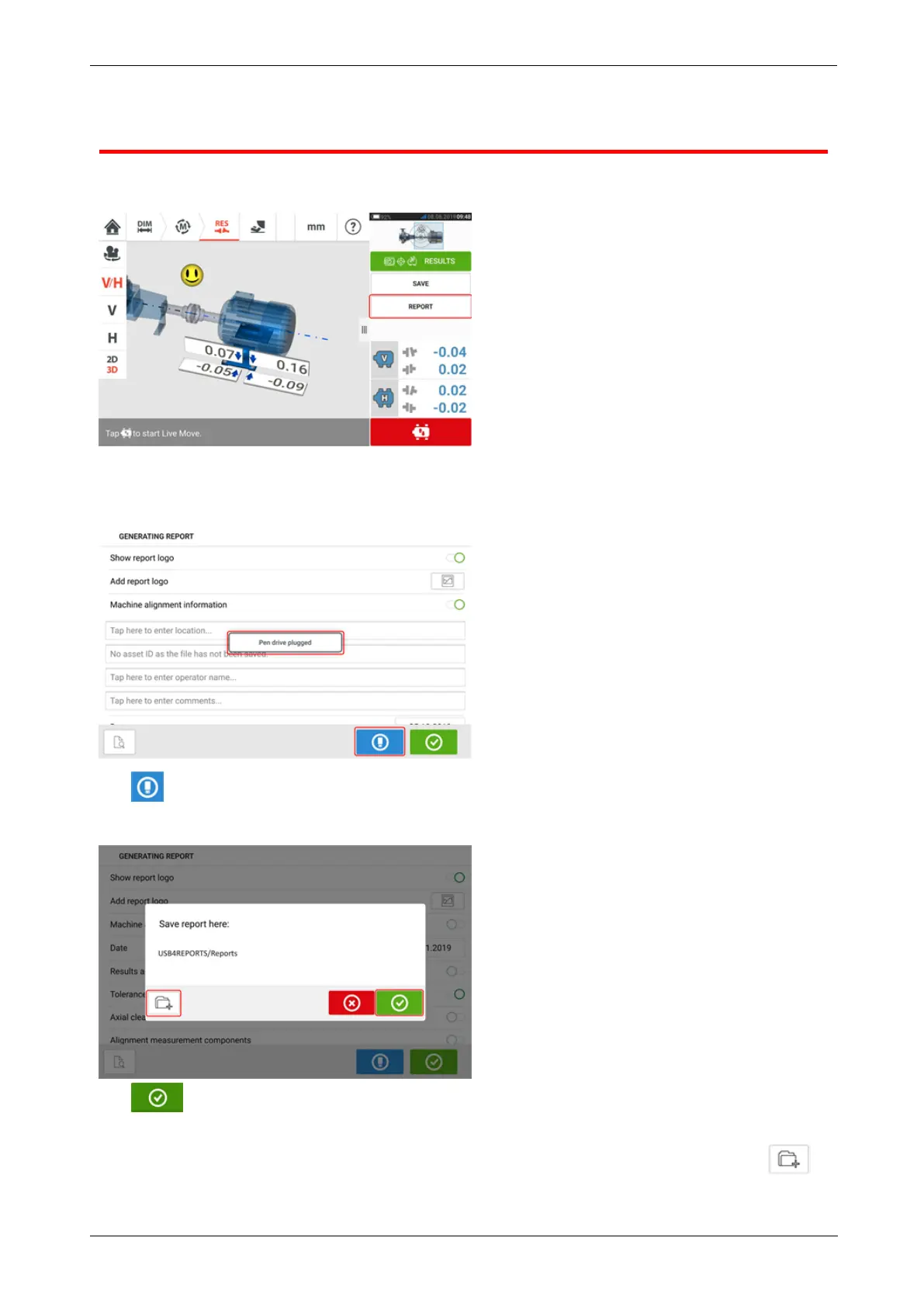
Saving report to USB drive
Asset measurement reports may be saved as PDF to a USB drive. Measurement reports are
generated from the results screen.
Connect the rugged device to a USB drive using the provided USBC to USBA adapter then tap
the menu item "Report". The "Generating report" screen opens. The hint "Pen drive plugged"
appears.
Tap .
If the USBdrive had been previously used to save reports from the given rugged device, the
hint below appears.
Tap to confirm saving report in the suggested location. The report will then be saved in
that location on the USBdrive.
Optionally, the report may be saved in a different location on the USBdrive by tapping .
The folder location is then set as follows:
92 Version:2.3
On-board help



 To Next Page