Built-in camera
Tap the 'Camera' icon to access the function.
Focus the device on the object to be photographed. The object is displayed on the screen.
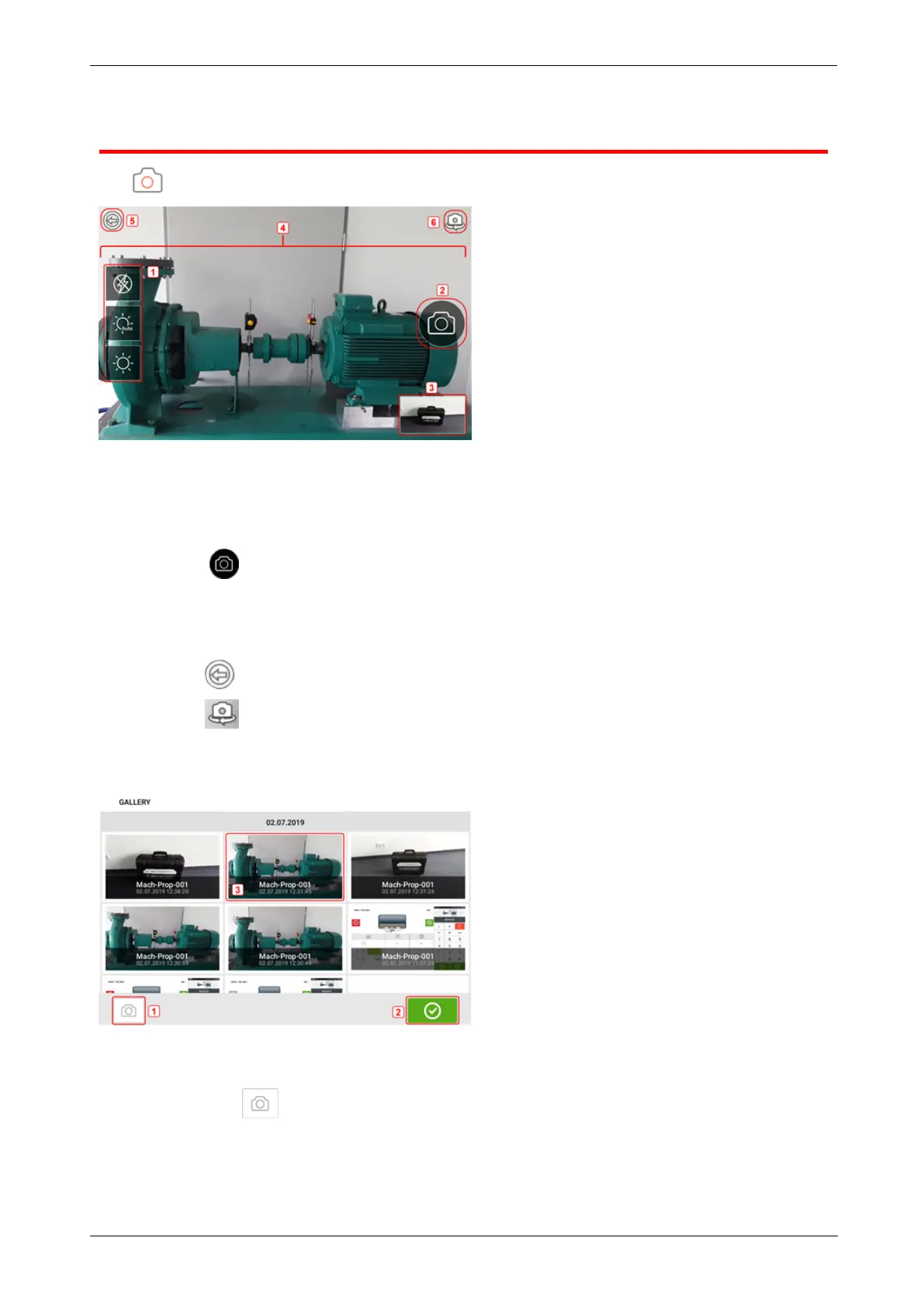
l (1) Camera settings for indoor, outdoor and night imaging, including automatic light set-
ting – Tap desired light setting icon (Flash may be turned on/off; Auto mode is for auto-
matic light setting).
l
(2) Tap the "Take picture" icon to take a photo of the object focused on the display.
l (3) Tap this location to access the device gallery. All images taken using the touch
device are saved at this location.
l (4)Object to be photographed
l
(5)Tap to return to home screen.
l
(6)Tap to switch between the front- and rear-facing cameras.
Gallery
To view all images saved in the gallery, touch then drag up or down. All images are displayed
as miniatures.
l
(1) Tapping returns user to the image settings screen where objects may be pho-
tographed.
24 Version:2.3
On-board help



 To Next Page