Generating reports
Generating measurement reports
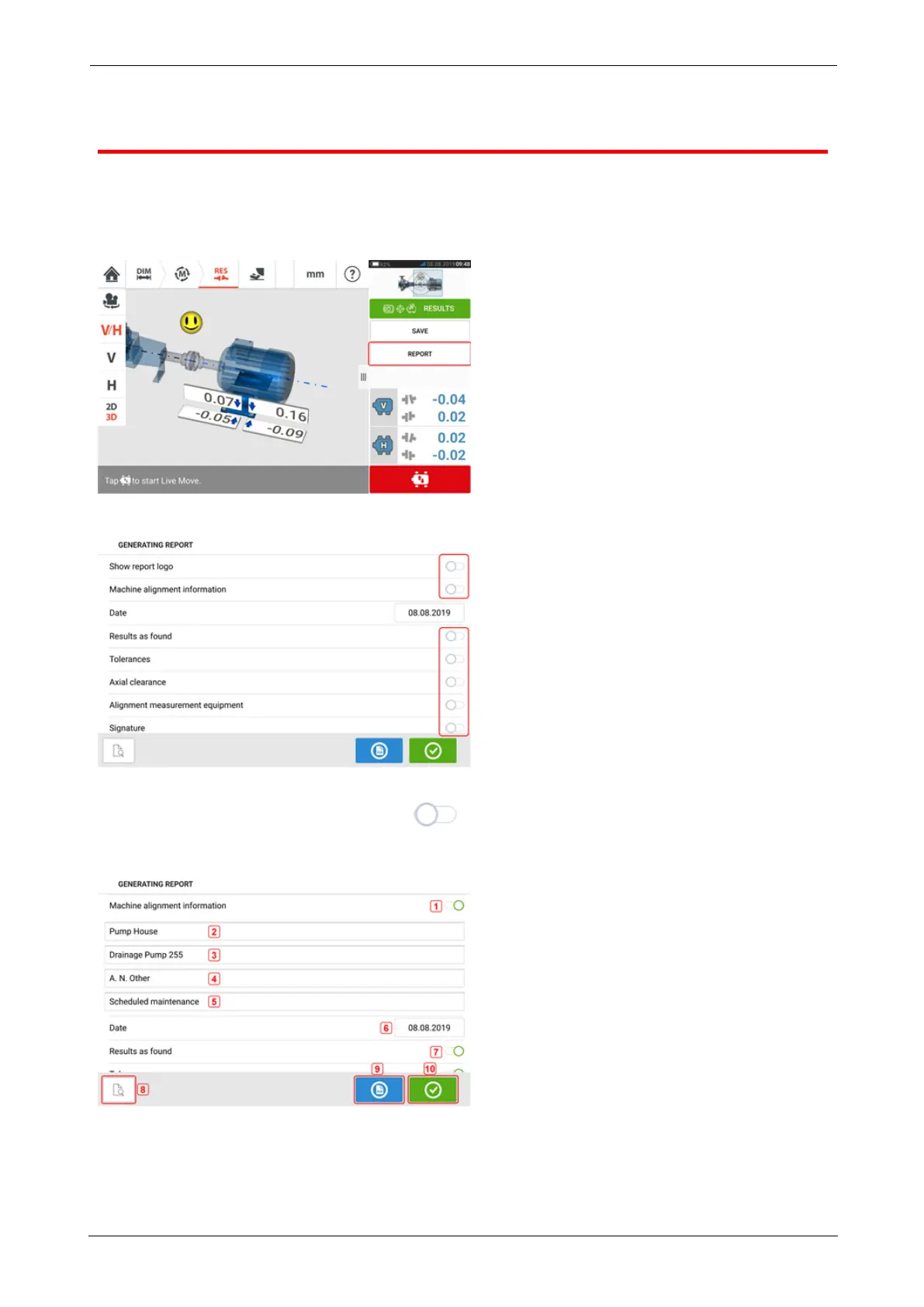
Asset measurement reports may be saved directly on the rugged device as PDF. Measurement
reports are generated from the results screen.
Tap the menu item "Report". The "Generating report" screen opens.
In this example, none of the "Generating report" menu items has been activated. To activate
any of the items, tap the respective icon .
When "Machine alignment information" is activated, useful machine related information may
be entered.
l (1) "Machine alignment information" activated
The following machine related information may be entered once "Machine alignment inform-
ation" has been activated.
SHAFTALIGNtouch 89
On-board help



 To Next Page