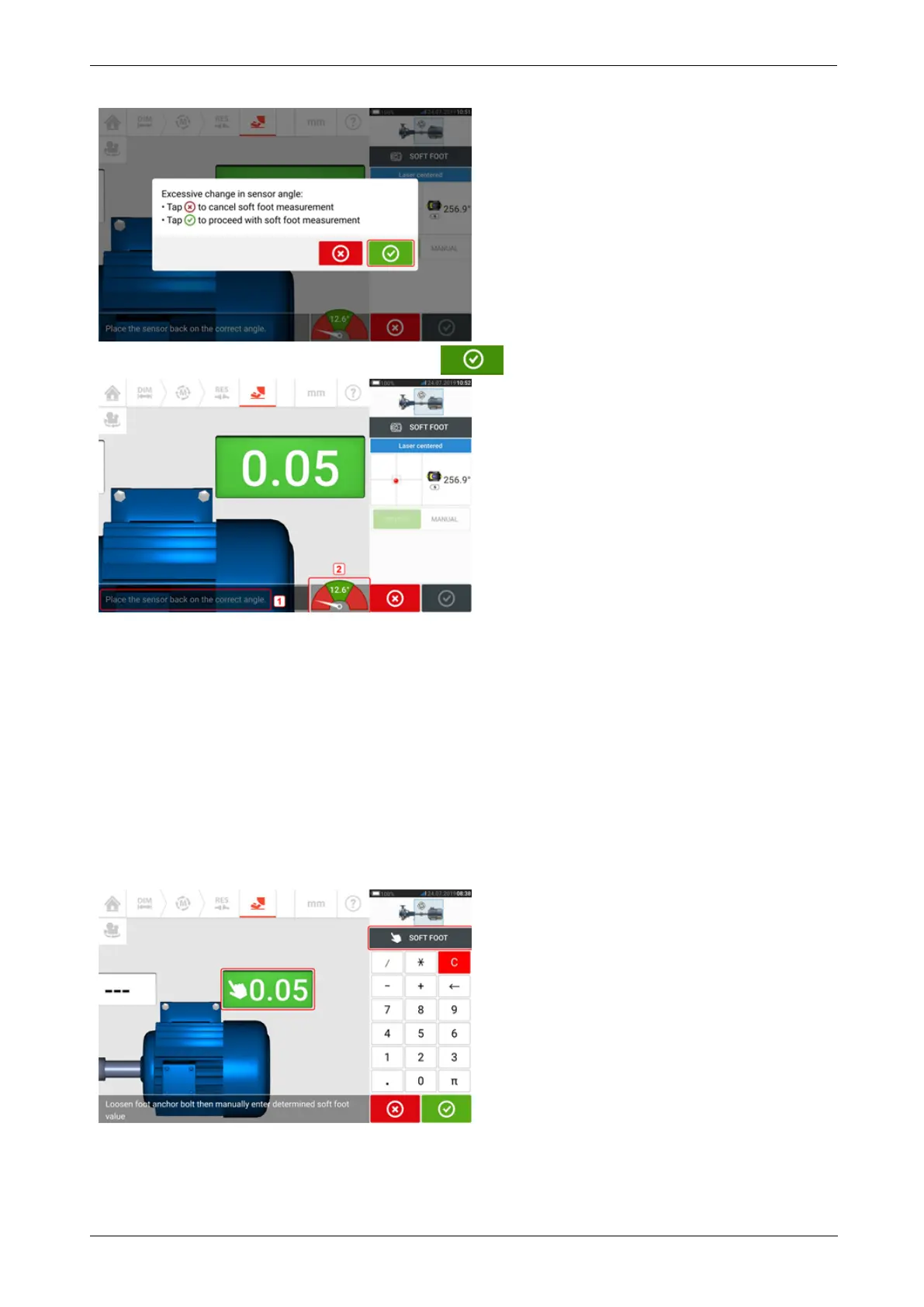
To proceed with soft foot measurement, tap . The following screen appears.
Rotate the shafts to position the sensor and reflector at the correct angular position. Use the
on-screen needle (2) as guidance. The needle should rest on the green sector.
Manual entry
Manual values may be determined using feeler gauges. This involves measuring four points
around the bolt point using feeler gauges. The calculated values are then entered in the soft
foot application.
Manual values do not require use of either sensor or reflector.
Swipe the green button to "Manual". Manual entries are signified by the finger icon on the dis-
play.
Tap any one of the four pulsating value fields then proceed to enter the soft foot value at the
respective machine foot using the onscreen keyboard.
Repeat the procedure for all four feet positions.
The tolerance smiley will determine whether the soft foot requires correction or not.
98 Version:2.3
On-board help



 To Next Page