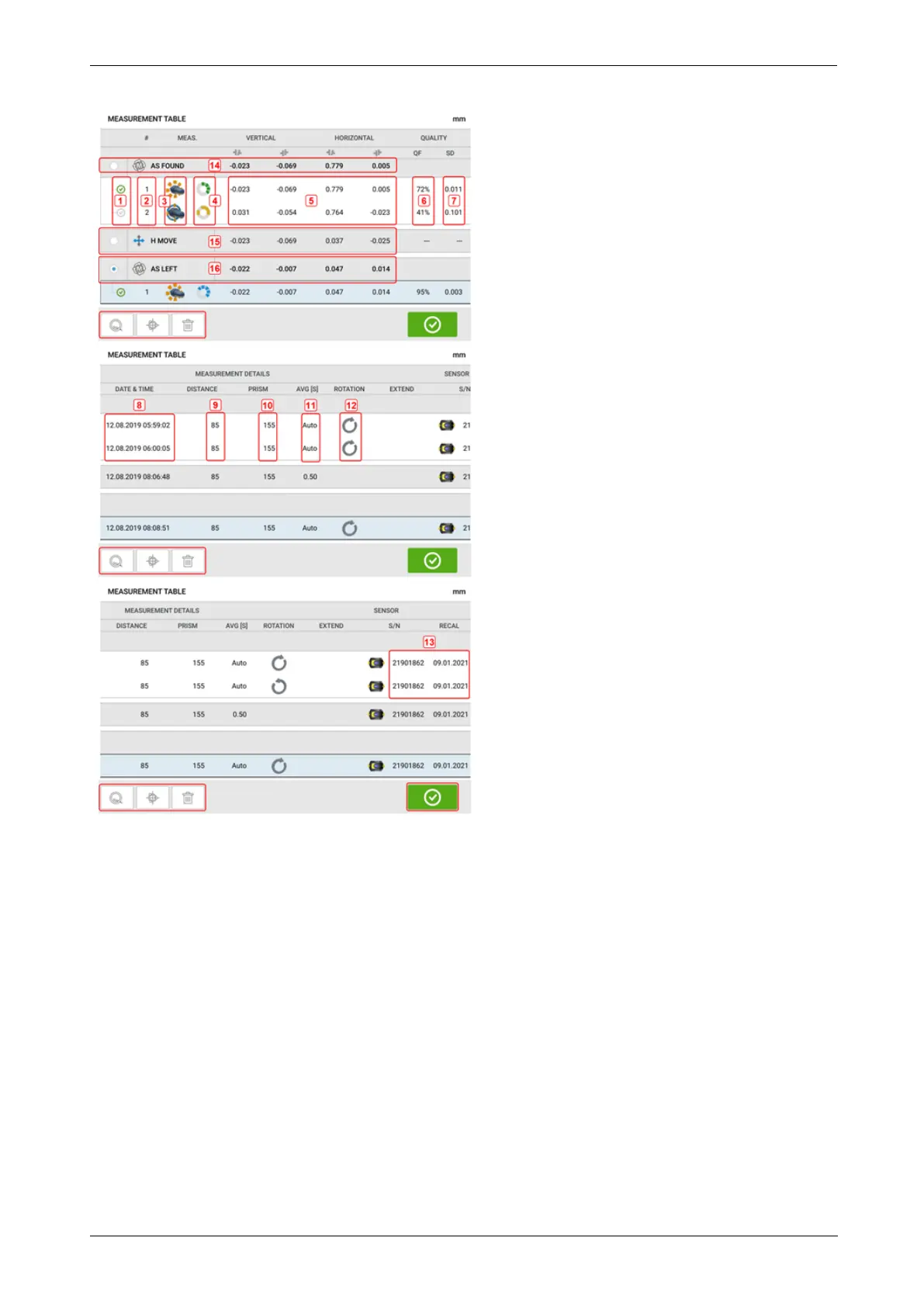
l (1) Tap the check box to include the measurement in calculating the averaged results
that is displayed on the results screen. Included measurements have a green check
mark. The check mark remains grayed out if the measurement is not selected.
l (2) Measurements in chronological order
l (3) Used measurement mode
l (4) The rotational angle covered during measurement
l (5) Vertical and horizontal gap and offset values
l (6) Measurement quality factor (QF)
l (7) Measurement standard deviation (SD)
l (8) Date and time when measurement was taken
l (9) Dimension sensor-to-coupling centre
l (10) Dimension sensor-to-reflector (prism)
l (11) Averaging used
68 Version:2.3
On-board help



 To Next Page