VIGILUS - Operating manual
Fuel level sensors calibration
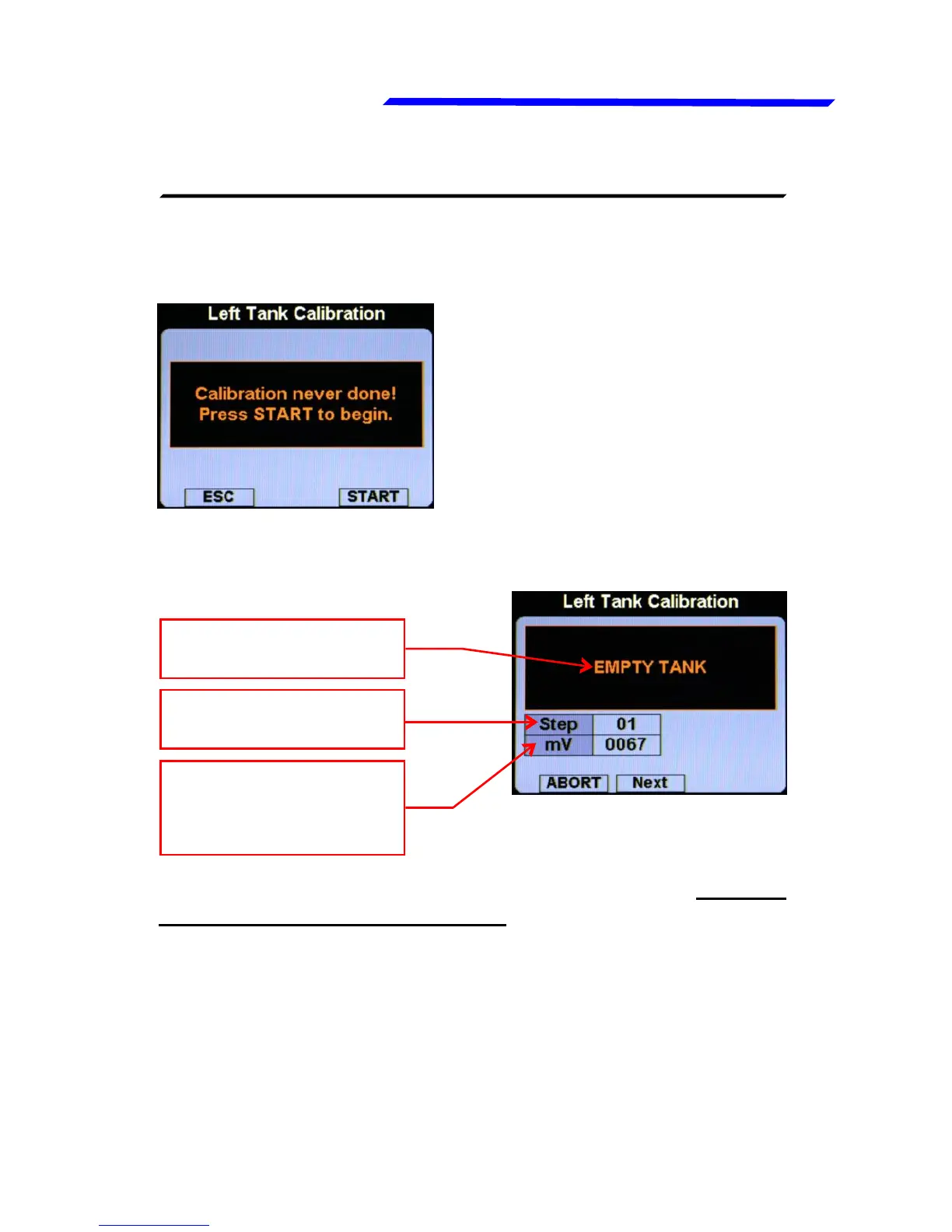
● Left Tank / Main Tank / Right Tank: Choose which tank you
want to calibrate. For example if you select the left tank this
screen will appears:
If you’ve never performed the
calibration before for the selected
tank, you will see the “Calibration
never done!” indication.
● Press the “START” button to start the calibration; the display
will shows this screen:
START OF THE CALIBRATION:
(2) Calibration step
to be performed
(3) Electrical output
of the fuel level
sensor
(1) Action to be
performed
● Step#01 (EMPTY TANK): Drain the tank such that only the
unusable fuel remain in the tank. Wait until the indication (3)
is stable and then click the knob [NEXT] to confirm and go to
the next step.
● Step#02: Add to the tank the indicated fuel quantity (it's the
same quantity choosed with the “Cal. steps” parameter), on this
example it's required to add 2 liters of fuel:
Instrument configuration



 To Next Page