Rev. 1.0
Fuel level sensors calibration
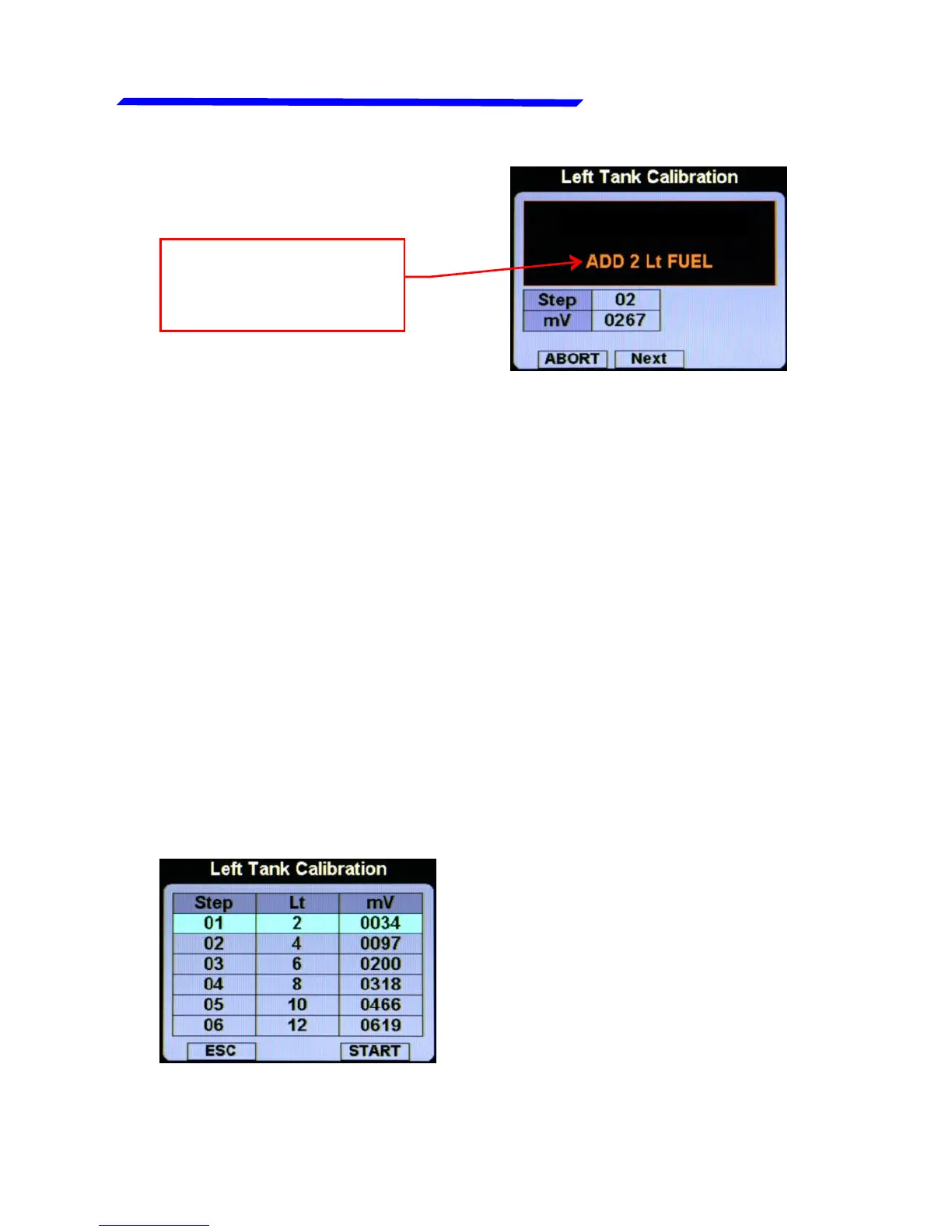
Action to be
performed: Add 2
liters of fuel
Wait until the indication is stable and click the knob [NEXT] to
confirm and go to the next step.
NOTE: to reach the maximum accuracy in the calibration it's
important that the fuel quantity is exactly measured.
● Next steps: repeat the above step (add the same amount of
fuel then click the knob [NEXT] to confirm) until the tank is
completely filled.
● When the tank is filled: click the knob [NEXT] to confirm the
last calibration step and then click the “END” button to end the
calibration (when asked on display “Confirm calibration end?”
Click the “YES” button and then click the “CLOSE” button).
● The calibration for the selected tank is now completed. If
you reenter in the tank menu that you have just finished to
calibrate, you can see a calibration summary:
To exit from this screen, click the
“ESC” button.
It's recommended to perform a
backup operation after finishing
the calibrations (see chap.1.3.9)
Instrument configuration



 To Next Page