iTuner Manual
43
5 Using the iTuner with iTunerX.ocx
While raw socket programming, or interfacing with telnet is a viable solution, Focus Microwaves
also provides an even simpler approach. The ActiveX control iTunerX.ocx is the solution of
choice in any programming platform that supports ActiveX controls (MSVC++, Agilent VEE,
LabView, LabWindows, or other).
TCP/IP communication has been encapsulated into the control, thus programming the iTuner
becomes very simple. The most important commands, such as TuneTo, Gamma?, or Status?,
have been ‘wrapped’ by a methods exported by the control. Further, synchronization
commands have been added. These commands are used to make your application wait until the
tuner has completed its current task, such as tuning to a new impedance.
Note: A LabView example (located in: Focus \ iTuner \ iTunerActiveXDemo.vi ) of how to use the
ActiveX control is also provided with the iTuner, however any ActiveX programming platform
may be used. For further details consult the particular platform’s documentation.
5.1 Registering iTunerX.ocx
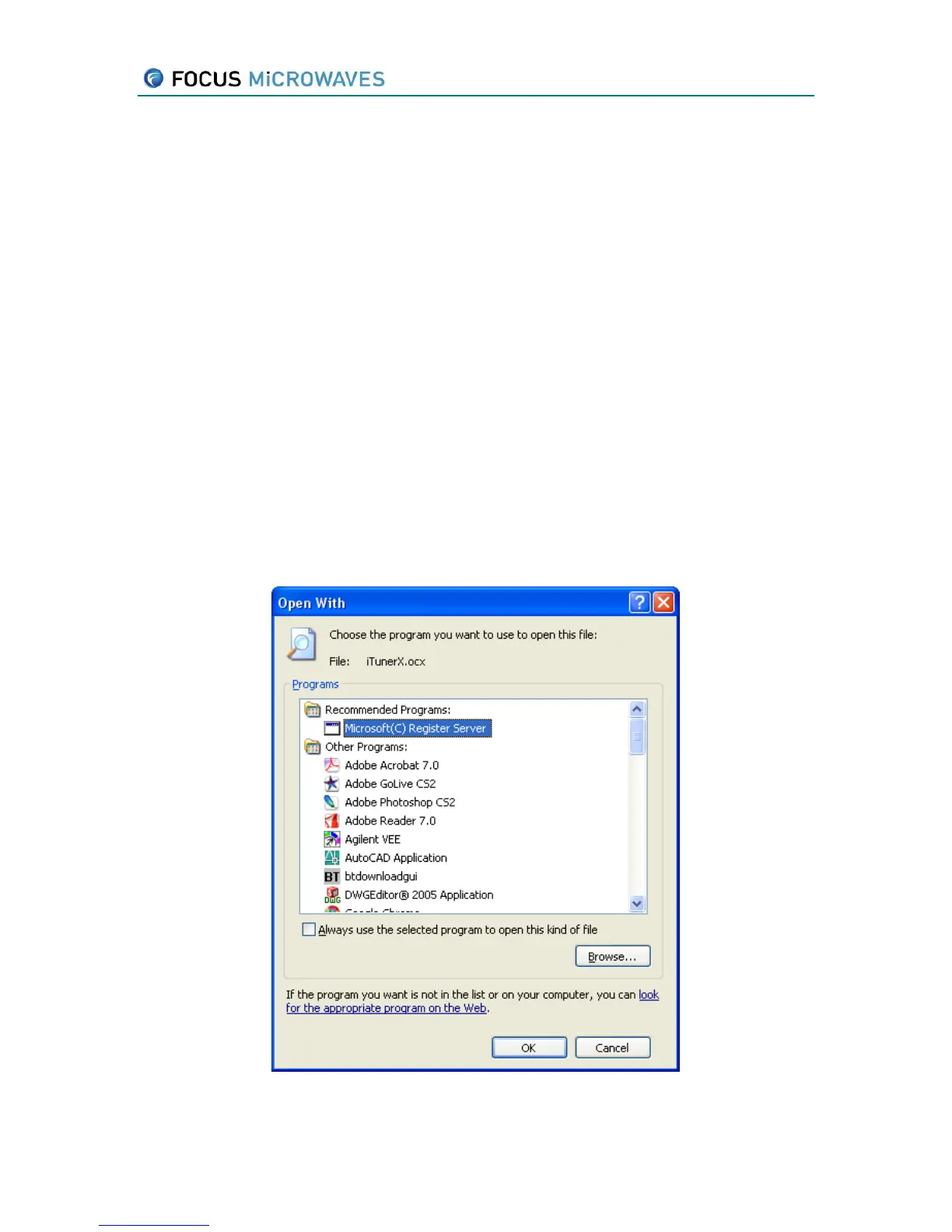
Using Windows Explorer double click on iTunerX.ocx. Windows should now prompt you to open
it by choosing a program from a list, as shown below. Click ‘Other’.
Figure 5-1



 To Next Page