iTuner Manual
65
7 Using iUtility
While the iUtility’s primary use is to upload calibration files to the iTuner. The iUtility program
has many other helpful features that are summarized in this section.
7.1 File Tab
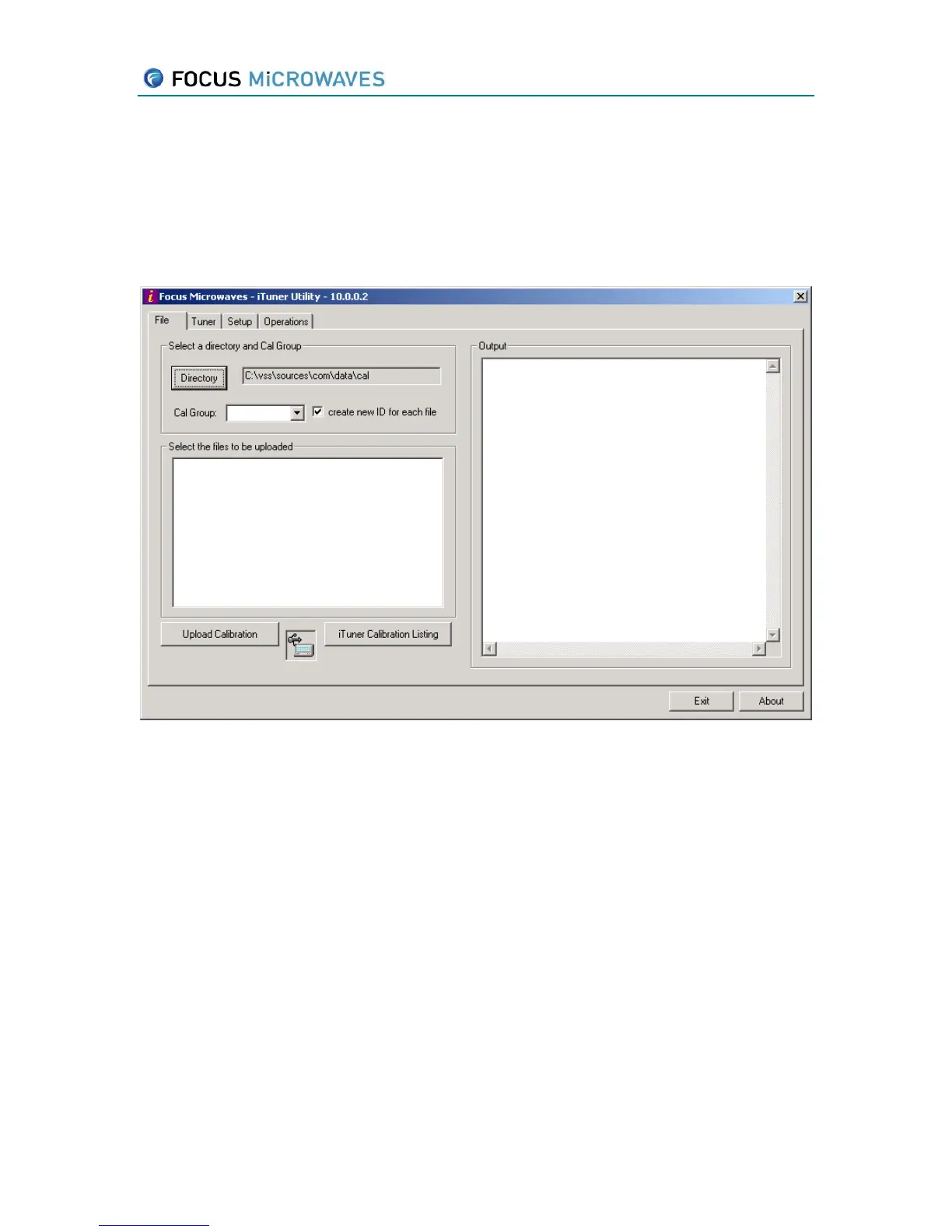
Figure 7-1
The “Directory” button is used to select the path to the calibration files.
The “Cal Group” dropdown list is used to select the calibration group.
If the “create new ID for each file” checkbox is checked each calibration file uploaded
will be treated as a new separate calibration (individually assigned ID numbers),
whereas clearing the checkbox will cause all selected calibration files to be uploaded as
one calibration (under a single ID).
The text area on the left is used to select the calibration files to be uploaded, once a
directory and calibration group is selected.
The “Upload Calibration” button starts the upload once calibration files have been
selected from the above text area. The tuner response will be shown in the “Output”
text area.
The “iTuner Calibration Listing” button will show the current listing of all calibrations
currently stored in the iTuner.



 To Next Page