iTuner Manual
68
The “Termination” section is used to set the reflection factor of the termination at
the selected frequency by using the “Gamma” and “Phi” textboxes, and “Frequency”
dropdown list respectively. Press the “Set” button to confirm the settings. (see above
diagram)
The “Show Setup Values” button retrieves the current adapter and termination values.
7.4 Operations Tab
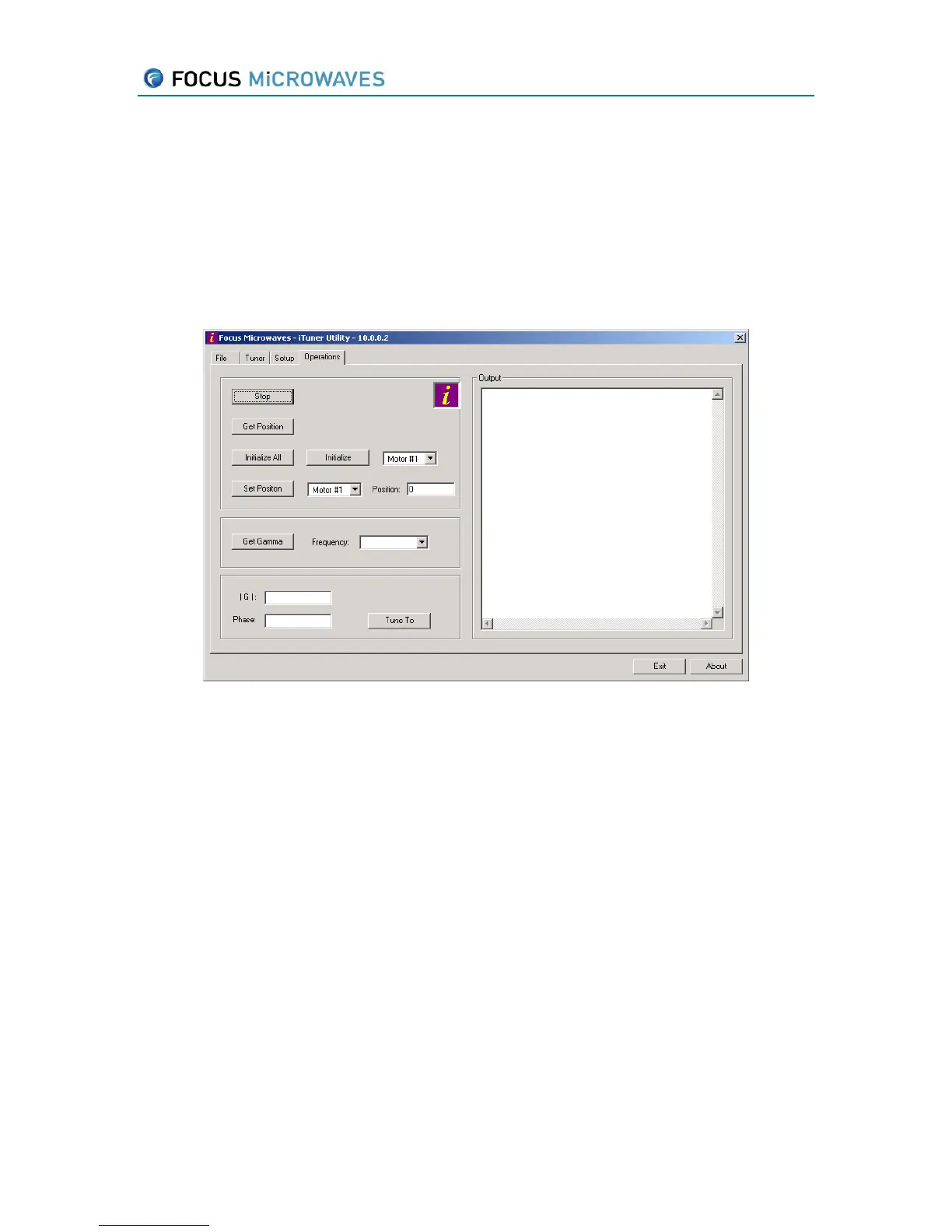
Figure 7-5
The “Stop” button will abort any and all motor move commands currently being
executed.
The “Get Position” will retrieve the physical positions of all the motors.
The “Initialize All” button will initialize all motors to their zero position.
The “Initialize” button will initialize the motor selected by the dropdown list to the right.
The “Set Position” button will set the selected motor to the position as entered in the
textbox to the right.
The “Get Gamma” button will retrieve the current gamma presented to the DUT based
on the current tuner position, adapter, termination and the frequency selected in the
“Frequency” dropdown list. Note: a calibration must be loaded (as per section 7.3) for
this operation.
The “|G|” and “Phase” text boxes to input the value of gamma to set the tuner to
present in the DUT reference plane (see section 7.3). Press the “Tune To” button to
perform the operation. Note: a calibration must be loaded (as per section 7.3) for this
operation.



 To Previous Page