iTuner Manual
3
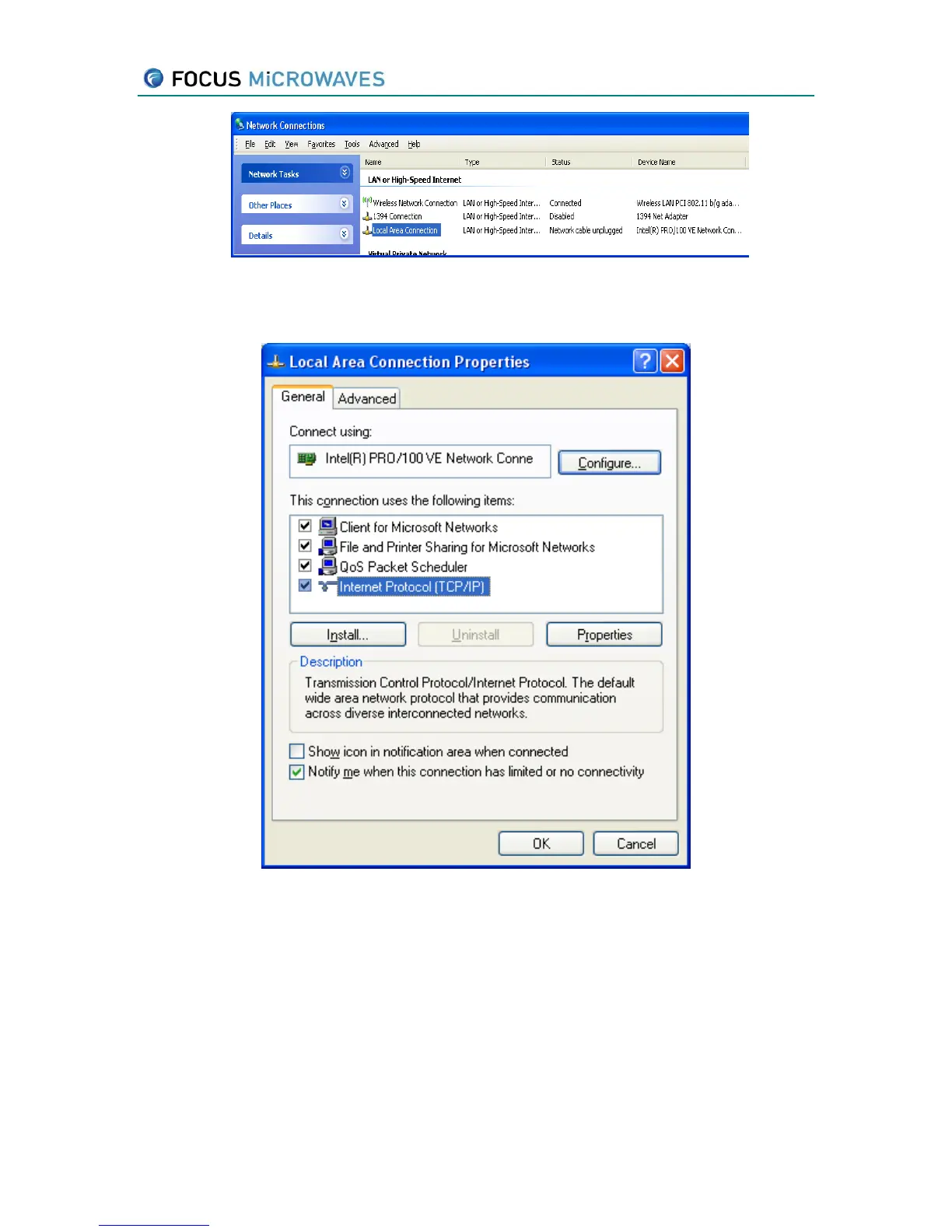
Figure 2-2
3. A screen should appear with all the network adapters installed on your computer, select the
one responsible for TCP/IP and select properties as depicted below:
Figure 2-3
4. A screen should appear indicating different network settings. Choose to specify an IP
address manually, as shown below, and enter the subnet mask of 255.0.0.0.



 To Next Page