status field displays relevant cruise control icons and the set speed. If the vehicle is equipped with a
01/30/2012
SETUP
INFORMATION
+
−
+
−
+
−
+
−
+
−
+
−
+
−
+
−
+
−
+
−
+
+
+
+
+
+
+
+
−
−
−
−
−
−
−
−
−
+
PUSH KEY TO
Note: If parking brake is released while in stationary screens,
the display will return to the bar graph screen.
* = Indicates flashing text
= My Info
Press to toggle between selections
Miles or Hours
Press to set service interval
Press to toggle On Off
Press to toggle On Off
Press to toggle On Off
Press to toggle Yes No
Press to increase target MPG
Press to decrease target MPG
Press to increase brightness
Press to decrease brightness
Press to toggle between selections
Press to toggle between selections
Off
SERVICE INTERVAL
PUSH KEY TO
CHANGE SERV MI
PUSH KEY TO
CHANGE TEMP WARN
PUSH KEY TO
CHANGE TARGET MPG
PUSH KEY TO
PUSH KEY TO
PUSH KEY TO
PUSH KEY TO
PUSH KEY TO
PUSH KEY TO
INTERVAL *2000 MILES
− LESS MORE +
TEMPERATURE WARNING
− OFF * ON +
LCD LAMP
− OFF * ON +
TARGET MPG *8.5
− LESS MORE +
CHANGE LCD LAMP
CHANGE BRIGHTNESS
CHANGE LANGUAGE
DISPLAY BRIGHTNESS
− DARK LIGHT +
LANGUAGE: *ENGLISH
FRENCH / SPNISH
CHANGE UNITS
CHANGE DRIVER SEL
RESET PARAMETERS
UNITS
*ENGLISH / METRIC
DRIVER SELECT
− OFF * ON +
RESET PARAMETERS
− *NO YES +
f544963a
OFF/*MILES/HOURS
CHANGE SERVICE
Vehicle Information
Screen
+
−
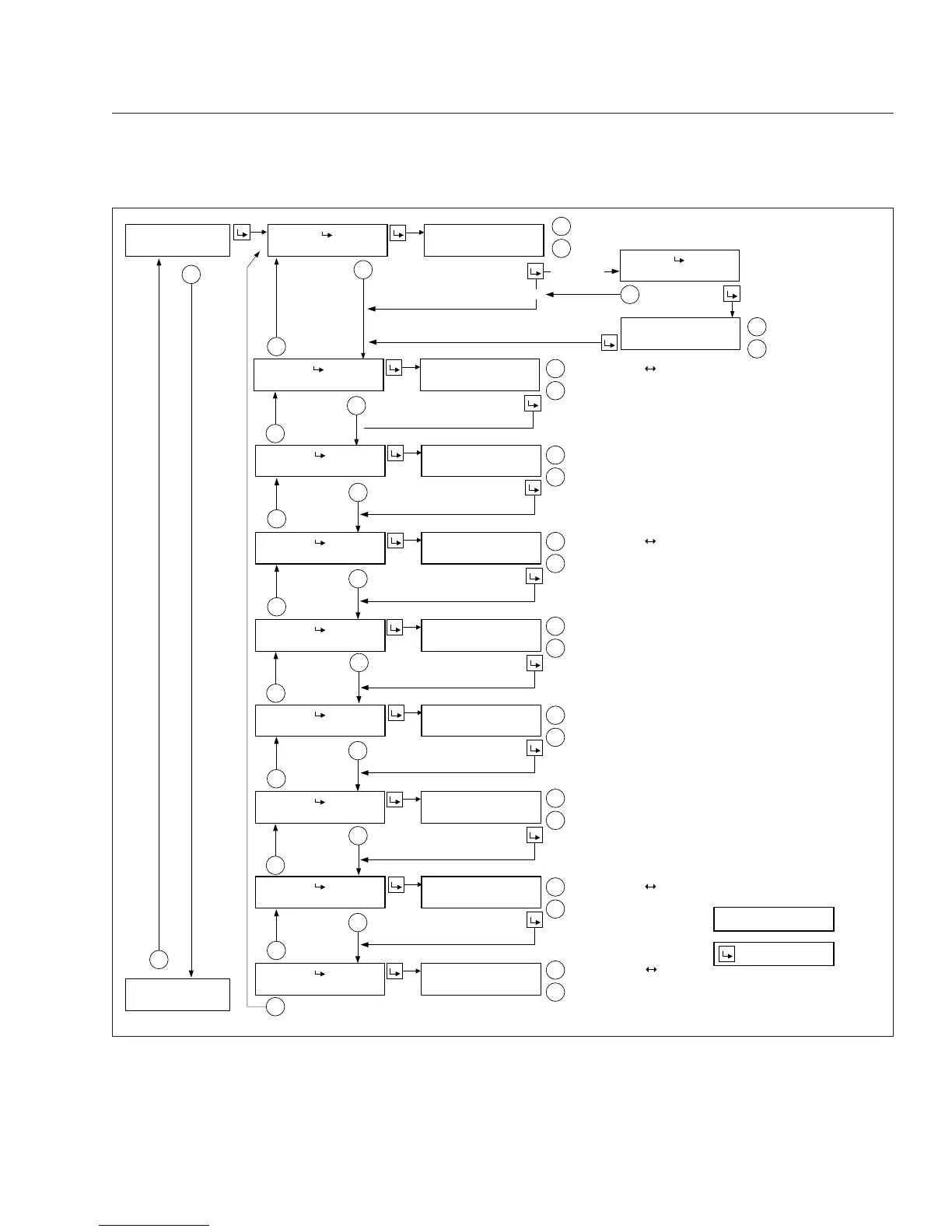
Fig. 4.18, ICU4M Setup Information Screens
Instruments
4.20











 To Next Page