#
Turn brightness control knob 1 upwards or
downwards.
The lighting on theInstrument Displayand
thecontrolelements in thevehicle interior is
set.
%
In vehicles without brightness controlknob
1,the instrument lighting can be setvia the
on-boardcomputer (/ page171).
Menusand submenus
Calling up functionsonthe servicemenu
On-boardcomputer:
4
Service
#
Selectand confirm therequired function.
The following functionsare available on the
service menu:
R
Announcements:messagememory
(/ page259)
R
DEF:displaythe DEF fill level(/page134)
R
Tires:
-
Checkthe tirepressurewiththe tirepres‐
suremonitor (/ page220)
-
Restartthe tirepressuremonitor
(/ page220)
R
ASSYST PLUS:call up theservice due date
(/ page182)
R
Engine Oil Level:measurethe engine oil level
Callingupthe Assistance graphic display
On-board computer:
4
Assistance
#
Select thedesired displayand confirm.
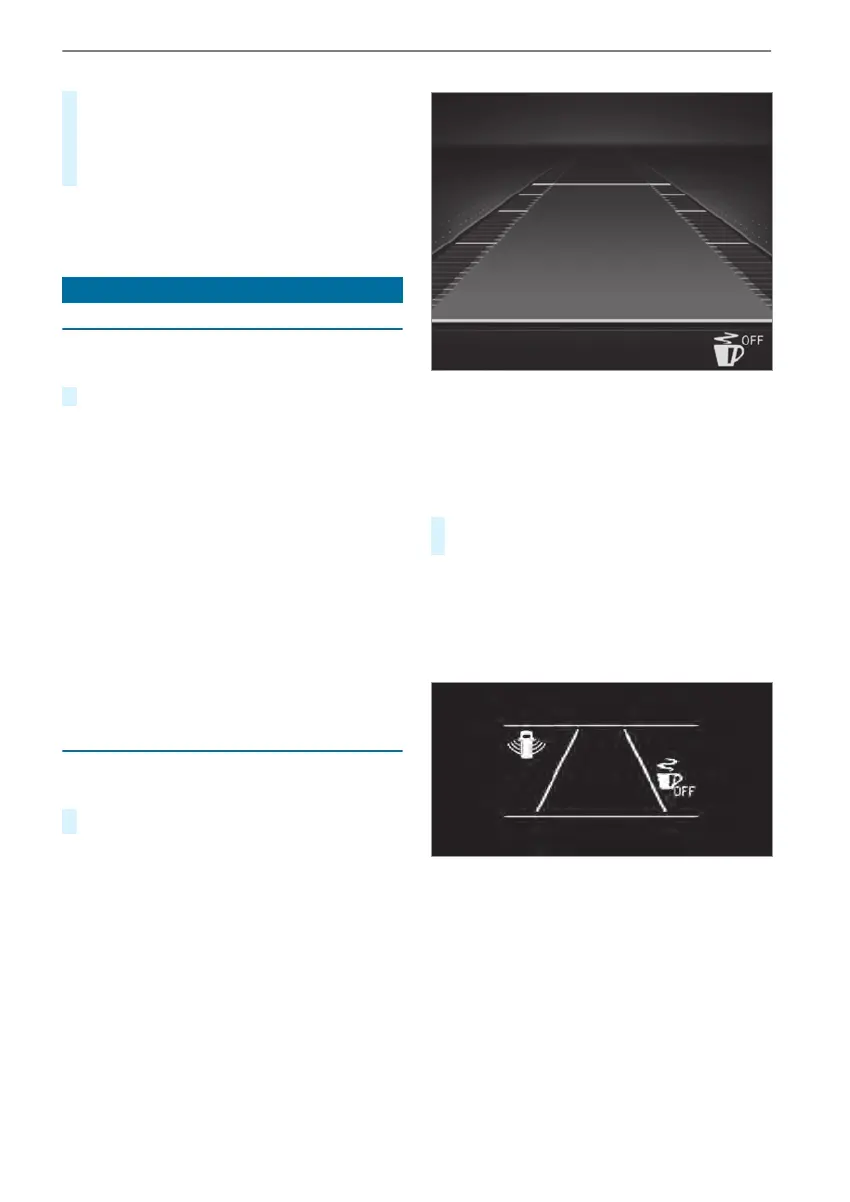
Instrument Displaywithcolor display
The following displays areavailable on theassis‐
tant display:
R
Assistant display
R
Attention level(/page153)
#
Switchbetween thedisplays and confirm the
selected display.
The following status displays areavailable on the
assistant display:
R
Û ATTENTION ASSISTswitched off
R
Specified minimum distance of ActiveDis‐
tance Assist DISTRONIC(/page149)
Instrument Displaywithblack and whitedisplay
The following status displays areavailable on the
assistant display:
R
Lane markings dotted: Lane Keeping Assist
switched off
R
Lane markings solid and thin: Lane Keeping
Assistswitched on, notready to issue warn‐
ings
R
Lane markings solid and thick: Lane Keeping
Assistready to issue warnings
Instrument Displayand on-boardcomputer
169



 To Next Page