3
13
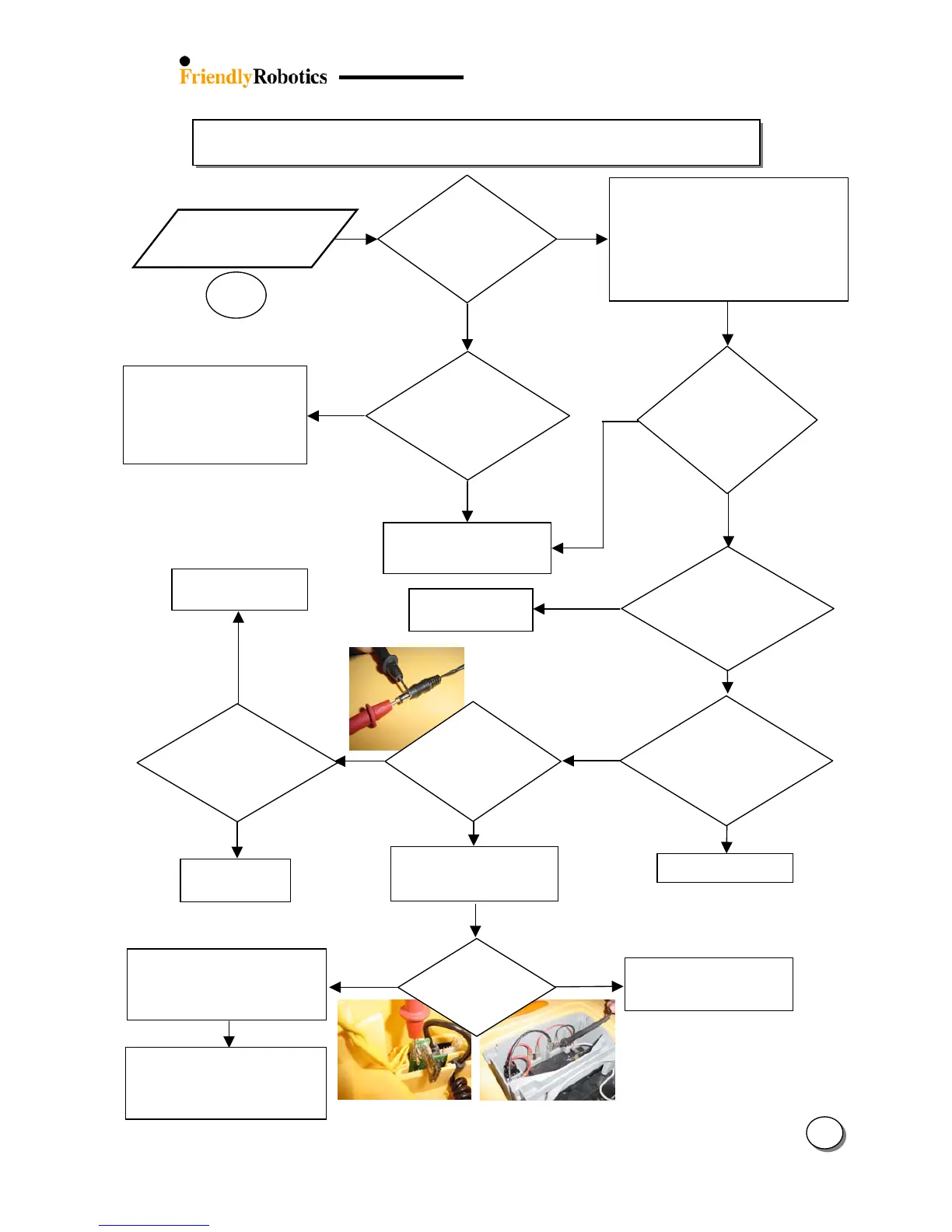
3.2.2 Power & Charging Problems (con.)
’
message
Does the
message
appear durin
charging?
Perform reset by lifting the
Power Pack from mower and
re-insert it after 10 seconds (it
will automatically inhibit the
charging through the Manual
Controller Holder Assembly)
h
the Docking
Station)?
Replace fuse –
clean contacts
e from
wall at least 110
(US)/ 220(EUR)
Replace Manual Controller
Holder Assembly
ES
DC output
from Power
Supply at least
Yellow charge
cable attached to
connector on
Connector Board?
5 Amp charging
fuse OK with ti
ht
and corrosion free
contact?
NO
ES
Is there
corrosion/rust
inside the
Charging
Confirm the Power Supply is plugged
into the main power receptacle
Check for power to this main receptacle
by plugging in another appliance
Confirm the Power Supply connector is
fully inserted into the charging socket
Check if the Power Supply plug is
corroded
Remove Power Pack case,
Connector Board cover and
Charging fuse (5 Amp)
3.2.2.3
Replace Power
Supply
NO
NO
Attach connector
Use another
outlet
reater than
32 volts?
+ On the upper side of the charging fuse house (the small one)
- On Power Pack contact (black)
NO
Replace Manual Controller
Holder Assembly
Replace connector board
(ESBC0021C)
Replace flat cable (WSB0052A)
Replace Main Board (SPP0019C)
Remove Top Cover and check the
Connector board and flat cable
(connection, damage or signs of
electrical failure and corrosion)








 To Next Page