3
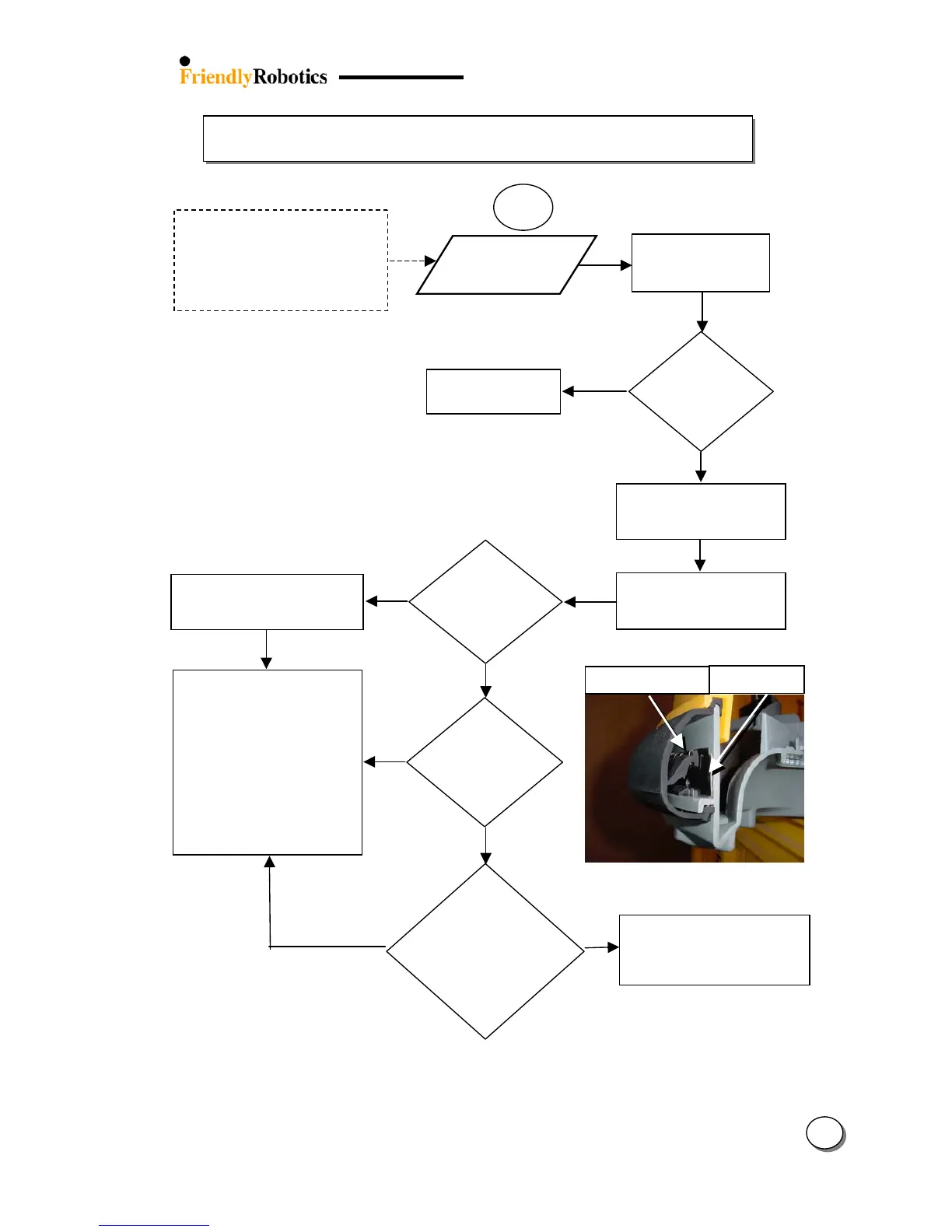
3.2.9 Bumpers Problems
28
Metal stri
Front /Rear
Bumper
Pressed
Is anythin
r?
Take the Power Pack
out of the mower and
re-insert
NO
3.2.9.1
ttention
Item pressed against the bumpers
or Robomower positioned “standin
”
on any of the bumpers while in
storage can change the shape of the
bumper and cause problems to the
touch sensor electronics
ES
Test the ‘Bumpers’ throu
h
‘Safety test’ menu – confirm
a bumper is pressed
Is ‘Bumper
pressed
constantly
displayed?
Look for bumper deformation –
this should be rectified by
ensuring correct seating of
bumper on the gray plastic base
Remove Robomow
away from the object
Press and squeeze the
appropriate pressed bumper
from bottom to top
NO
NO
ES
Is only slight
force required
before a bumper
pressed
indication (*)
ES
Remove Top Cover:
Confirm metal strip is in place
Replace Bumper
Replace Main Board
(SPP0019B) and complete the
following settings (under the
‘Service’ menu):
- ‘Factory default’ (5.5.6)
- ‘Learn wire sensors’ (5.3.1)
- ‘Edge Calibration’ (5.3.2)
- ‘Set country’ (5.3.3)
- ‘DK Calibration’ (5.3.4)
Continue to press the bumper at
the distorted area and leave it at
room temp. for several hours
ES
Is any
distortion of
the bumper
visible?








 To Next Page