3
3.2.9 Bumpers Problems (con.)
29
Message still
displayed?
3.2.9.2
Take the Power
Pack out of the
mower and re-insert
‘Front /Rear
Bumper disc.’
message
Bumper cable
Remove the Top Cover:
Confirm
umper position on the Main Board (refer
to Service Bulletin ‘RL0536-01 Main Board’
Look for disconnected connectors (between Main
Board and Bumper
Ensure connection of wires to bumper metal strip
and to bumper spring.
Confirm there is no disconnection in the solderin
point between the white/purple wire to the inner
bumper spring
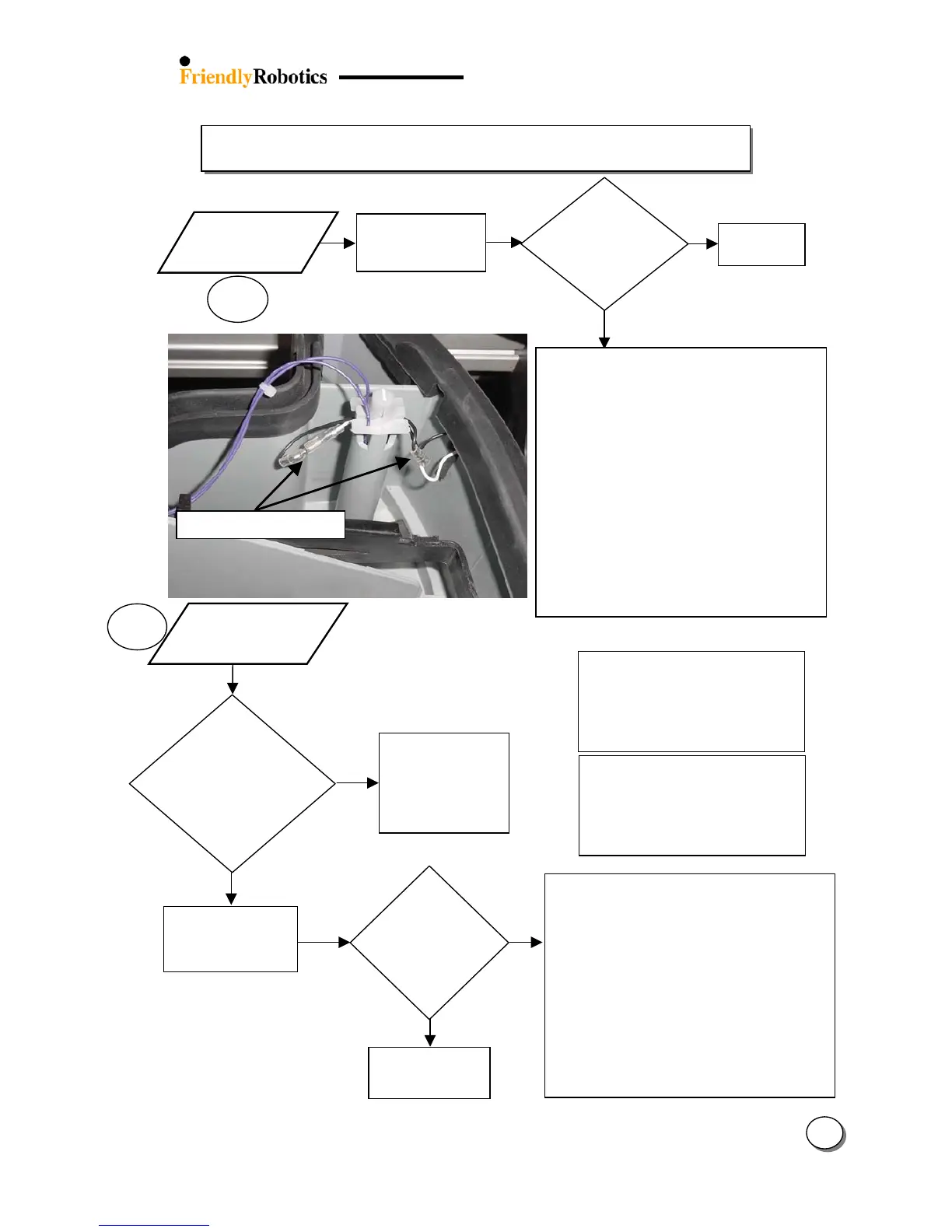
Confirm the Bumper cables (WSB0043A) are
connected and there is no corrosion on the
contacts (see the picture)
Look for damaged wires
Replace bumper wiring (WSB0043A)
Replace Bumper (Front – MSB0106B Rear –
MSB0107A)
Replace Main Board (SPP0019B)
3.2.9.3
Bumper sounds
without hitting
an obstacle
ttention!
Test the ‘Bumpers’ through ‘Safety test’ menu.
Remove the Top Cover:
Look for bumper deformations – these should be
rectified by ensuring correct seating of bumper
on the gray plastic base.
Confirm metal strip is in place
Replace Bumper (Front – MSB0106B Rear –
MSB0107A).
Replace Main Board (SPP0019B) and complete
the following settings (under the ‘Service’ menu):
- ‘Factory default’ (Section 5.5.6)
- ‘Learn wire sensors’ (Section 5.3.1)
- ‘Edge Calibration (Section 5.3.2)
- ‘Set country’ (Section 5.3.3)
- ‘DK Calibration’ (Section 5.3.4)
Press the ‘GO’
button for Automatic
operation and
confirm there is no
bumper sound
during operation
Press and squeeze
the bumper from
bottom to top all
ES
NO
Refer to section
3.12.1 (Excessive
Is the
mowing
system too
noisy /
vibrating?
Was the bumper
sound heard and
the mowing
motors stopped
while mowing
manuall
?
Possible reasons for bumper false
detections:
Heavy wet / moisture
Vibrating mowing system (damaged
motor or unbalanced blades)
Distorted bumper (improper storage)
Item pressed against the bumpers or
Robomower positioned “standing” on
any of the bumpers while in storage
can change the shape of the bumper
and cause problems to the touch
sensor electronics








 To Next Page