2. Insert the t
oothed belt in the belt clamping device as described in
Ä
Chapter 6.1.1 „Fing and clamping the sieves“ on page 23.
3. Insert the sie
ve set and pour in the sieving stock.
4. Fit the T
orqueMaster clamping lid.
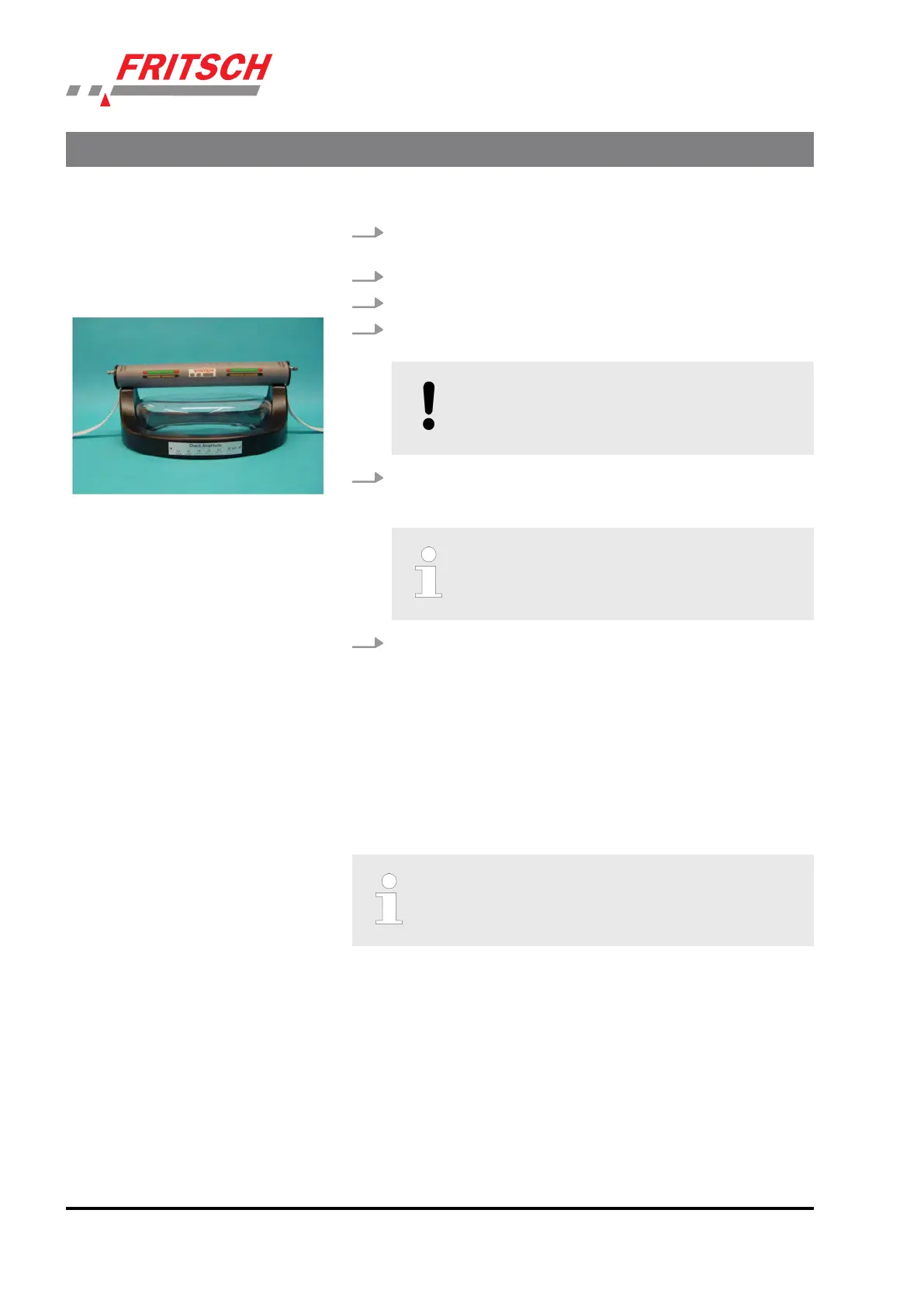
5. Place the clamping unit on the clamping lid. The clamping unit
mus
t be ed as centrally as possible.
NOTICE!
This s
ymmetry is ensured by correctly adjusng
and securing the toothed belt.
6. Ligh
tly ghten the toothed belts on both sides and move the
clamping lever upwards, as described in
Ä
Chapter 6.1.1 „Fing
and clamping the sieves“ on page 23 under point 9.
Make sure that both indicators remain in their
c
entral posion.
7. The clamping s
ystem can now be clamped using the cordless
screwdriver.
7.4.2 Clamping the TorqueMaster
Clamping with a cordless screwdriver unl it disengages applies a repro-
ducible force of ~ 1 kN to the sieve cover.
Clamping processes during which the fricon clutch of the cordless
screwdriver does not disengage (e.g. due to defect, dead baery or oper-
ang error) do not provide the desired clamping force.
The correct clamping force is only achieved if the fric‐
on clutch of the cordless screwdriver triggers during
the clamping proc
ess.
The clamping unit must be operated with the dened disengagement
t
orque of the control element (cordless screwdriver). This disengagement
torque must be set by the clamping system manufacturer. Thus other
cordless screwdrivers, which were not set by Fritsch, must not be used. If
cordless screwdrivers with too high a torque are used, it will cause irrep-
arable damage to the clamping system for which no liability can be
assumed.
The use of cordless screwdrivers that merely have a lower torque will
result in the sieve stack being clamped with an insucient clamping
force.
Accessories
- 36 -


 To Next Page