5 | FAQ
106 B1820023_en | Service handbook Lambdatronic H 3200 - T4e
5.6 Setting times
The desired time window for the component can be set in the "Times" tab in the individual menus of the heating
components (heating circuits, DHW tanks etc.). The structure of the time menu and the procedure for changing
the times are always the same.
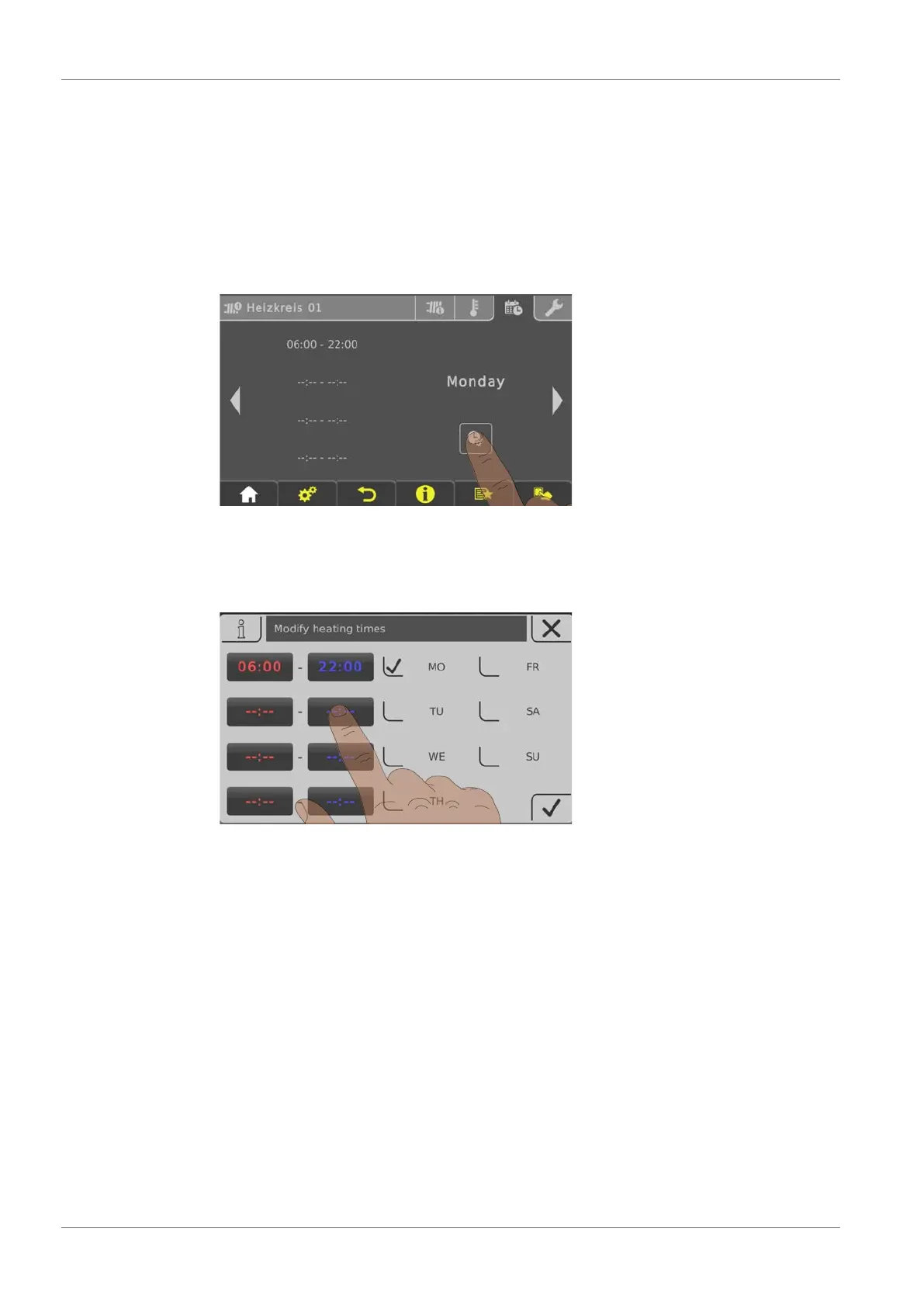
r Use the left or right arrow to navigate to the desired day of the week
r Tap the symbol under the day of the week
Ä The edit window will appear
You can specify up to four time windows per component and day.
r Tap the desired time window





 To Next Page