FAQ | 5
B1820023_en | Service handbook Lambdatronic H 3200 - T4e 115
5.9 USB data recording
r Switch off the boiler using the main switch
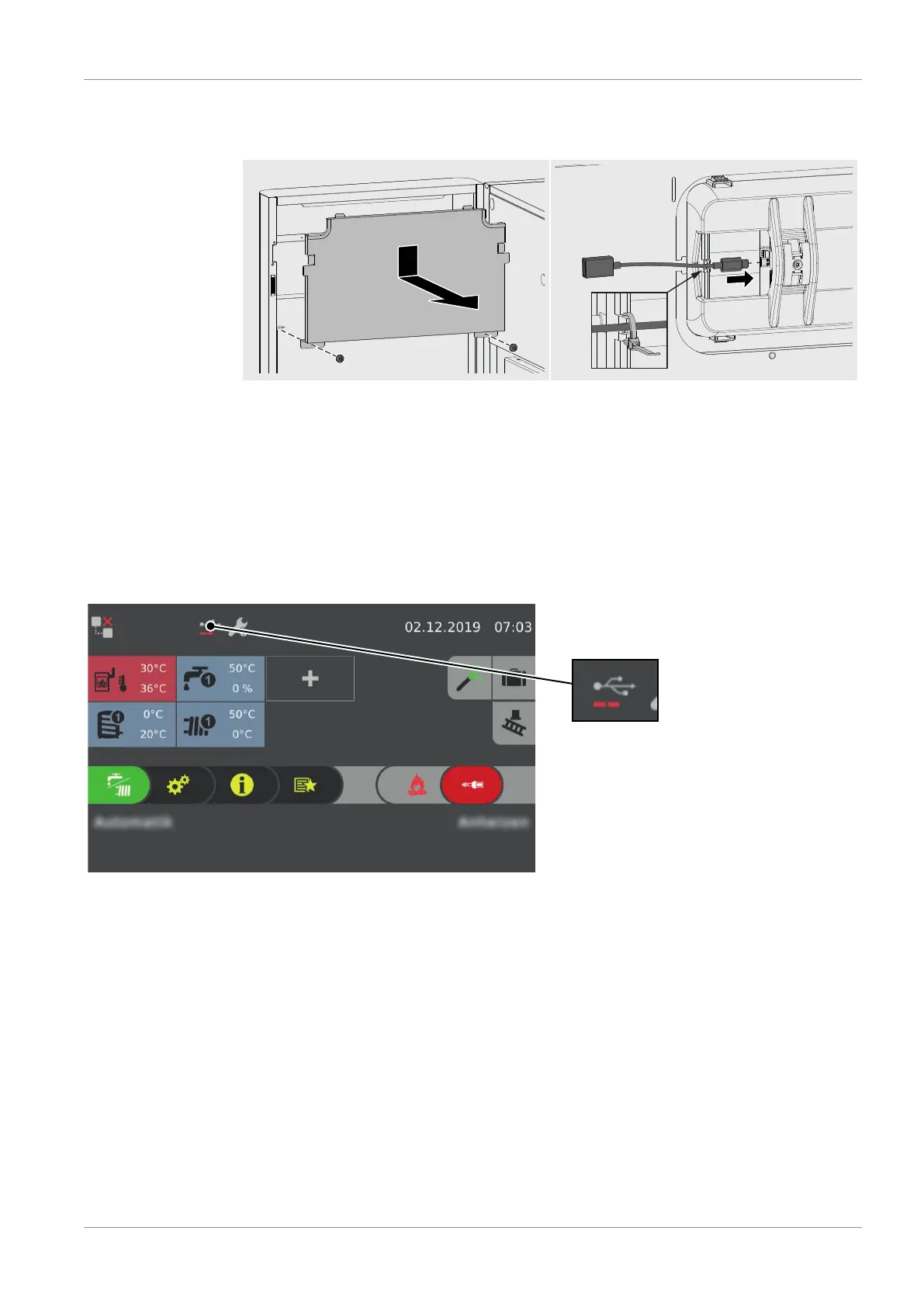
r Open the insulated door and disassemble cover plate on inside of the door
r Connect USB C - USB A adapter cable to the display bushing and secure cable on
display housing using cable ties
r Turn on the main switch and connect USB to the extension
Ä The USB must not contain a software update
Ä Recording starts automatically once the touch display has started
Data recording is indicated in the status line by means of the USB symbol with an activity
bar.





 To Next Page