Power connection and wiring | 2
B1820023_en | Service handbook Lambdatronic H 3200 - T4e 35
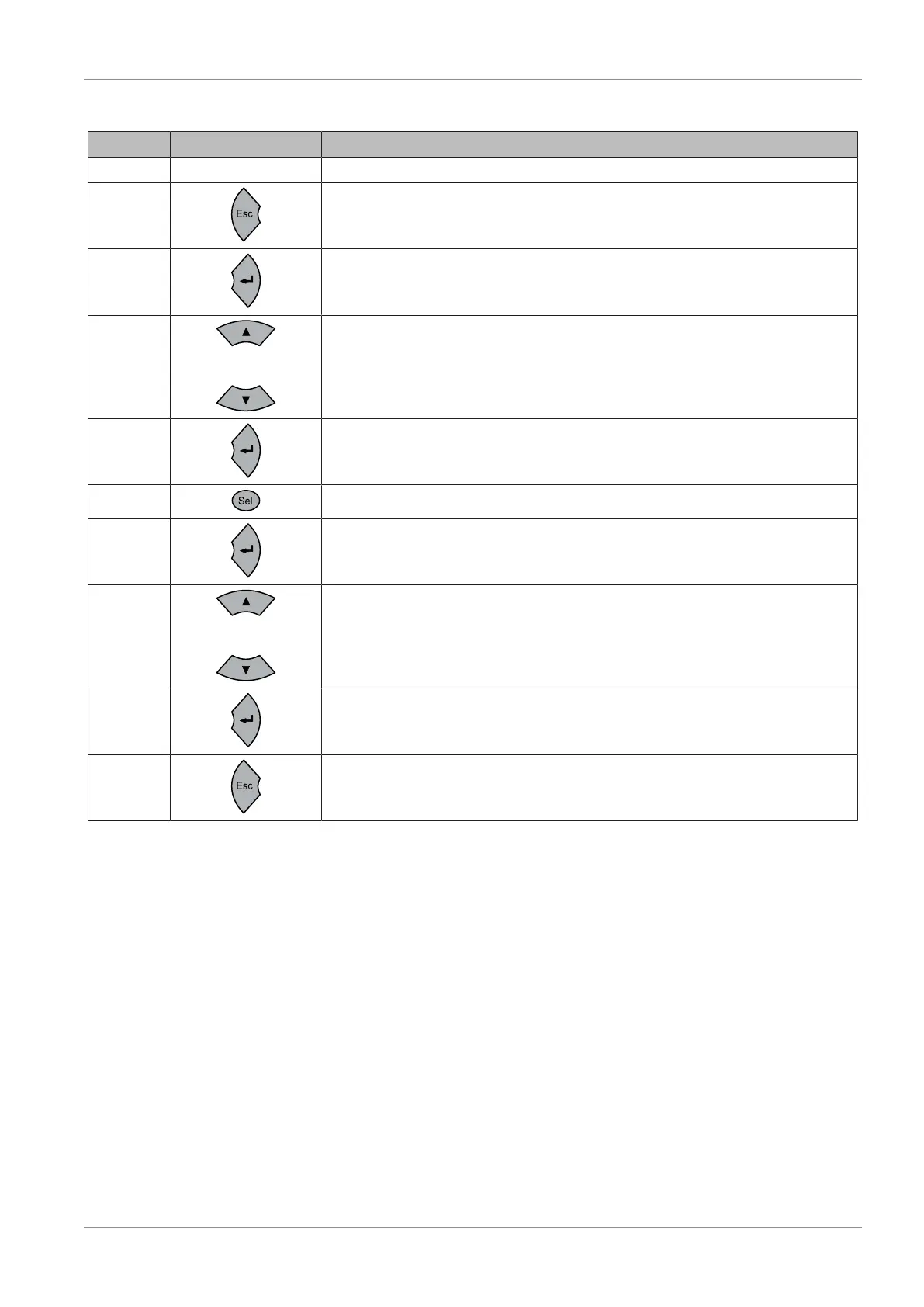
2.5.2 Changing parameters
Step Key Description
1
Connecting the power supply
2
3x escape until “0.0” appears in the display
3
The group menu letter flashes when you press the Enter button
4
or
Press the arrow buttons to select the relevant group menu (d,P,t,C,A)
5
Enter the previously selected group menu. The digit on the right flashes and can be
changed
6
Pressing the Sel button allows you to change the second digit from the right
7
Press the Enter button to see the value of the parameter, or press it again to change
the value
8
or
Reduce/increase the value.
TIP: Pressing the Sel button allows you to change the tens column, pressing it again
allows you to change the hundreds column
9
Confirm the set value by pressing Enter
10
Press Escape several times to exit the program menu





 To Next Page