FAQ | 5
B1820023_en | Service handbook Lambdatronic H 3200 - T4e 111
5.8.1 Carrying out a software update on the boiler controller
Selecting a Flash file
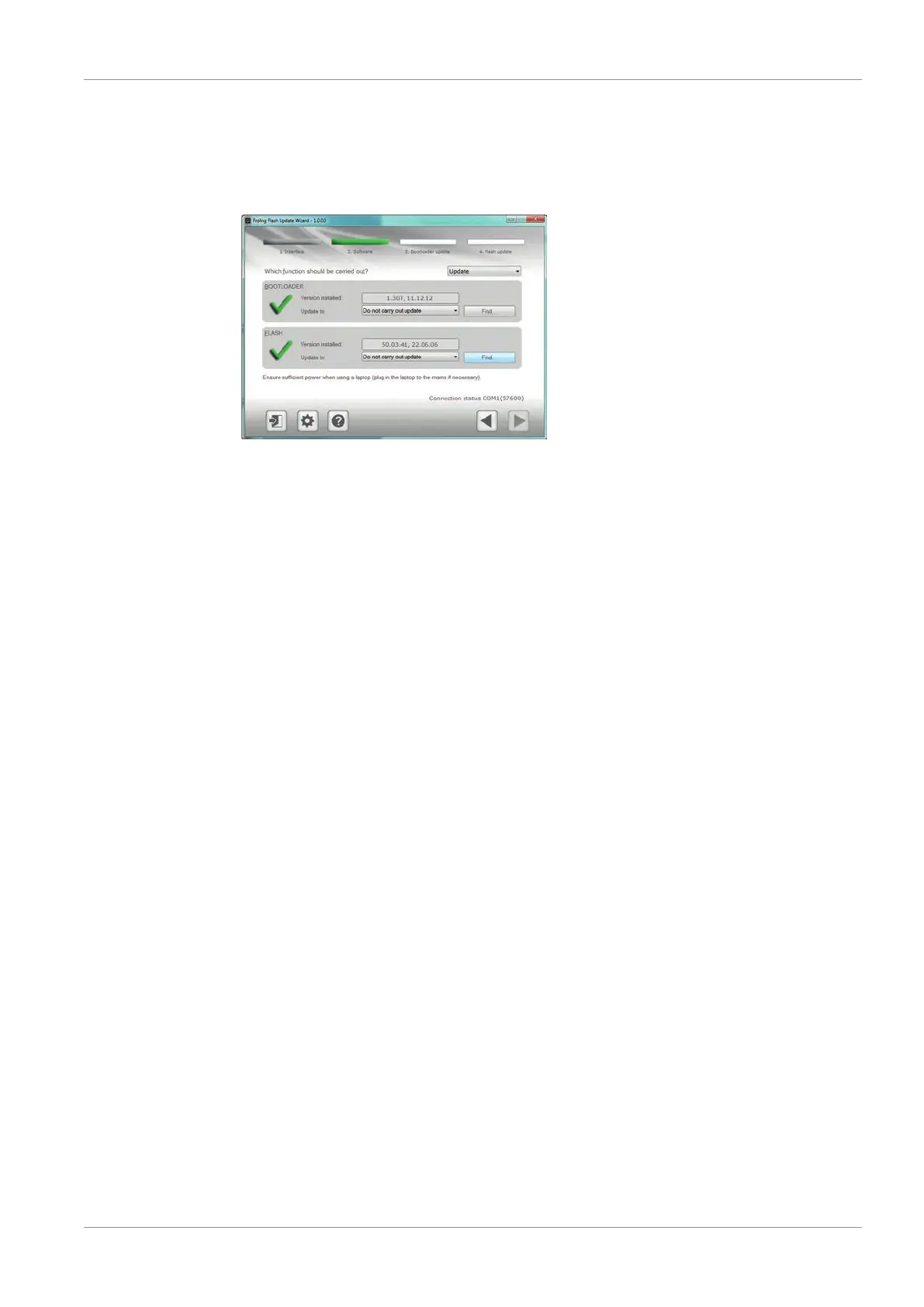
Once the connection has been established, the main window displays the update files
which can be installed:
▪ The "Version installed" field displays the Flash version which is currently installed on
the boiler controller
▪ There is a drop-down list next to the "Update to:" field which shows the Flash files
available in the standard folder
If the Flash file is located in the standard folder:
r Select the required Flash file from the drop-down list
If the Flash file is not located in the standard folder:
r Click on the "Find" button in the "FLASH" section
Ä A window is displayed where you can search for the Flash file
r Navigate to the folder where the file is saved
r Select the Flash (*.s19) file and click on the "Open" button





 To Next Page