5 | FAQ
108 B1820023_en | Service handbook Lambdatronic H 3200 - T4e
5.7 Calibrating the touchscreen
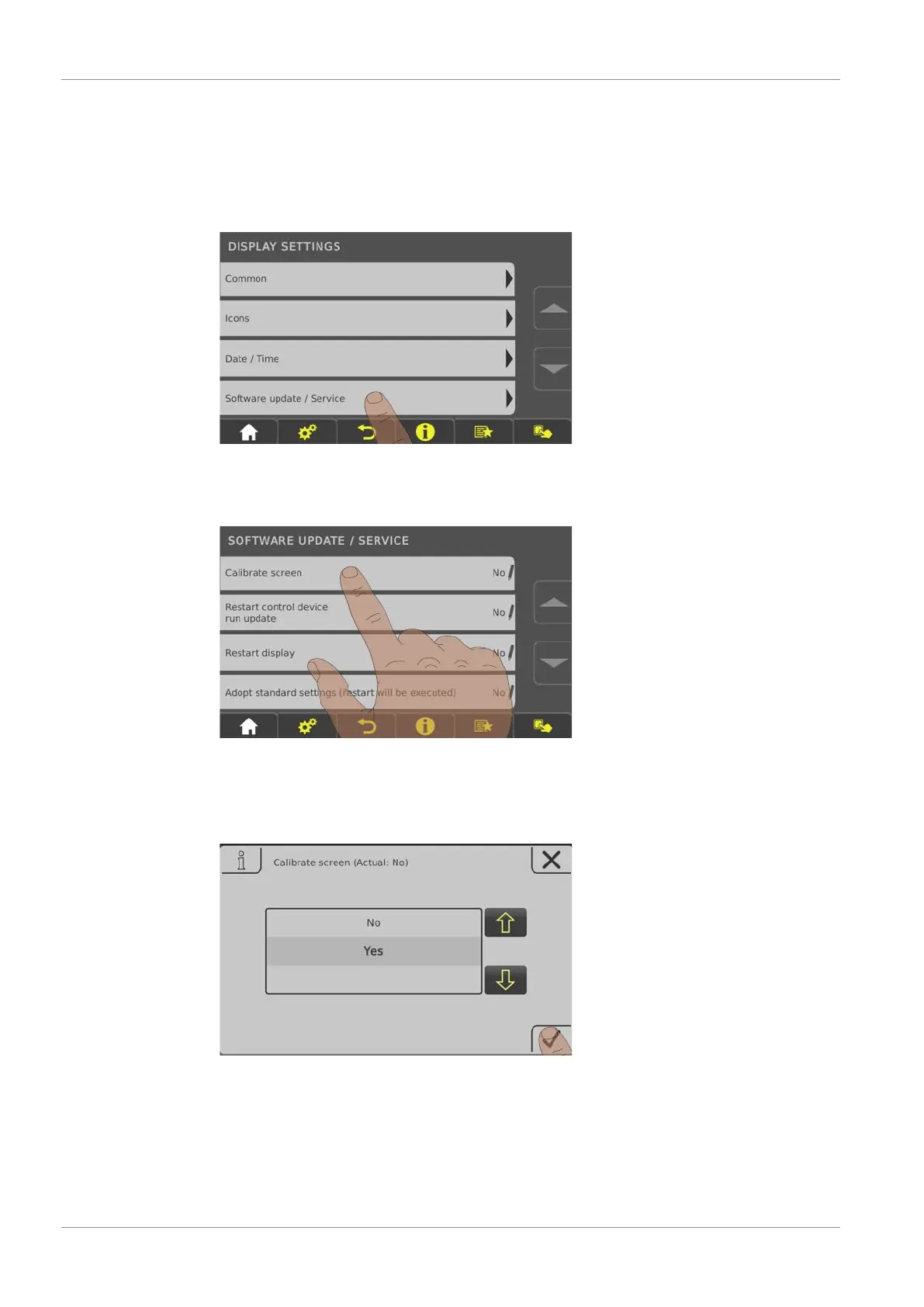
If the touchscreen stops working properly, it will need to be calibrated.
r Go to the “Display settings” menu
r Scroll down until the “Software update / Service" submenu appears and open the submenu
r In the “Software update / Service" menu open the “Recalibrate touch control” parameter
r Set the parameter to “YES” and confirm at the bottom right
Ä The touchscreen will restart and begin calibrating





 To Next Page