Charging the battery
Starting for the
first time
When the battery charger is connected to the grid for the first time, the device is in
SETUP mode.
In this mode, the following basic settings must be made or confirmed:
- Language (English, German, French, ...)
- Date, time and time zone
- Charging cable length and charging cable cross-section
- Type of battery, curve, number of cells and charging time or battery capacity
1
Connect the mains plug of the battery charger to the electrical network.
2
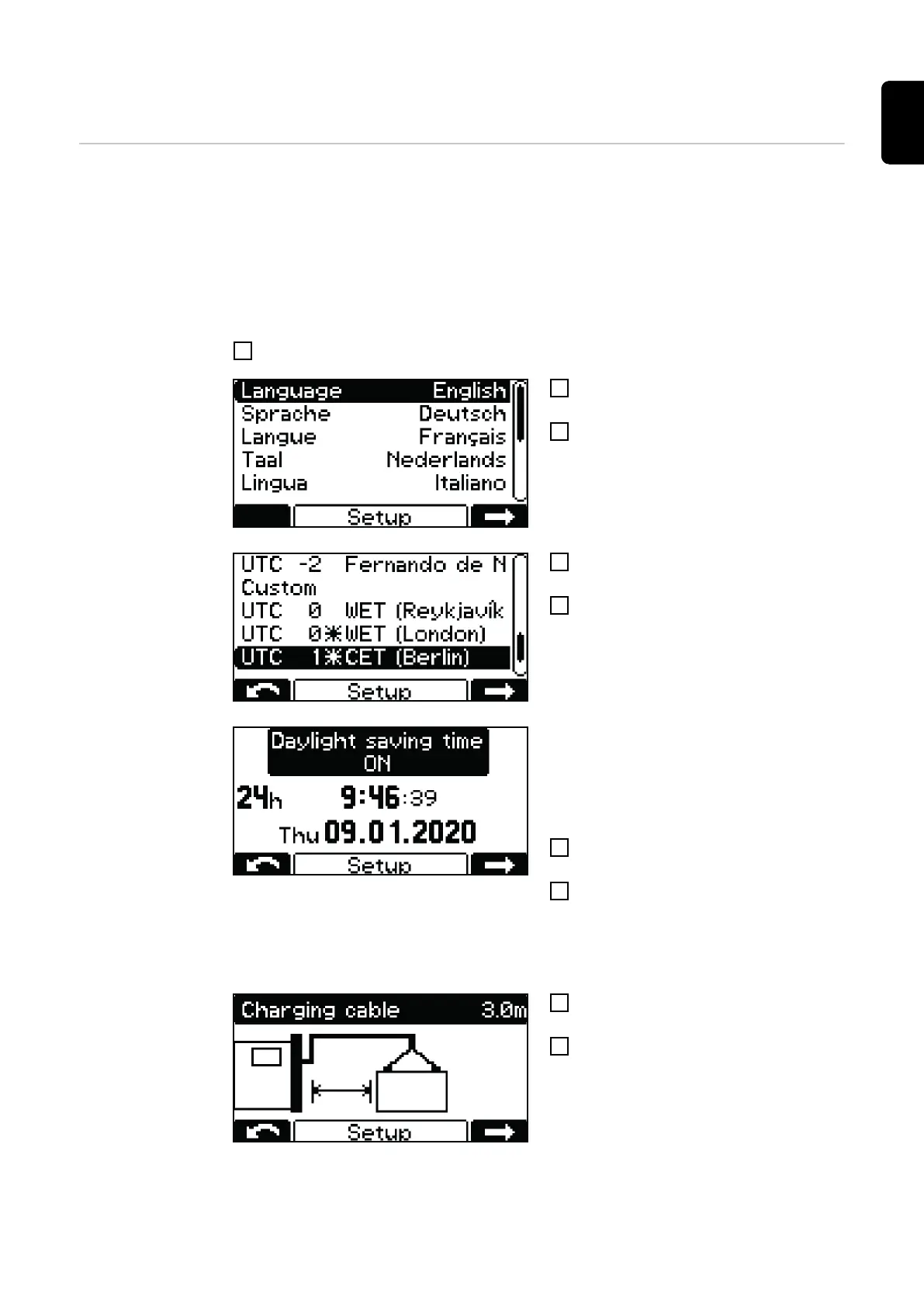
Use the "Up/Down" buttons to select
the desired menu language.
3
Confirm with the "Pause/Start" button.
English is set as the default language.
4
Use the "Up/Down" buttons to select
the time zone.
5
Confirm with the "Pause/Start" button.
The time zone UTC+1 Central European
Time (Berlin) is set as default.
The following settings must be made:
- Daylight saving time ON/OFF
- Hour format
- Time
- Date
6
Use the "Up/Down" buttons to select
the desired setting.
7
Use the "Pause/Start" button to con-
firm the respective setting.
Daylight saving time ON and the 24-hour
format are set as default.
8
Use the "Up/Down" buttons to set the
appropriate charging cable length.
9
Confirm with the "Pause/Start" button.
The battery charger is configured with the
correct charging cable length according to
the order.
An incorrectly set charging cable length
can have a negative effect on the charging
process!
25
EN-US









 To Next Page