3
External start/
stop
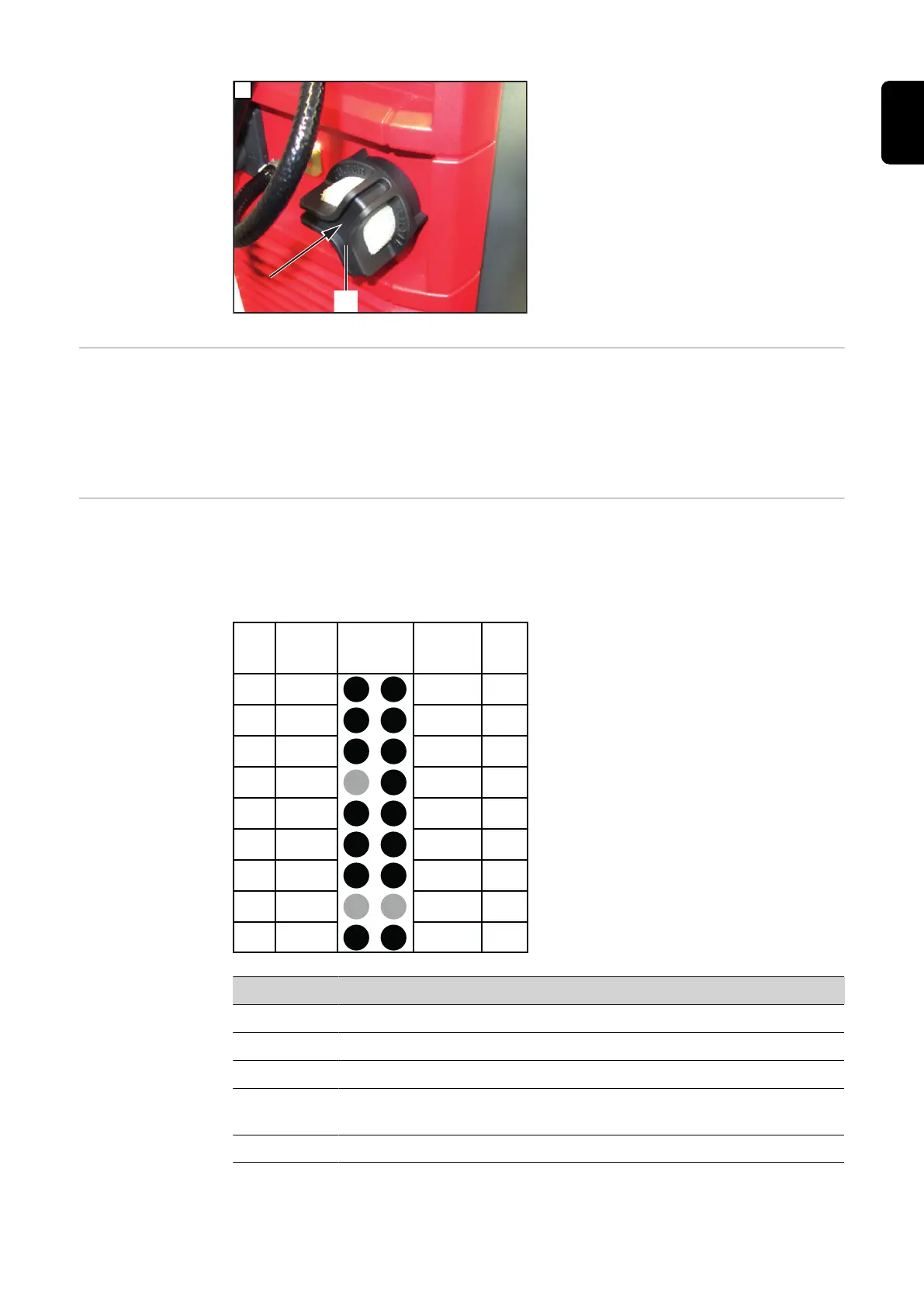
The external start/stop option prevents spark formation at the charging plug if it is discon-
nected during charging. Special contacts inside the charging plug register a disconnec-
tion from the charging socket. These contacts are leading in comparison to the main con-
tacts. An immediate charging stop is triggered. There is therefore no wear on the main
contacts and the level of safety against oxyhydrogen ignition is increased.
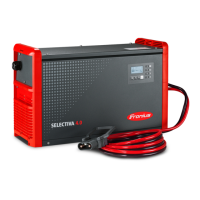
Charging lights Suitable external indicators can be connected to the connections inside the device, as
shown in the figure, to indicate the state of charge or the operating status of the battery
charger. The working voltage of each external indicator must be 13 V, and the sum of the
current drawn by all external indicators must not exceed 0.5 A.
17 G / 2 13V / 1
Y / 3 R / 4
B Dete
C2 G
C1 G 13V O
C1 L C2 L
C1 H C2 H
- St + St
Pin Pin
Plug
Code
Plug
Code
Plug
18p
15
13
11
9
7
5
3
1
18
16
14
12
10
8
6
4
2
Connections for the charging lights on
the optional plug
Pin Function Color
18 13 V supply.
17 The battery is fully charged. Green
16 An error has occurred (common error). Red
15 Lights up: Battery is charging.
Flashing: Charge has been interrupted.
Yellow
13 The battery has already cooled down and is ready for use. Blue
If the RGB (LED strip) setting is stored in the menu, the connection (15) (yellow) is not
supported. The normal (conventional external indicators) or RGB (LED strip) setting for
57
EN-US









 To Next Page