delay
- If the battery remains connected to the battery charger for the duration of the set
equalizing charge delay ("equalize charge delay"), a special form of charging takes
place. This prevents acid stratification.
- The parameters for current (amperes/100 ampere hours), voltage (volts/cell) and
duration of the equalizing charge can be changed.
Weekday
- Specification of the day of the week on which the equalizing charge is to take place.
- The parameters for current (amperes/100 ampere hours), voltage (volts/cell) and
duration of the equalizing charge can be changed.
Manual
- An equalizing charge can be activated manually by pressing a button on the display.
- The equalizing charge starts after the set delay with the set parameters.
- The parameters for current (amperes/100 ampere hours), voltage (volts/cell) and
duration of the equalizing charge can be changed.
- This function is only available for Pb-WET curves.
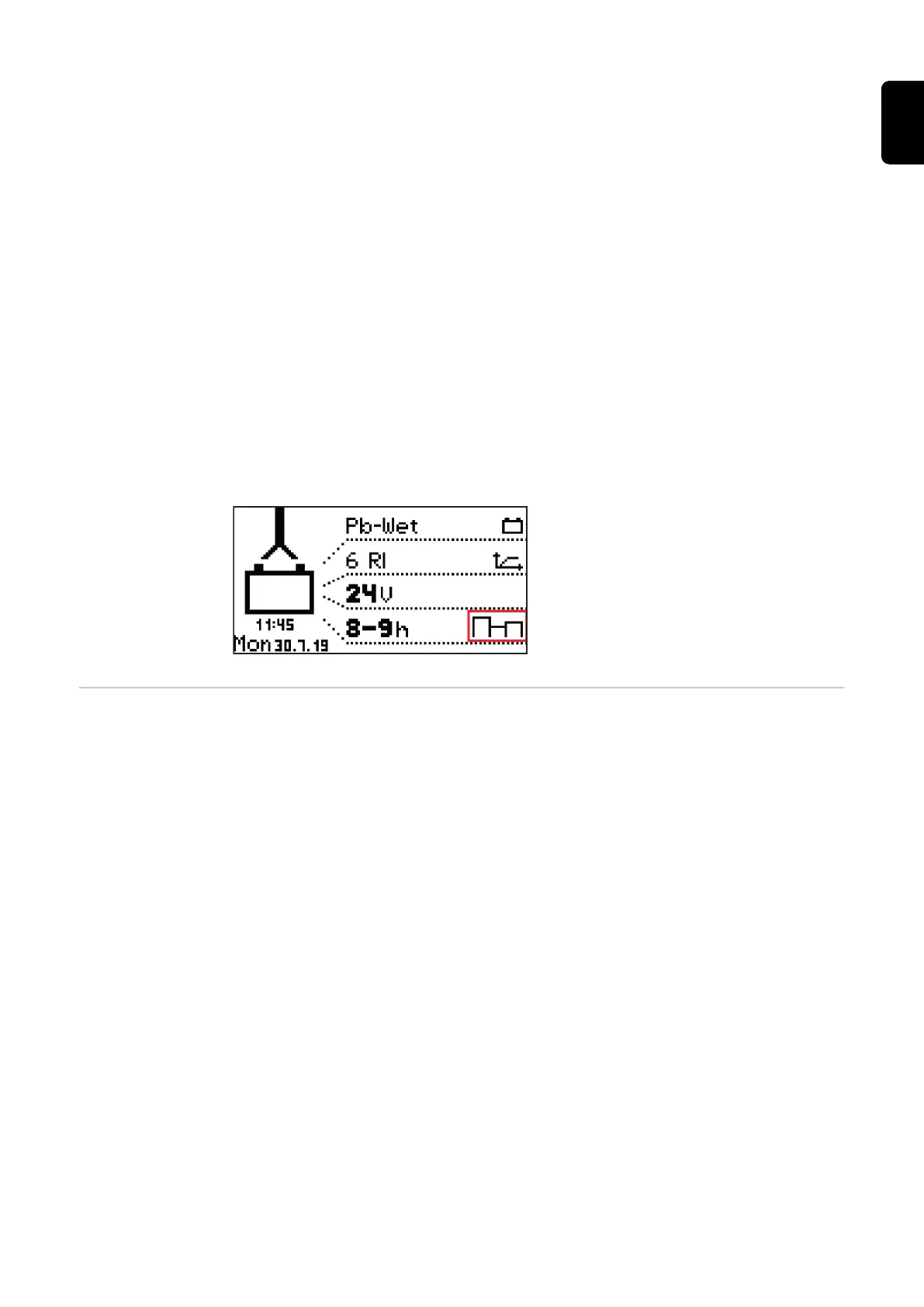
If a setting for the equalizing charge is activated, a symbol next to the set ampere
hours/the set charging time in the home screen indicates whether the equalizing charge
is being carried out or can be started.
Delay delay
charge start delay
- Delay time (minutes) between the activation time of the charge start and the actual
charge start.
charge end delay
- Delay time (minutes) between the signaled end of charge (e.g. green indicator) and
the actual end of charge.
at mains failure restart charging
- If this option is activated, the charging process is automatically restarted after a fault
in the electrical network as soon as the electrical network is available again.
at mains failure
- Restart charging
- Automatic/continue charging
If the "Restart charging" option is activated, the charging process is automatically restar-
ted after a fault in the electrical network as soon as the electrical network is available
again.
If the "Automatic/continue charging" option is activated, the charging process is automat-
ically continued after a fault in the electrical network as soon as the electrical network is
available again.
39
EN-US









 To Next Page