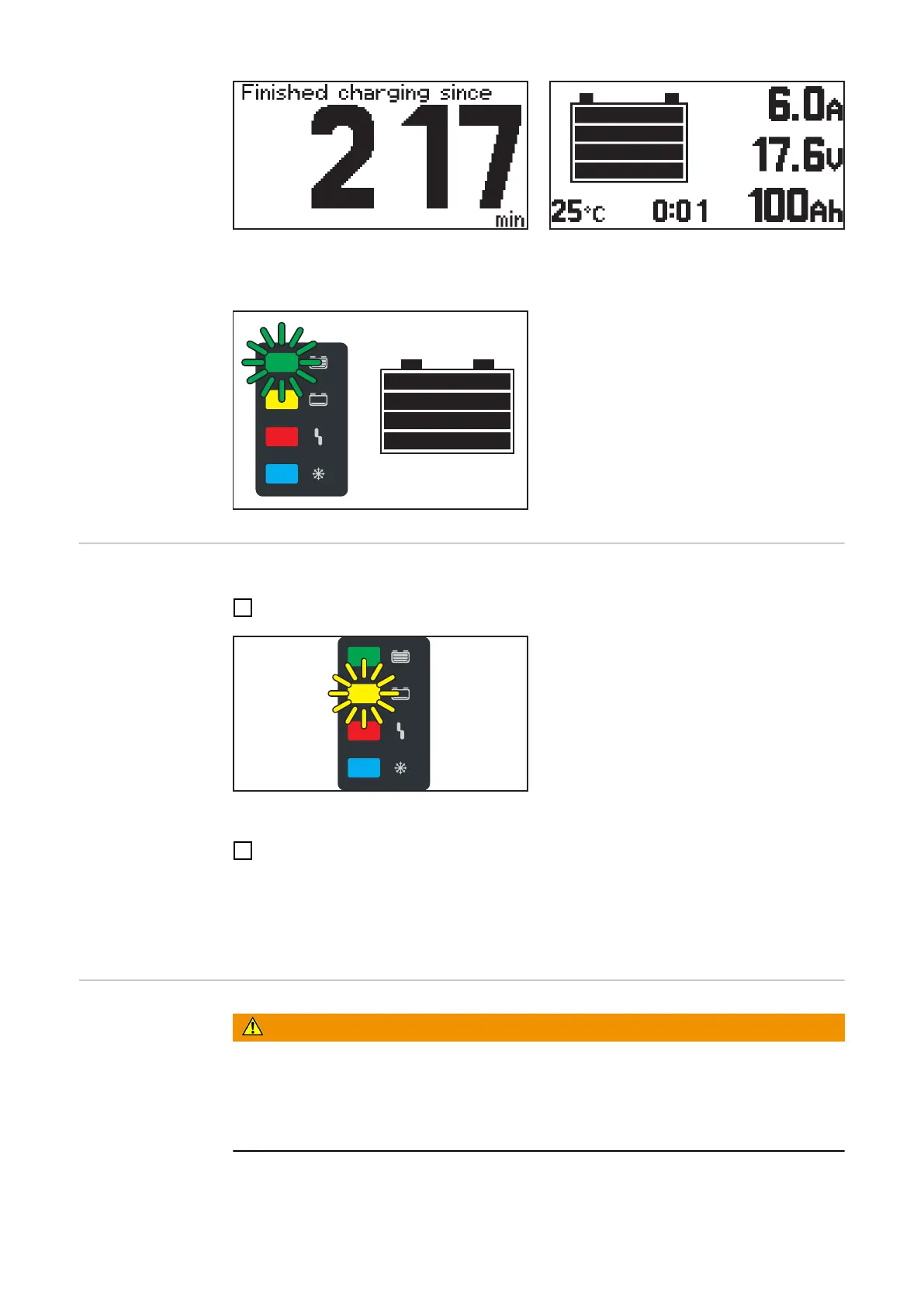
When the battery is fully charged, all 4 bars of the battery symbol appear in black. As
soon as the battery is fully charged, the green indicator lights up.
- The battery is always ready for use.
- The battery can remain connected to
the battery charger for any amount of
time.
- The conservation charge counteracts
self discharge of the battery.
Interrupting the
charging process
Interrupt the charging process as follows:
1
Press the "Pause/Start" button.
While the charging process is interrupted:
- The "Charge" indicator flashes (yel-
low).
Resume the charging process as follows:
2
Press the "Pause/Start" button again.
As long as a battery is connected to the battery charger, the charging process can only
be interrupted and resumed by pressing the "Pause/Start" button. It is only possible to
change the display modes with the "Menu" button, as described in the "Display" chapter,
after disconnecting the battery from the battery charger.
Ending the char-
ging process
WARNING!
Danger due to oxyhydrogen ignition caused by sparks when disconnecting the
charging cables.
This can result in severe personal injury and damage to property.
▶
Before disconnecting or unplugging the charging plug, end the charging process by
pressing the "Pause/Start" button.
28











 To Next Page