Display
Overview of dis-
play modes
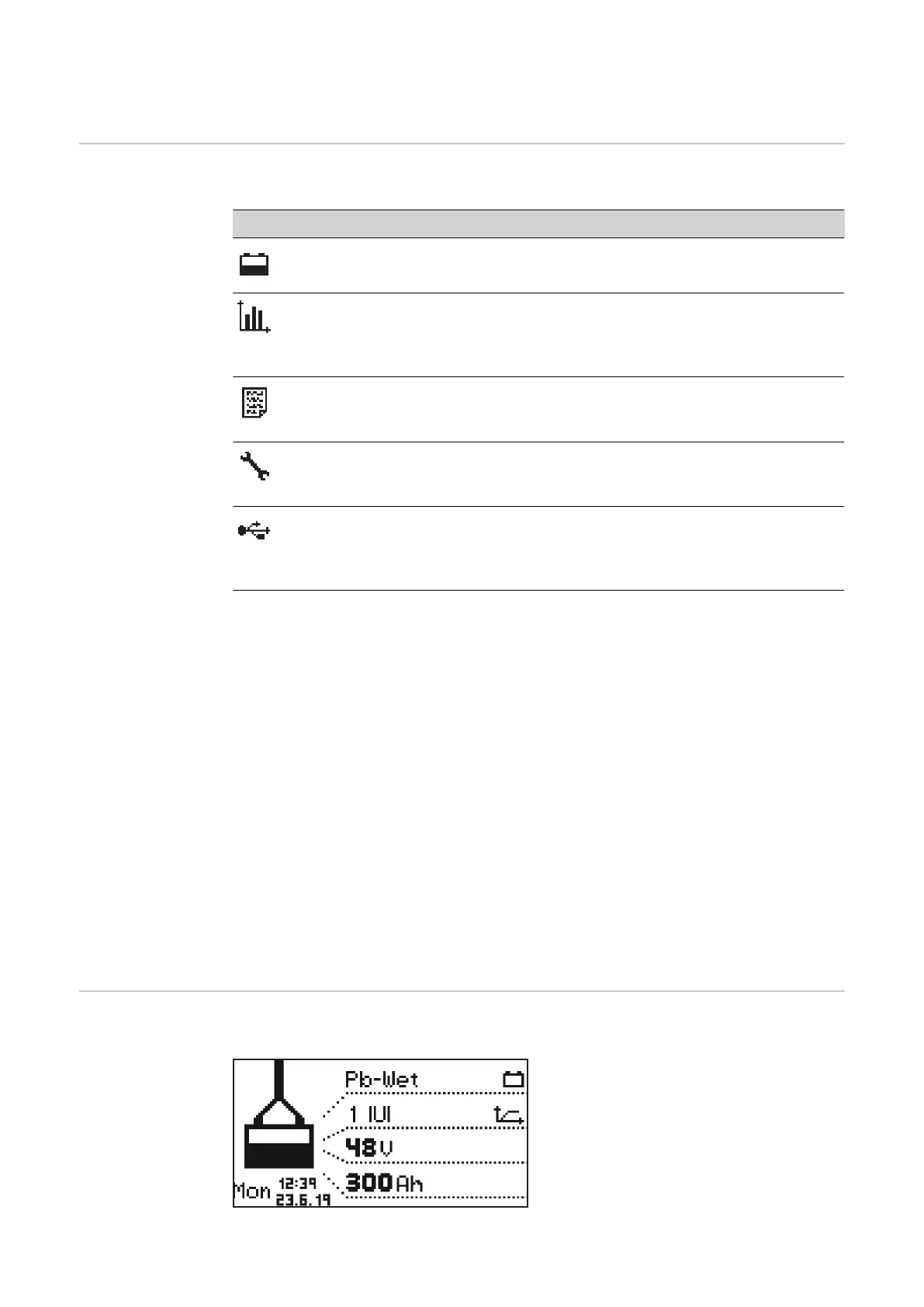
The device has the following display modes:
No. Function
Standard mode
In standard mode, the display shows the charging parameters.
Statistics mode
Visualizes the frequency of the operating states of the device and shows the
total number of charges, as well as an overview of the absolute and average
Ah delivered and energy consumed per charge.
History mode
Provides information regarding the parameters of all stored charging pro-
cesses.
Configuration mode
Configuration mode enables all settings to be made for the device and the
charging process.
USB mode
USB mode supports a device update, the backup and uploading of device
configurations, as well as logging of charging parameters during the charging
process via USB thumb drive.
As long as a battery is connected to the battery charger, the charging process can only
be interrupted and resumed by pressing the "Pause/Start" button. It is only possible to
change the display modes with the "Menu" button, as described in the following sections
which explain the individual modes, after disconnecting the battery from the battery char-
ger.
While charging has been paused, however, a limited menu selection is available. The
display modes described in detail below are available in this case as follows:
Statistics mode and history mode remain unrestricted.
The following data can be called up in configuration mode:
- Date and time
- Device serial number
- Hardware version and serial number
- Software: Main software, secondary software, primary software and curve block ver-
sion
In USB mode, all functions except "Update" and "Load configuration" can be carried out.
Standard mode After connecting the mains plug to the electrical network, the display is automatically in
standard mode.
In standard mode, the display shows the
battery charger parameters:
- Type of battery (e.g., Pb-WET)
- Charging characteristic (e.g., IUI)
- Nominal voltage (e.g., 48 V)
- Capacity (e.g., 300 Ah)
- Weekday, date and time
30









 To Next Page