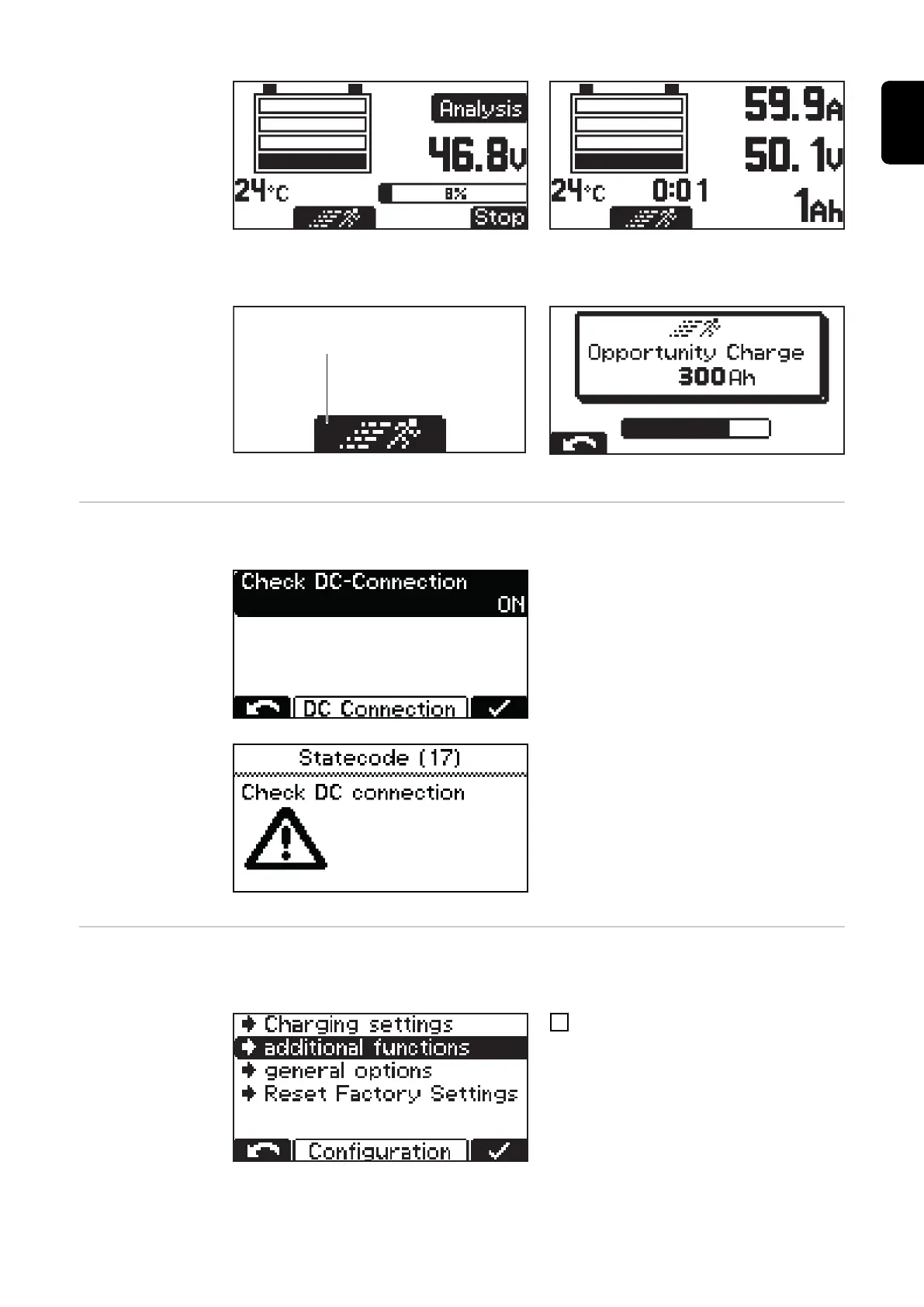
Display when RI curve is selected Display for other curves (e.g. IUI)
Start opportunity charge:
- Select the "Runner symbol" (1) with the "Up" button.
Runner symbol (1)
Display at start of opportunity charge
DC connection DC-Connection:
The Check DC-Connection setting is loc-
ated in the DC Connection menu.
If Check DC-connection is switched on
("ON"), the connection between the battery
charger and the battery is checked during
the charging process.
If problems occur with the DC connection
during the charging process, status code
17 is set when Check DC-Connection is
active.
A connection problem can occur, for ex-
ample, if the charging contacts are worn or
dirty.
Additional func-
tions
Detailed explanation of the "Additional functions" menu item in configuration mode. Nav-
igation is carried out as described in the "Configuration mode" section.
1
Select the "Additional functions" menu
item.
A list appears with the following selection options:
43
EN-US










 To Next Page