5
Use the "Up/Down" buttons to set the desired value (e.g. "24" for the number of bat-
tery cells).
6
Press the "Pause/Start" button to confirm the entry.
If one or more relevant settings for the charging process are changed in configuration
mode, another prompt appears when exiting configuration mode, asking whether the set-
ting in question should be applied.
The following settings must be confirmed when exiting configuration mode:
- Curve
- Battery capacity in Ah (RI curve excluded)
- Number of cells
- Equalizing charge ON/OFF
- CAN protocol
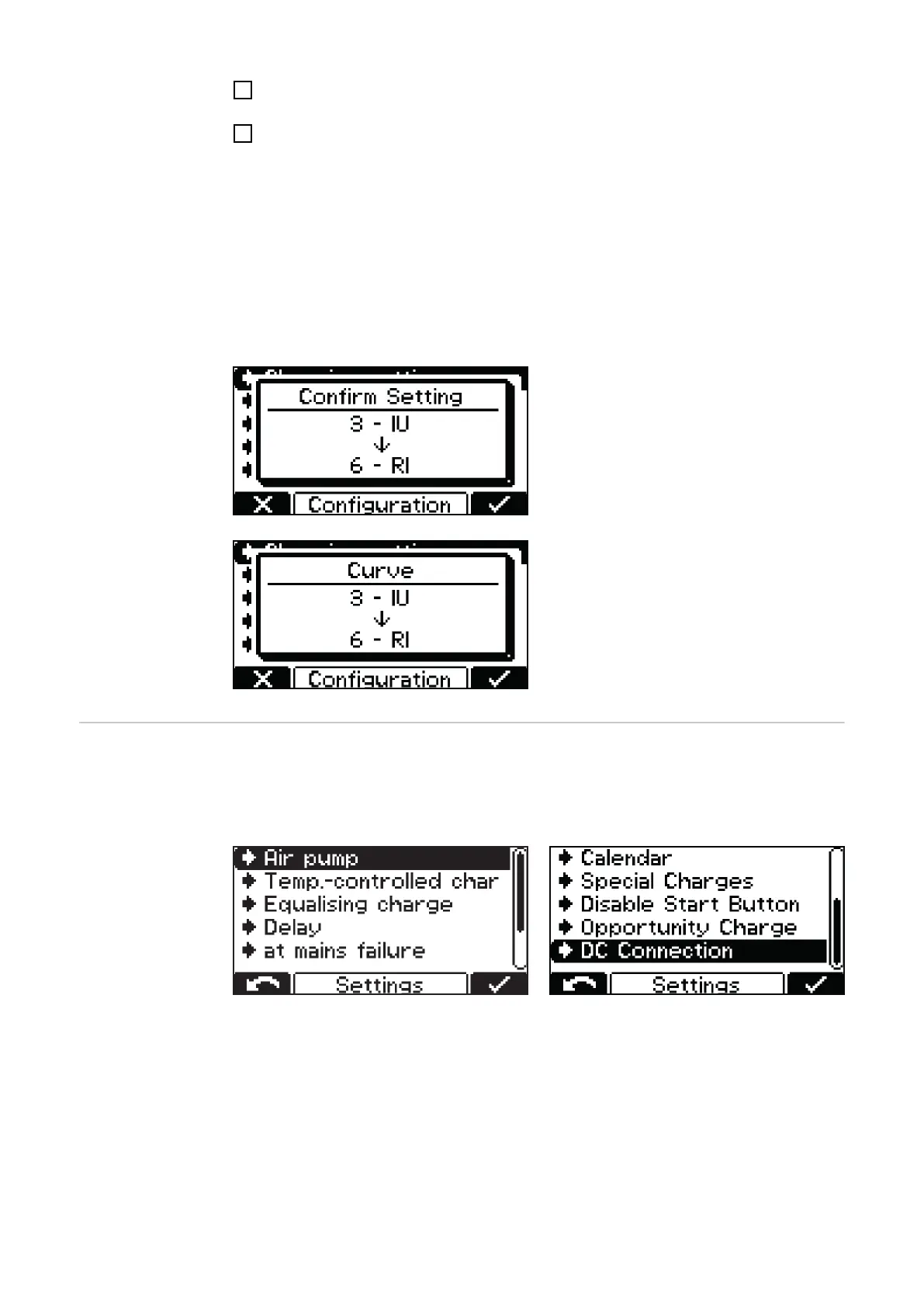
Example:
Change to the curve from 3 - IUI (Pb-
WET) to 6 - RI (Pb-WET).
If the setting is not confirmed, the battery
charger returns to configuration mode and
the setting can be changed to the desired
value.
Settings Below is a detailed explanation of the "Settings" menu item, selected under the afore-
mentioned "Charging settings" menu item. Navigation is carried out as described in the
"Configuration mode" section.
A list appears with the following selection options:
The individual selection options are explained in detail below.
36









 To Next Page