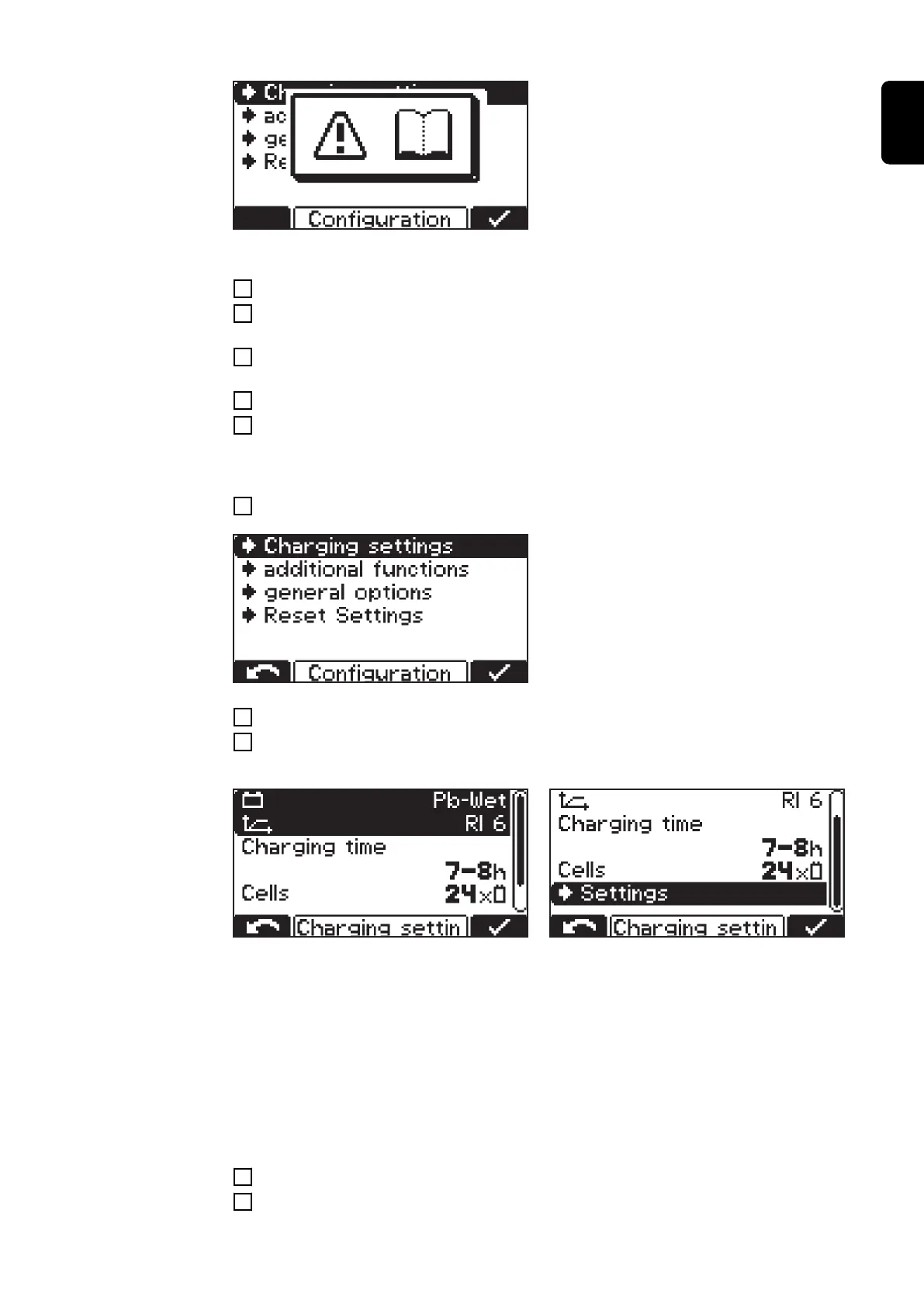
When selecting a menu item, you may be
prompted to read the Operating Instruc-
tions. Confirm this prompt by pressing the
"Pause/Start" button again.
Navigate through the configuration menu and its submenus as follows:
1
Use the "Up/Down" buttons to select the desired menu item.
2
Press the "Pause/Start" button to confirm the menu item and confirm any confirma-
tion prompts (e.g. "OK?") again.
3
If necessary, use the "Up/Down" buttons to make a selection, e.g. "Off/On" or enter a
value.
4
Press the "Pause/Start" button to confirm the entry.
5
If the cursor moves to the next setting or digit after confirming, proceed again as de-
scribed in points (3) and (4).
To exit the current menu:
6
Press the "Menu" button to return to the higher-level selection.
The charge settings are explained below
by way of an example:
1
Use the "Up/Down" buttons to select the "Charging settings" menu item.
2
Press the "Pause/Start" button to confirm the menu item.
The selection of settings for the "Charging settings" menu item appears:
The display may vary depending on the selection made. If "Pb-WET" has been selected
as the type of battery as shown in the illustration - in conjunction with the "RI" curve - the
"Ah" section is replaced by a setting option for the "Charging time".
Both the start and end can be set for the charging time. If required, the start time can be
deselected; then the charging time is based exclusively on the specified end of charge
following a manual charge start.
While making the settings, the user is guided through the menu in the same way as a
wizard function.
3
Use the "Up/Down" buttons to select the desired parameter (e.g. "Cells").
4
Press the "Pause/Start" button to confirm the parameter.
35
EN-US










 To Next Page