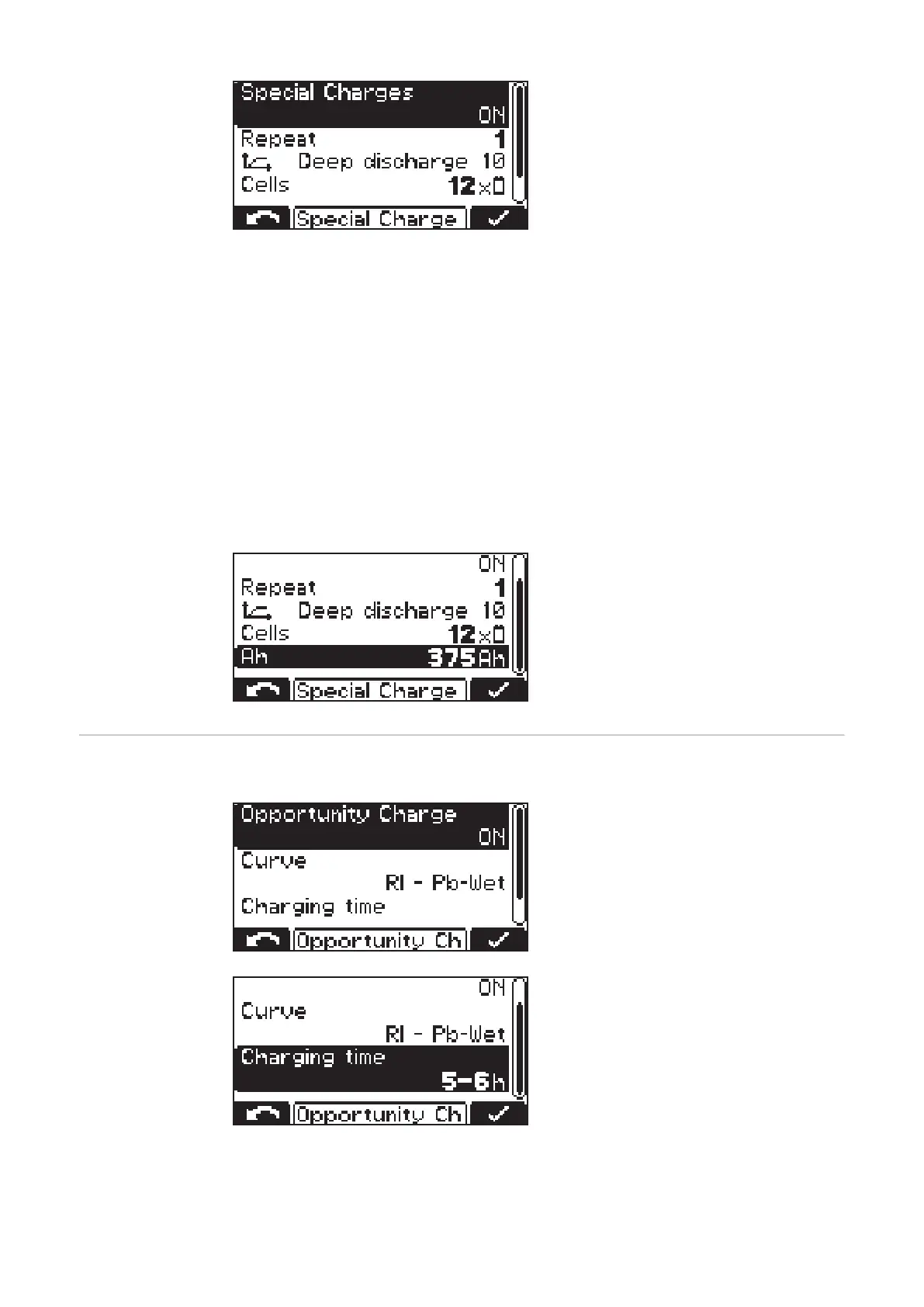
The "Special Charges" selection allows
you to temporarily carry out one or more
charges that differ from the usual type of
charge.
The "Repeat" setting defines how often the special charge is to be carried out until char-
ging is permanently resumed with the original charge parameters:
Setting range
- 1 to 99 repetitions
Disable Start Button
ON
- It is not possible to start the charging process using the "Pause/Start" button, which
prevents unauthorized access, for example.
OFF
- It is possible to start the charging process using the "Pause/Start" button.
The following settings are also possible:
- Curve:
e. g. "Deep discharge 10"
-
"Cells" - e.g. 12x
- Battery capacity in Ah:
e. g. 375 Ah
Special function -
opportunity char-
ging
Special function - Opportunity Charge
In order to extend the operating interval of
the battery, it is possible, for example, to
recharge the battery during a break in op-
eration.
The following curve settings are possible:
-
"Curve" - e.g. RI - Pb-WET
-
"Charging time" - e.g. 5-6 h
With opportunity charge set to "ON" and the battery connected, the following display ap-
pears:
42









 To Next Page