The battery charger parameters are individually adjustable. Detailed information can be
found in the "Configuration mode" section.
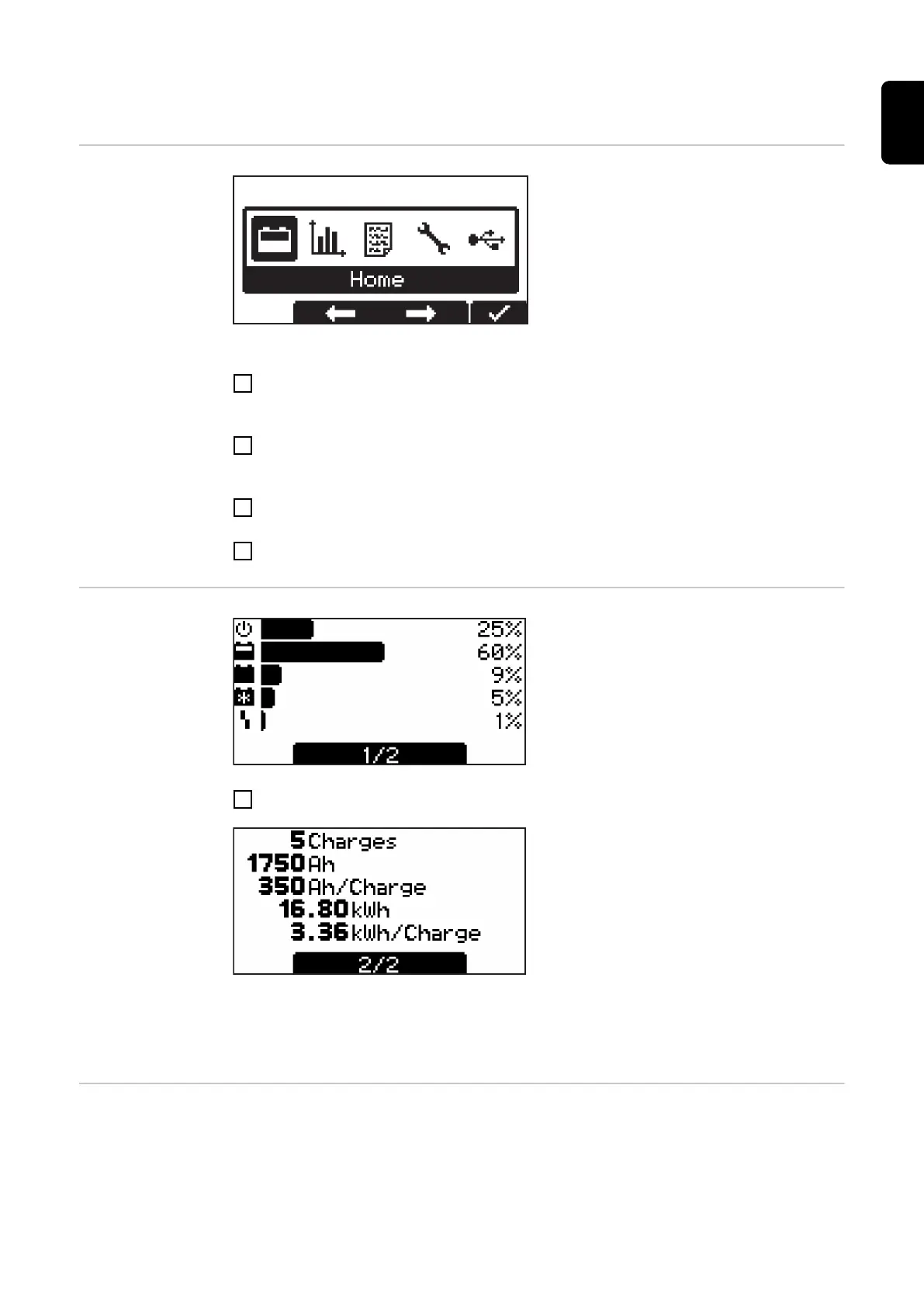
Menu selection
Switch to the menu selection from standard mode as follows:
1
Press and hold the "Menu" button for approx. 5 seconds.
Switch to the menu selection from the other modes as follows:
1
Press the "Menu" button briefly.
Open the desired mode:
2
Use the "Up/Down" buttons to select the symbol for the desired mode.
- e.g. the battery symbol for standard mode
3
Press the "Pause/Start" button to confirm the "check mark" symbol.
Statistics mode In statistics mode, horizontal bars visualize
the frequency of the following operating
states of the device:
- Idle
- Charging
- Floatingcharge
- Cooldown
- Error
1
Use the "Up/Down" buttons to switch between page 1/2 and page 2/2.
Page 2/2 shows the following values:
- Total number of charges ("Charges").
- Total Ah delivered.
- Average Ah delivered per charge
("Charge").
- Total energy consumed (kWh).
- Average energy consumed (kWh) per
charge ("Charge").
The display of the consumed energy is intended as a guide value and may deviate from
the actual amount of energy by up to 5% at the rated power. The deviation may be high-
er at lower power.
History mode History mode provides information regarding the parameters of all stored charging pro-
cesses. The display window is shown twice below in order to be able to show changing
or different displays:
31
EN-US









 To Next Page