1
Use the "Up/Down" buttons to switch between the pages for each saved charging
process.
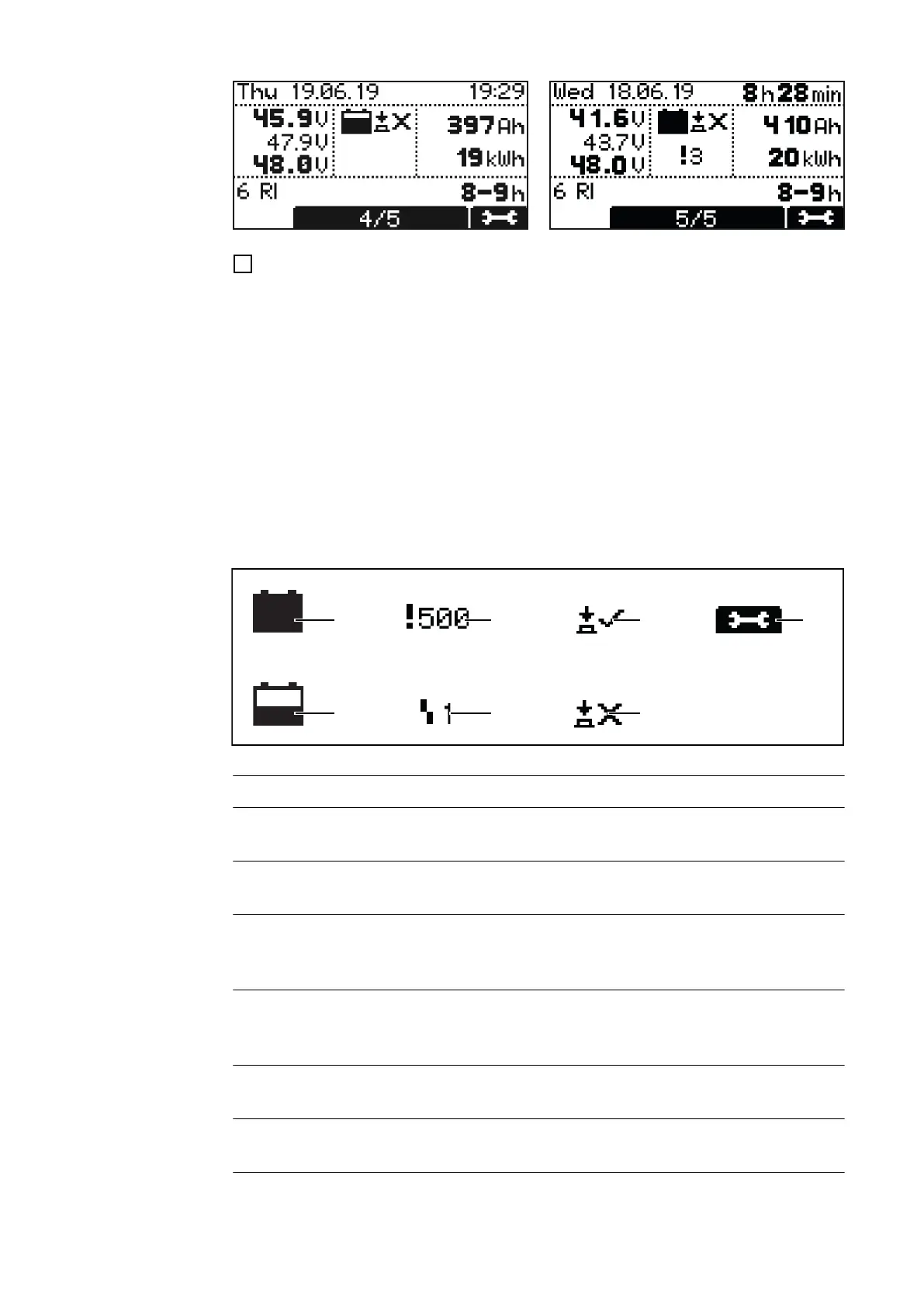
Contents of the display window
- Start date of the charge, e.g.: Thursday, 19.06.14.
- Start time of the charge, e.g.: 19:29 or charging period, e.g.: 8 h 28 min.
- Voltage when charging starts: e.g.: 45.9 V.
- Voltage after 5 minutes: e.g.: 47.9 V.
- Voltage at end of charge: e.g.: 48.0 V.
- Consumed Ah, e.g.: 397 Ah
- Consumed kWh, e.g.: 19 kWh.
- Charging characteristic, e.g.: 6 RI.
- Set charging period, e.g.: 8 - 9 h or set Ah, e.g.: 400 Ah or set time of end of charge
(not shown).
Displayed symbols
No. Function
(1) Full battery
Charge completed.
(2) Empty battery
Charge not completed.
(3) Exclamation mark with number
Warning issued, with code for the corresponding status code. Detailed informa-
tion can be found in the "Status codes" section.
(4) Symbol with number
Error issued, with code for the corresponding status code. Detailed information
can be found in the "Status codes" section.
(5) Button symbol with check mark
Charge was correctly ended with the "Pause/Start" button.
(6) Button symbol with cross
Charge was ended without pressing the "Pause/Start" button.
(7) Charge details
Display of certain battery data at the beginning and at the end of the charge:
32









 To Next Page