MASTER JET CF SERIES ATMOSPHERIC GAS FRYERS
CHAPTER 1: SERVICE PROCEDURES
1-14
1.8.8 Replacing Melt Cycle Timer – Operating Thermostat Controls
The mechanical melt cycle timer is no longer available. A solid-state timer replaces the
mechanical unit. To replace the mechanical melt-cycle timer:
1. Remove all electrical power from the fryer. Unplug fryer and ensure all power switches are off.
2. Access timer by removing the control
panel. Remove timer by removing two
screws that hold it in place. Detach wires.
3. Attach wires to the new timer as follows:
Ground -To number 4 of clip terminals.
24VAC - To wire 28C.
Melt - To wire 29C.
Valve - To thermostat.
4. Bolt new timer into place. Reattach
control panel.
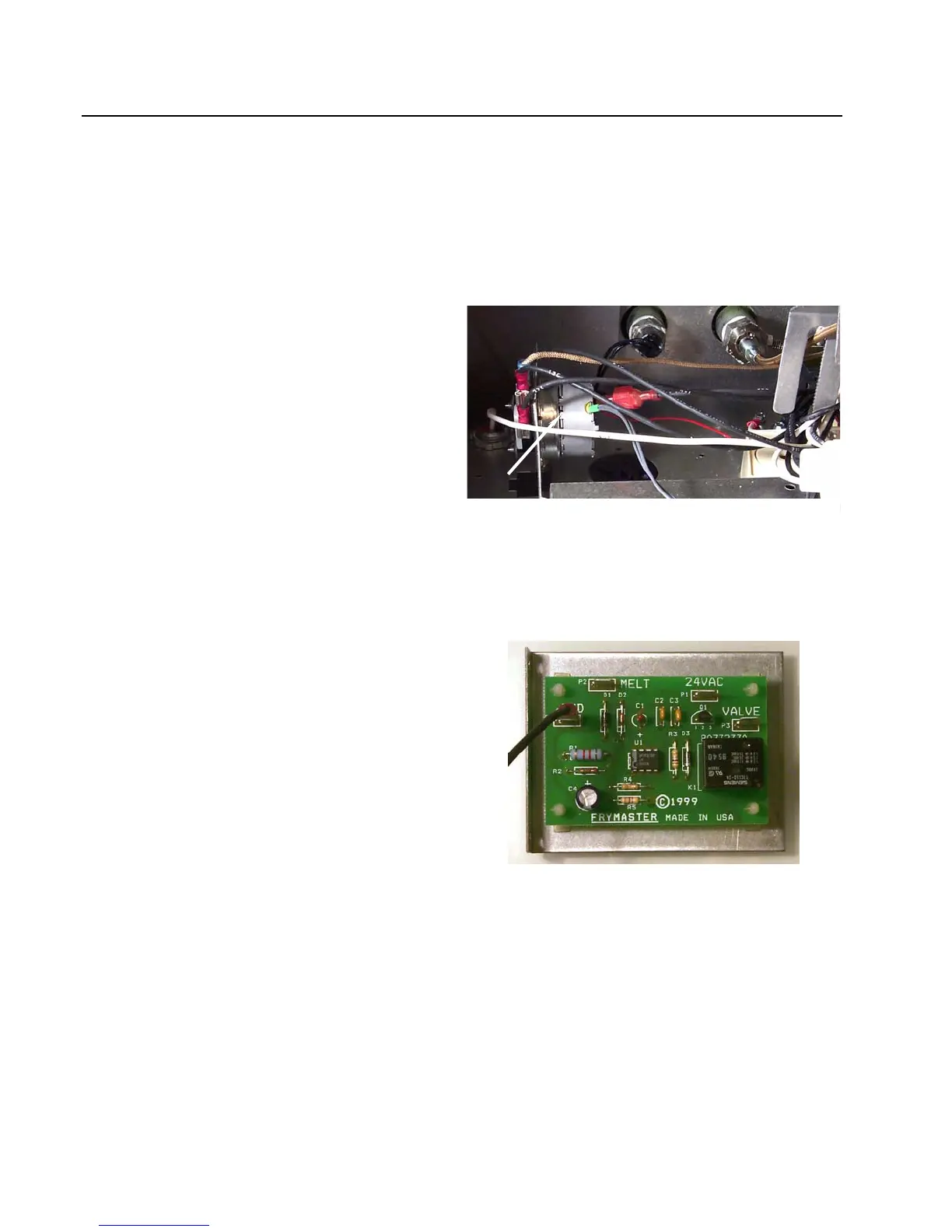
Remove the control panel to reveal the mechanical
timer (arrow). The metal plate that holds the timer-
unit in place is secured with two screws. Remove
the screws, lift out the timer and detach the wires.
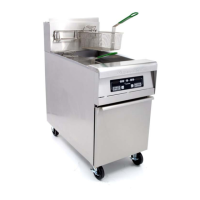
The solid-state timer mounted on a metal plate,
bolts into the space previously occupied by the
mechanical timer.






 To Next Page