Installing/Removing Wireless LAN Kit
463
3
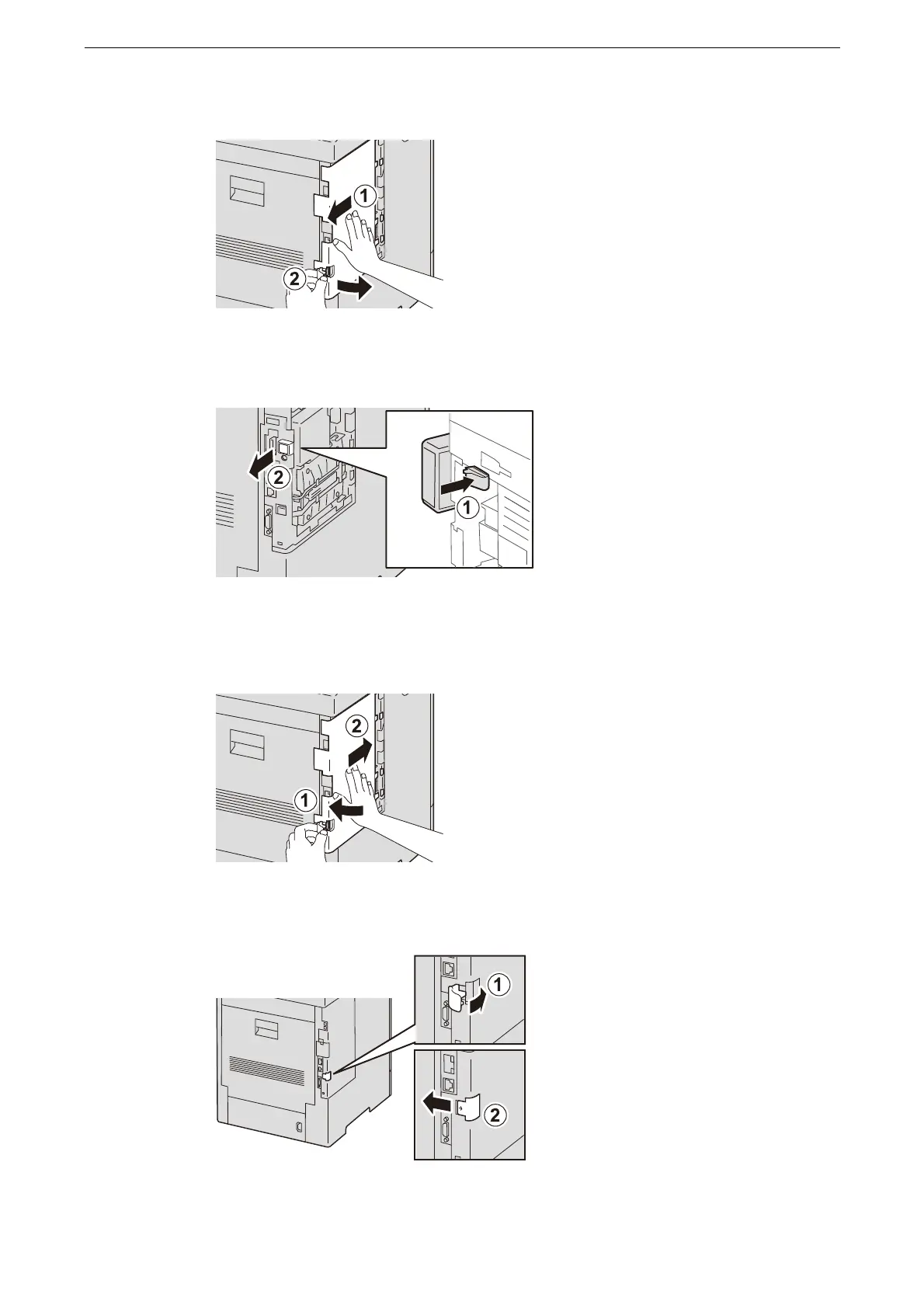
Remove the left side cover by sliding it toward the back of the device.
4
Unfasten the hook to remove the connector of the Wireless LAN Kit.
5
Slide the cover on the left side toward the front of the device, and insert the protrusion into
the hole on the main unit.
6
Tilt the latch forward, then slide it to the left to lock the cover.
7
Attach the cover of the Wireless LAN Kit socket.



 To Next Page
 Loading...

