Fax/Internet Fax
247
Fax
4
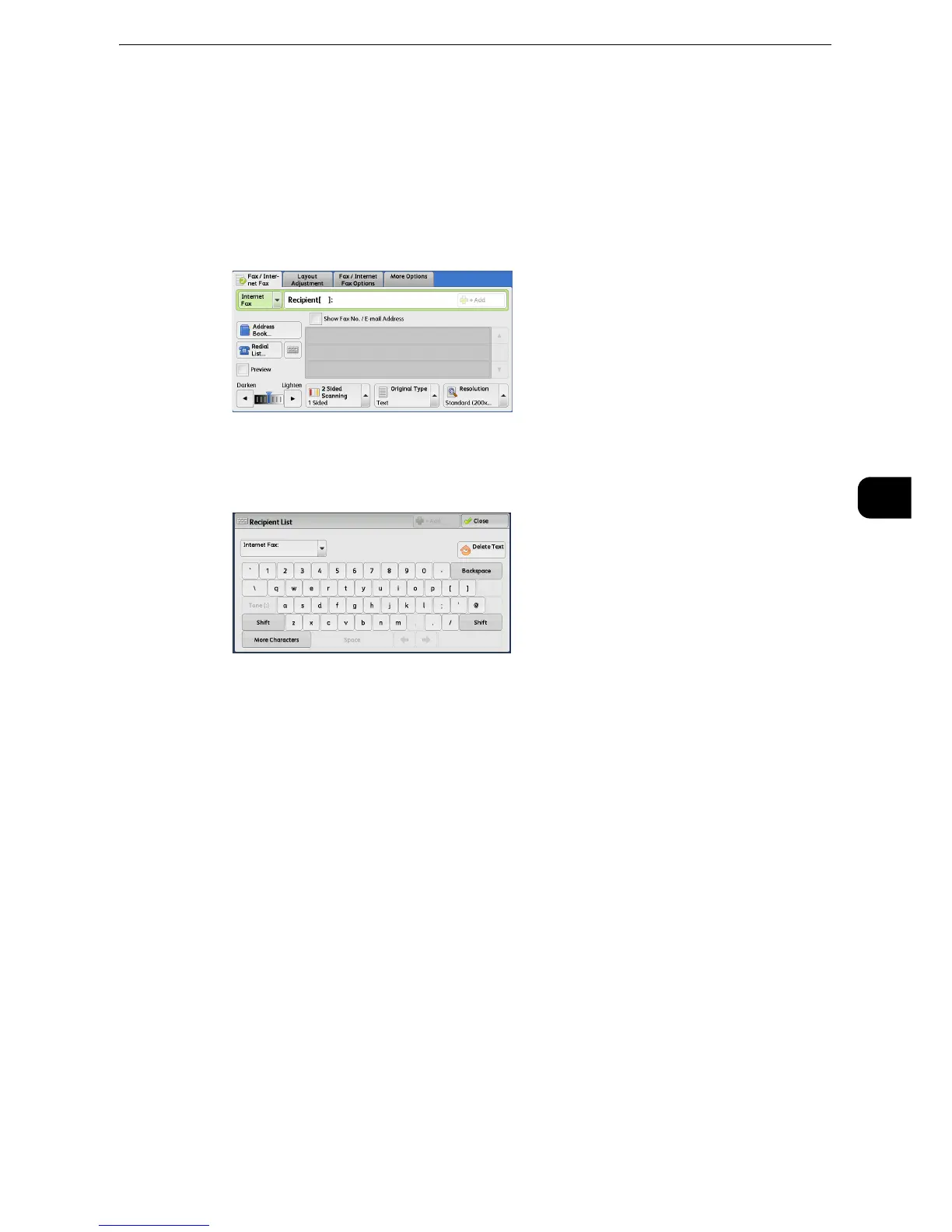
Specifying a Destination Using the Keyboard Screen
You can specify recipients using the keyboard screen.
z
When transmission to a certain recipient is prohibited in the System Administration mode, the keyboard
button cannot be used.
1 Select the keyboard button.
2 Specify a recipient with up to 128 characters using the keyboard displayed on the touch
screen.
z
When the Server Fax service is used, a destination must be less than 50 characters long. The available
characters are as follows:
z
Even though a line is specified in the above keyboard screen, when the lines are specified by selecting [Line
Selection] in the [Fax /Internet Fax] screen, a fax job will be transmitted in the setting of [Line Selection]. For
more information, refer to "Specifying a line (port) using [Line Selection]" (P.249).
0 to 9 Numeric characters
-Pause
# A starting character for a group number
\ A delimiter for private data. Using this character before and after private data hides
the destination string.
S A character for password verification
: DTMF signal
= A character to wait for dial tones
+ Available, but ignored
(Space) Available, but ignored
For more information, refer to the documentation provided with the Server Fax Kit.



 To Next Page
 Loading...

