Q2ec-FM0049
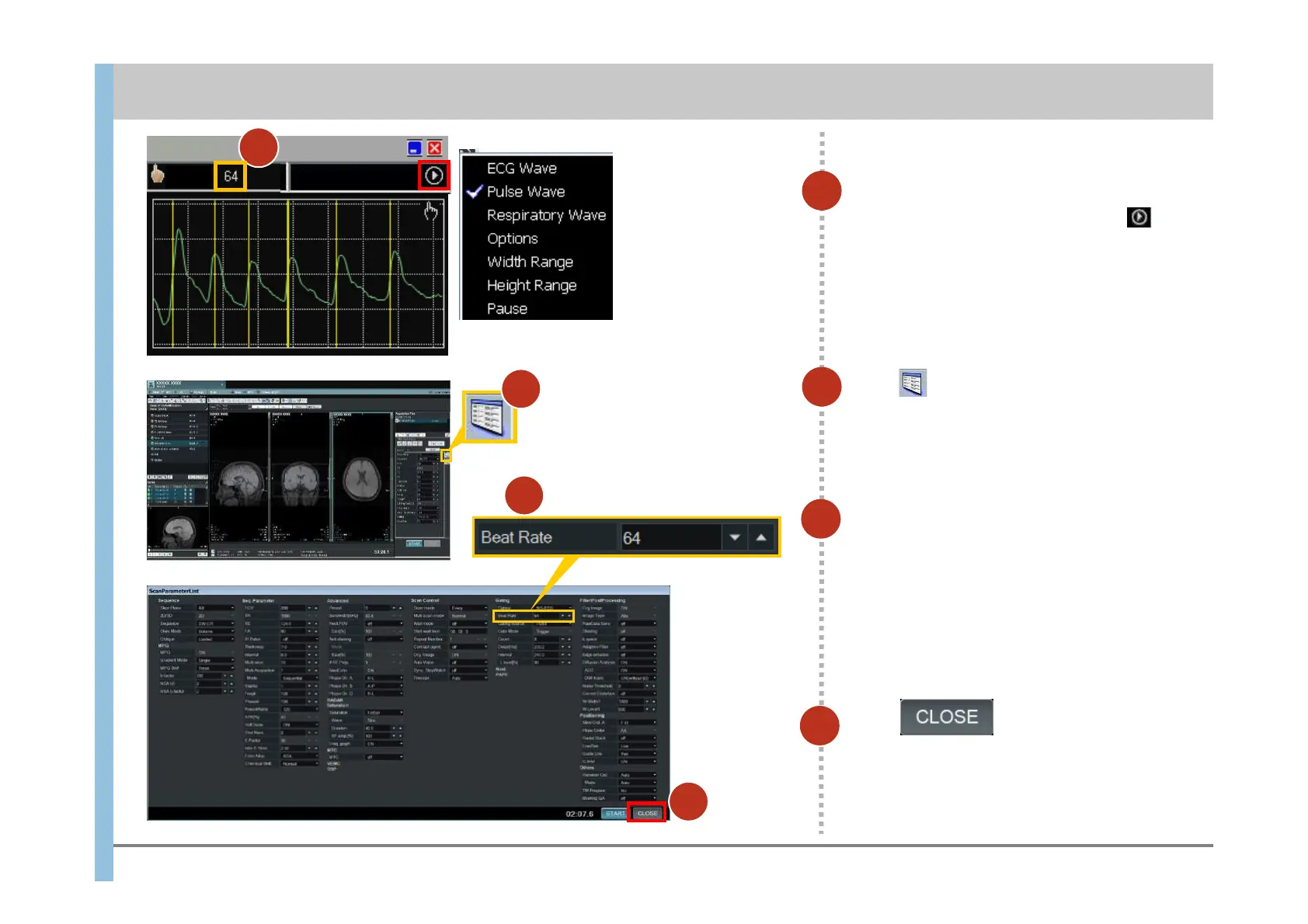
Click in the lower-right
corner to close the window.
If the pulse wave is not displayed, click to
open a dialog box and set the pulse wave.
18
Check Beat Rate.
7
9
Click .
The ScanParameterList window opens.
If gating is required, the necessary items are
specified under Gating.
8
8
Enter the pulse rate in the Beat Rate
text box.
10
10
9
7
Pulse
WaveForm
Chapter 6 Imaging
- 6.4 Imaging of diffusion weighted images (DWI) (reservation):for Gating -













 To Next Page