3. Machine Set Up QD002-07
116 NXT Setup Manual
3.9.1 Procedure
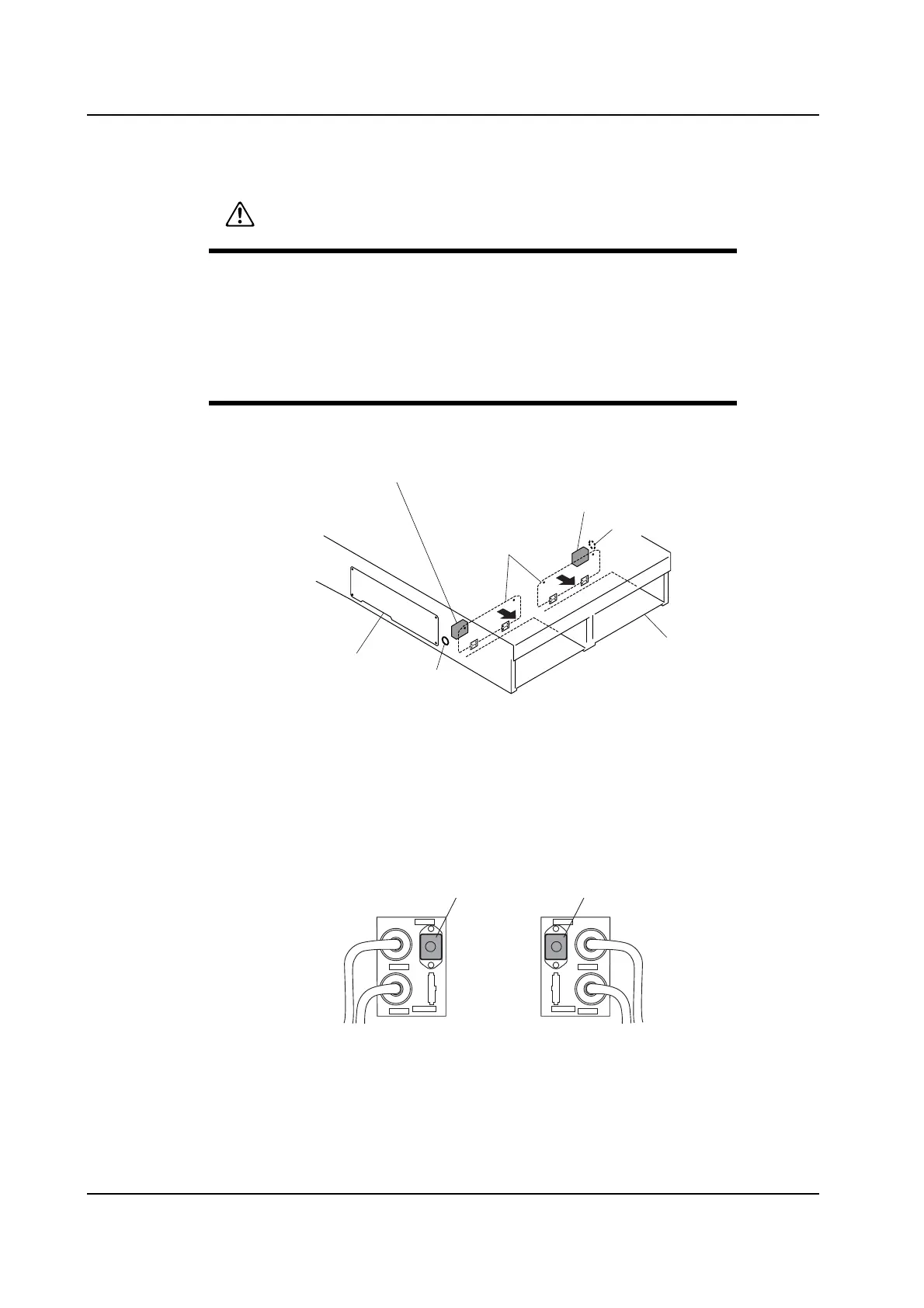
1. Either open the front cover, or remove the side cover of the base.
2. Connect the communication cables (A or B type) to the following connectors.
• Connectors LANE1 and LANE2 of the previous stage panel loading I/F box.
• Connectors LANE1 and LANE2 of the next stage panel loading I/F box.
Note: Select proper communication cables and harnesses for the previous/next stage machines.
3. Keep the connectors (RH0067* and RH0070*) attached to CN-M1 in the previous stage
panel loading I/F box and CN-M2 in the next stage panel loading I/F box.
4. Gently pull out the connected cables (1 or 2 cables each for both the previous and the
next stage) from the hole at the side of the base, and then connect it (or them) to "send
next stage input signal" terminal of the previous machine, or "send previous stage
output signal" terminal of the next machine.
CAUTION
Be sure to turn off the power to the machine before connecting or
removing any cables.
Ensure that the connector position is correct by checking the
connector label when connecting connectors.
Be sure to firmly secure the connectors together.
NXTBAS101Ea
Front cover
Hole
Hole
Next stage panel loading I/F box
Previous stage panel loading I/F box
Side cover
Base
CN-M1 CN-M2
CN-CV1F CN-CV1F
LANE1
LANE2
LANE1
LANE2
NXTSET217E
Previous stage panel loading I/F box
Next stage panel loading I/F box
Connector (RH0067*) Connector (RH0070*)



 To Next Page