QD002-07 2. Setting Up the NXT
NXT Setup Manual 21
2. Setting Up the NXT
2.1 Introduction
The aim of this manual is to provide procedural explanations of how set up the NXT
machine. The procedures outlined are to help an NXT user perform the various
mechanical, and software related operations necessary to set up the NXT for use.
The order of the procedures in this manual are basically in the order that they should be
performed for the easiest set up. In all cases, not all procedures (such as setting the IP
address of the base) need to be performed, especially when just moving the machine/base
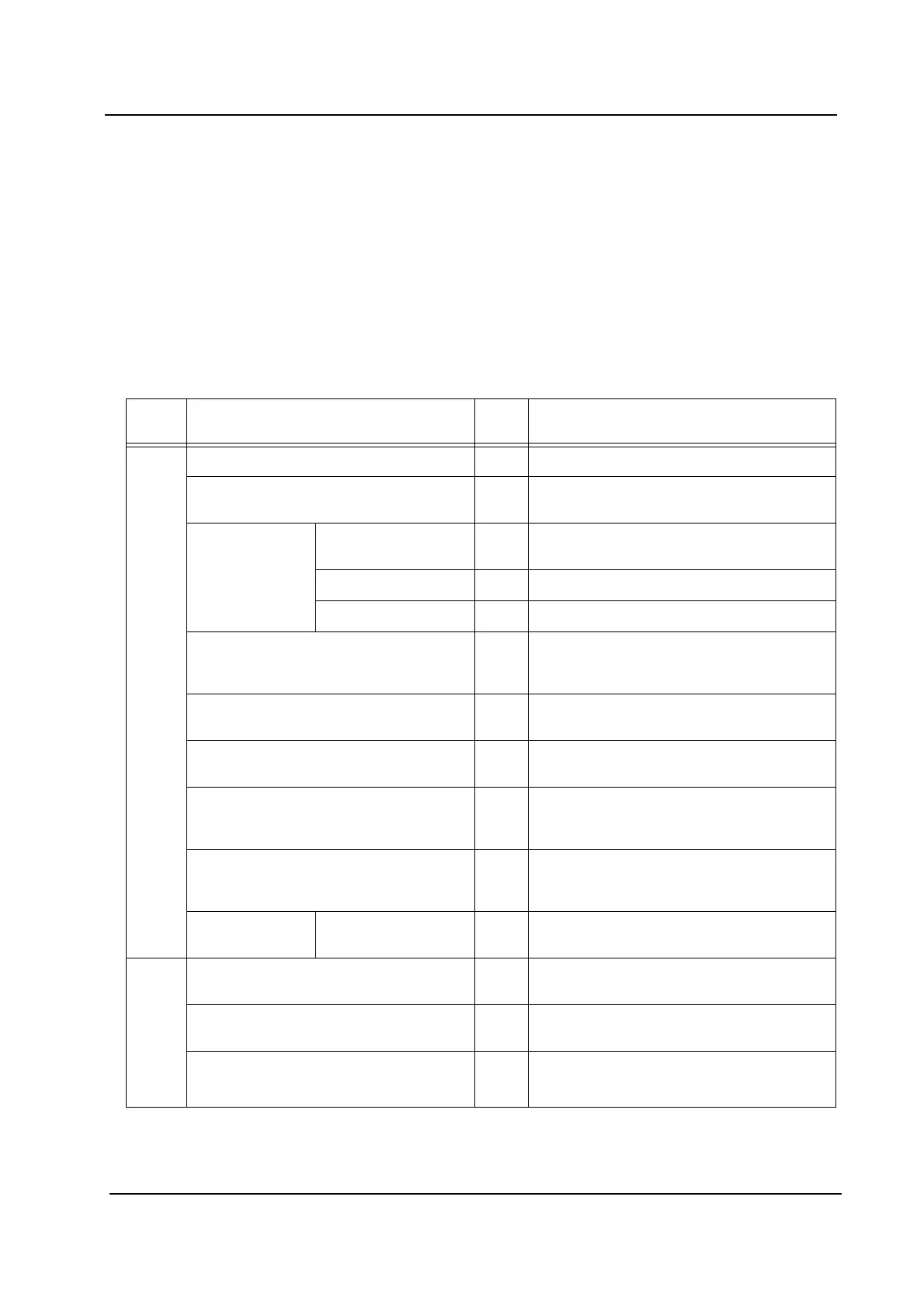
within the factory. Refer to the table below for an outline of the setup process.
Chap
ter
Section Ord. Step
3. Machine Set Up
Moving a Machine 1 Move the machine to the desired location.
Removing Fixing Brackets 2 Remove the brackets used to fixed the
axes during transport.
Making Basic
Connections
Electric Power
Supply
3 Connect the power cable to the base.
Network Cable 4 Connect the network cable to the base.
Air Supply 5 Connect the air supply to the base.
Leveling the Machine 6 Level the machine and ensure that the
conveyor height matches that of the other
machines in the line.
Making Network Settings 7 Specify the IP address and other network
related settings for the set up base.
Connecting NXT Bases 8* Connect the communication cables
between the NXT bases.
Installing Additional Dependent Bases 8* Connect the communication cables and
the pneumatic tubes between the NXT
bases. Fix the bases with brackets.
Connecting an NXT Base to Other
Machine Types
8* Connect the communication cables
between the NXT base and neighboring
machines other than NXT bases.
Tray Unit-L Adjusting the height
and levelness
9 Use a level gauge to adjust the height and
levelness.
4. Setting Up NXT
Machines in Flexa
Creating a factory 10 Create a factory in the Fuji Flexa line
configuration, if necessary.
Creating a line 11 Create a line in the Fuji Flexa line
configuration, if necessary.
Creating a machine 12 Create the NXT machine in the desired
line in the Fuji Flexa line configuration.



 To Next Page