Working w ith the notebook
Keyboard
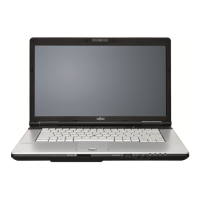
KeyboardNumeric keypadNumerickey padButtons
The keyboard of your notebook is subject to continuous wear through normal
use. The ke y markings are especially prone to we ar. The key markings are
liable to wear away over the life of the notebook.
The keyboard has been designed to provide all the functions of an enhanced keyboard.
Some enhanced keyboard functions are mapped with key combinations.
The followin g description of keys refers to Windows. Additional functions supported by the keys
are described in the relevant manuals su pplied with your application programs.
The figure below shows how to access the different characters on ke ys with overlaid functions.
The example ap plies when the Caps Lock key has not been activated.
The illustrations shown below may differ from you r actual device.
0
=
}
+
+
Num
Alt Gr
=
0
}
=
0
}
=
0
}
=
0
}
Key Description
Backspace key
The Backspace key deletes the character to the left of the cursor.
BackspaceBackspace
Tab key
The Tab key m oves the cursor to the next tab stop.
Tabkey
22 Fujitsu Technology S olutions









 To Next Page


