How to Perform a Scan (for Mac OS users)
237
■ Stopping the Scan
You can stop a scan in progress in case you are scanning a wrong document or the wrong
side of a document.
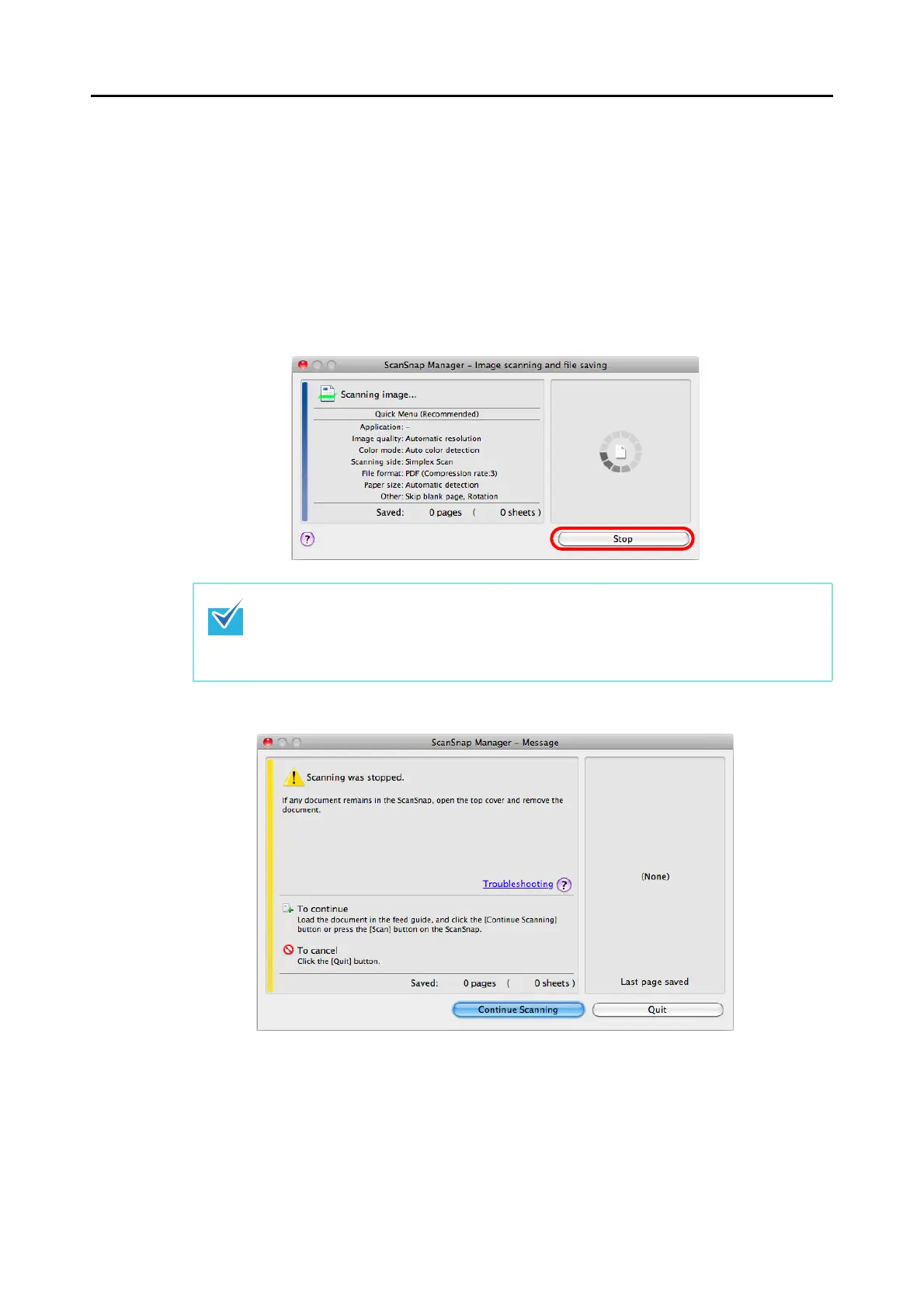
Stop the scan in the following procedure:
1. Click the [Stop] button in the [ScanSnap Manager - Image scanning and
file saving] window which appears during scanning.
The following message appears when the scanning stops.
2. Click the [Quit] button.
To continue scanning, click the [Continue Scanning] button or press the [Scan/Stop]
button on the ScanSnap after loading another document in the ScanSnap.
You can also stop the scan during scanning by pressing the [Scan/Stop] button on the
ScanSnap.
Remove the document from the ScanSnap after stopping the scan. For details about how
to remove documents, refer to "Troubleshooting" in the ScanSnap Manager Help.



 To Next Page
 Loading...













