Configuring ScanSnap Manager (for Mac OS users)
242
■ How to Configure Scan Settings
You can configure scan settings in the ScanSnap setup window depending on your intended
use.
Configure the scan settings in the following procedure.
1. Select [Settings] from the ScanSnap setup window.
Select [Settings] from the ScanSnap Manager menu.
For details about the ScanSnap Manager menu, refer to
"ScanSnap Manager Menu"
(page 224)
.
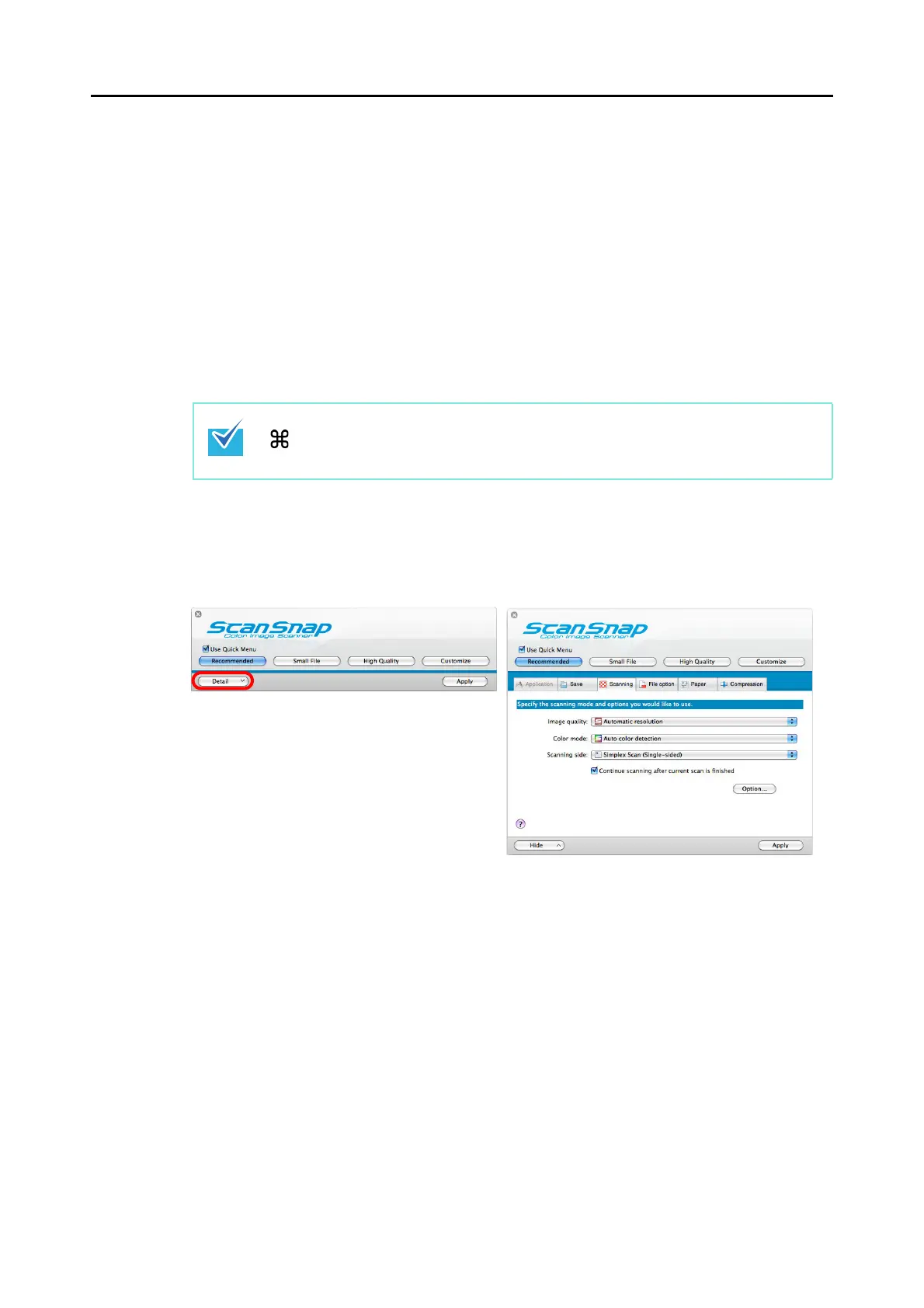
The ScanSnap setup window appears.
2. Click the [Detail] button to switch to the detail view mode.
zUsing the Quick Menu
You can also open the ScanSnap setup window by pressing simultaneously the [command
( )] and [S] keys on the keyboard. This operation is only enabled when ScanSnap
Manager is active (when "ScanSnap Manager" is displayed in the menu bar).



 To Next Page
 Loading...













