Actions (for Mac OS users)
278
3. Click the [OK] button to close the [Scan to Print - Options] window.
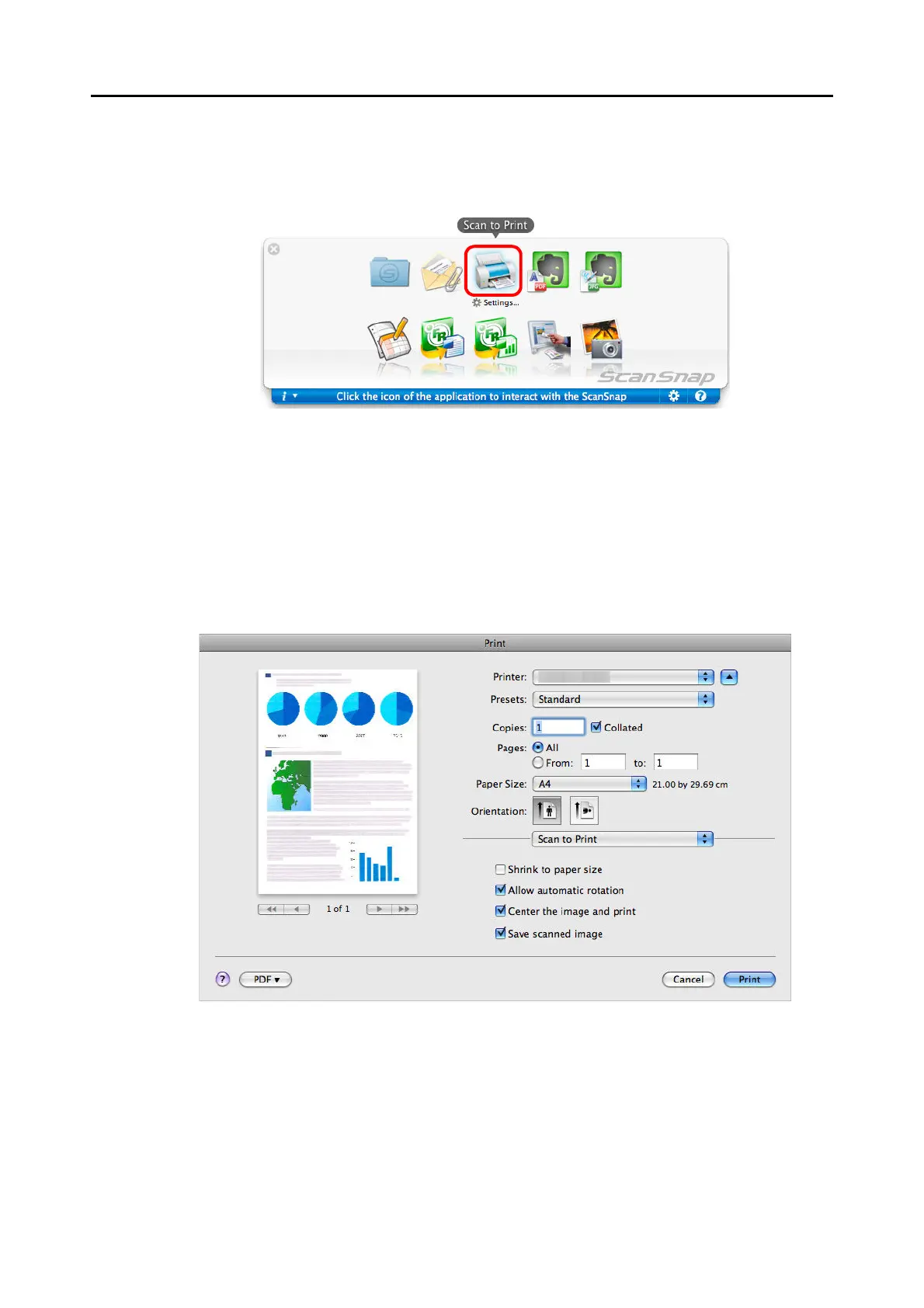
5. Click the [Scan to Print] icon.
The [Print] window appears.
6. Configure print setup options in the [Print] window.
In the [Print] window, you can specify the printer to be used, the number of copies, and
size and position of the scanned image to be printed, and whether to save the scanned
image in the folder specified for [Image saving folder].
For details about the [Print] window, refer to the ScanSnap Manager Help.



 To Next Page
 Loading...













