Using the ScanSnap in Various Ways (for Mac OS users)
354
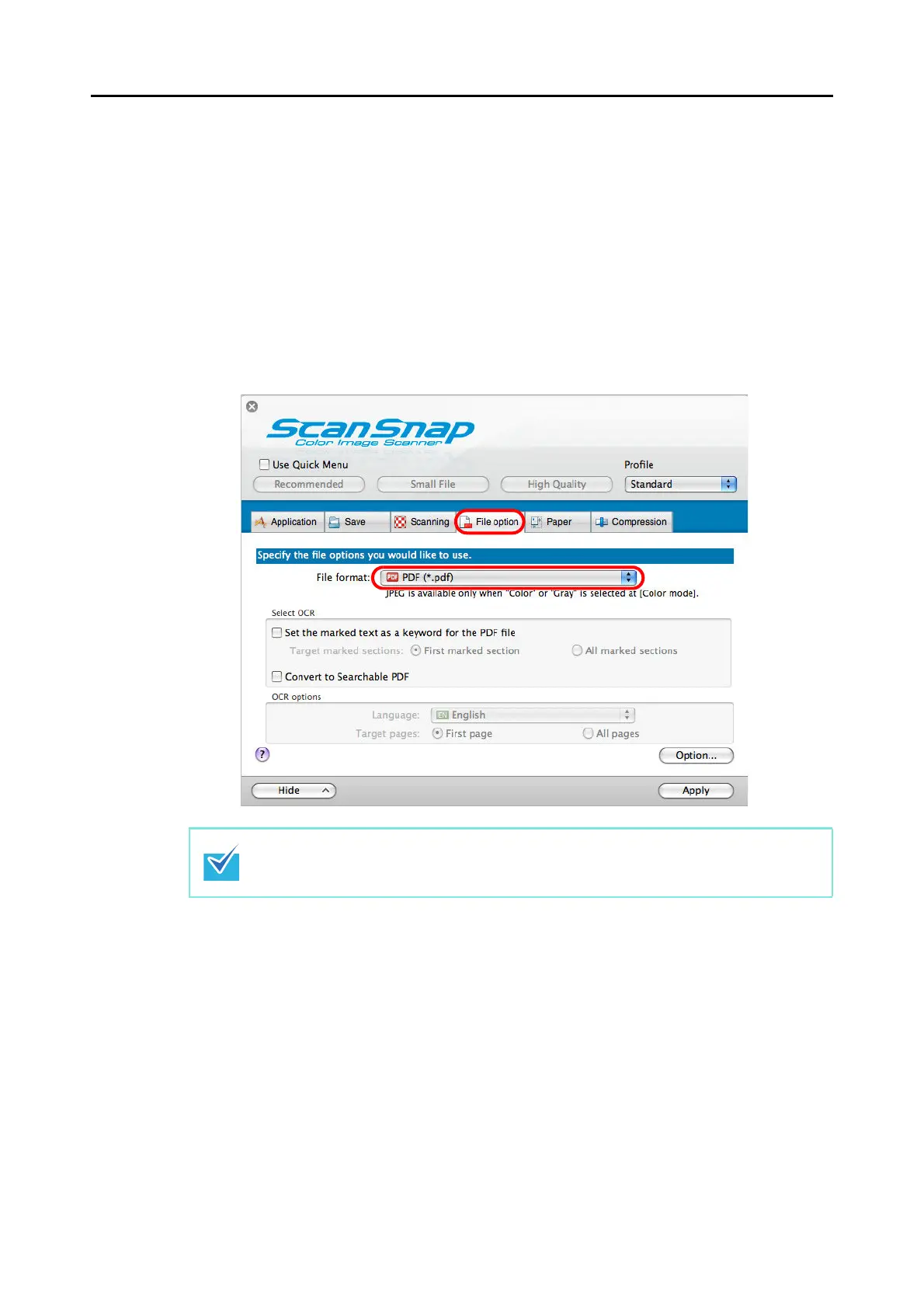
Change the settings in the following procedure to automatically set keywords for PDF files.
1. Select [Settings] from the ScanSnap Manager menu.
For details about the ScanSnap Manager menu, refer to
"ScanSnap Manager Menu"
(page 224).
The ScanSnap setup window appears.
2. From the [File format] pop-up menu in the [File option] tab, select [PDF
(*.pdf)].
It is recommended that you select [Better] or [Best] for [Image quality] in the [Scanning] tab
of the ScanSnap setup window.



 To Next Page
 Loading...













