Installing in Mac OS
55
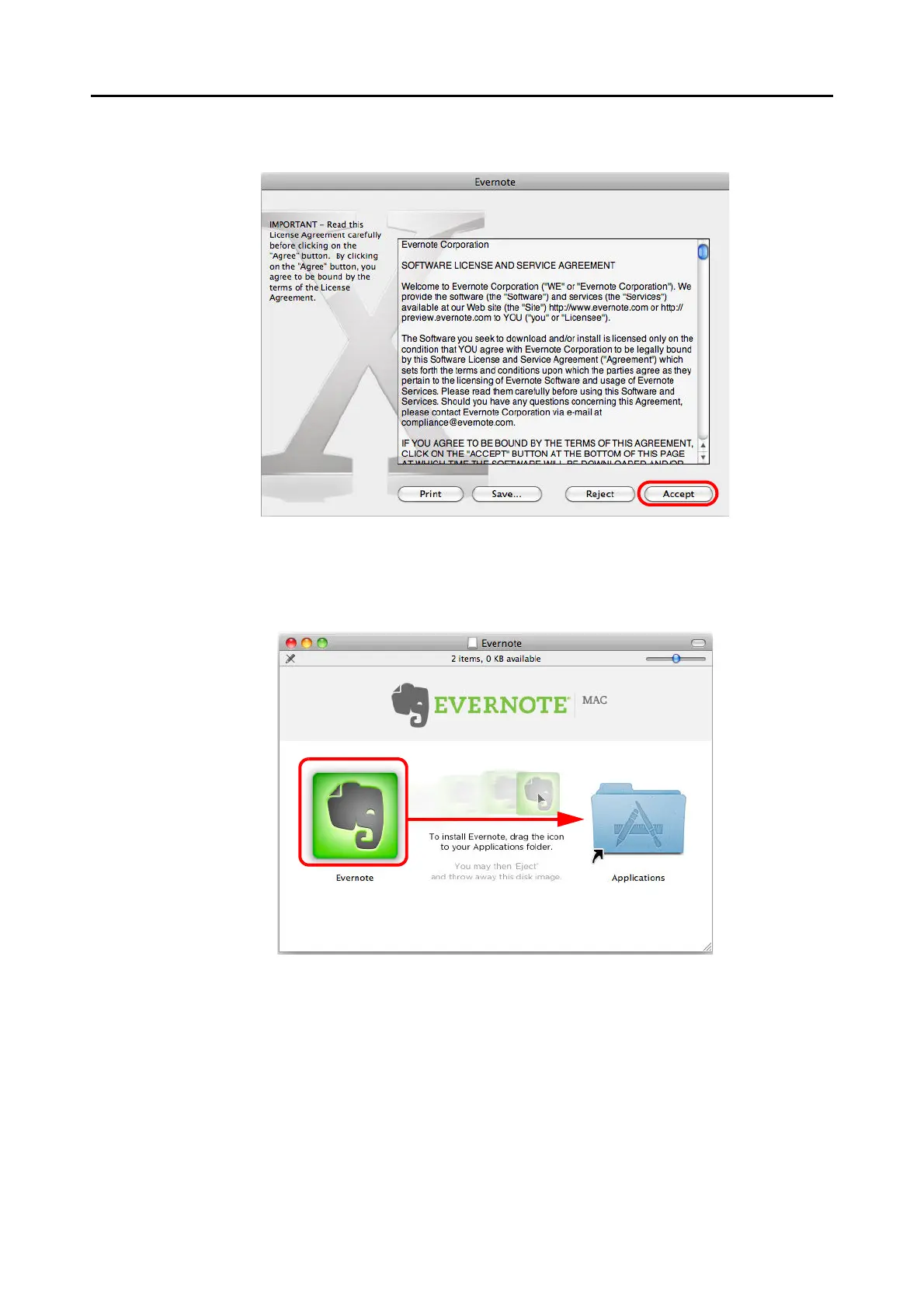
4. To accept the license agreement, click the [Accept] button.
A window to start installing Evernote for Mac appears.
5. Drag the [Evernote] icon onto the [Applications] icon.
Evernote for Mac is copied into the [Applications] folder.
6. When the copying is finished, drag the Evernote icon on the desktop into
the Trash.



 To Next Page
 Loading...













